Active shooter alerts are high-priority emergency notifications delivered via mobile devices, public address systems, and digital displays to warn individuals of an immediate threat involving a firearm. These alerts provide life-saving instructions—typically advising people to run, hide, or fight—and are triggered by law enforcement, emergency management agencies, or automated detection systems to minimize casualties during a localized crisis.
The Infrastructure of Modern Alerting Systems
In 2026, the infrastructure supporting active shooter alerts relies on a multi-layered approach that integrates government-mandated systems with private enterprise solutions. At the federal level in the United States, the Integrated Public Alert and Warning System (IPAWS) serves as the backbone. Managed by FEMA, IPAWS allows authorized alerting authorities to send emergency messages through various pathways, including the Wireless Emergency Alerts (WEA) system, the Emergency Alert System (EAS), and National Oceanic and Atmospheric Administration (NOAA) Weather Radio.
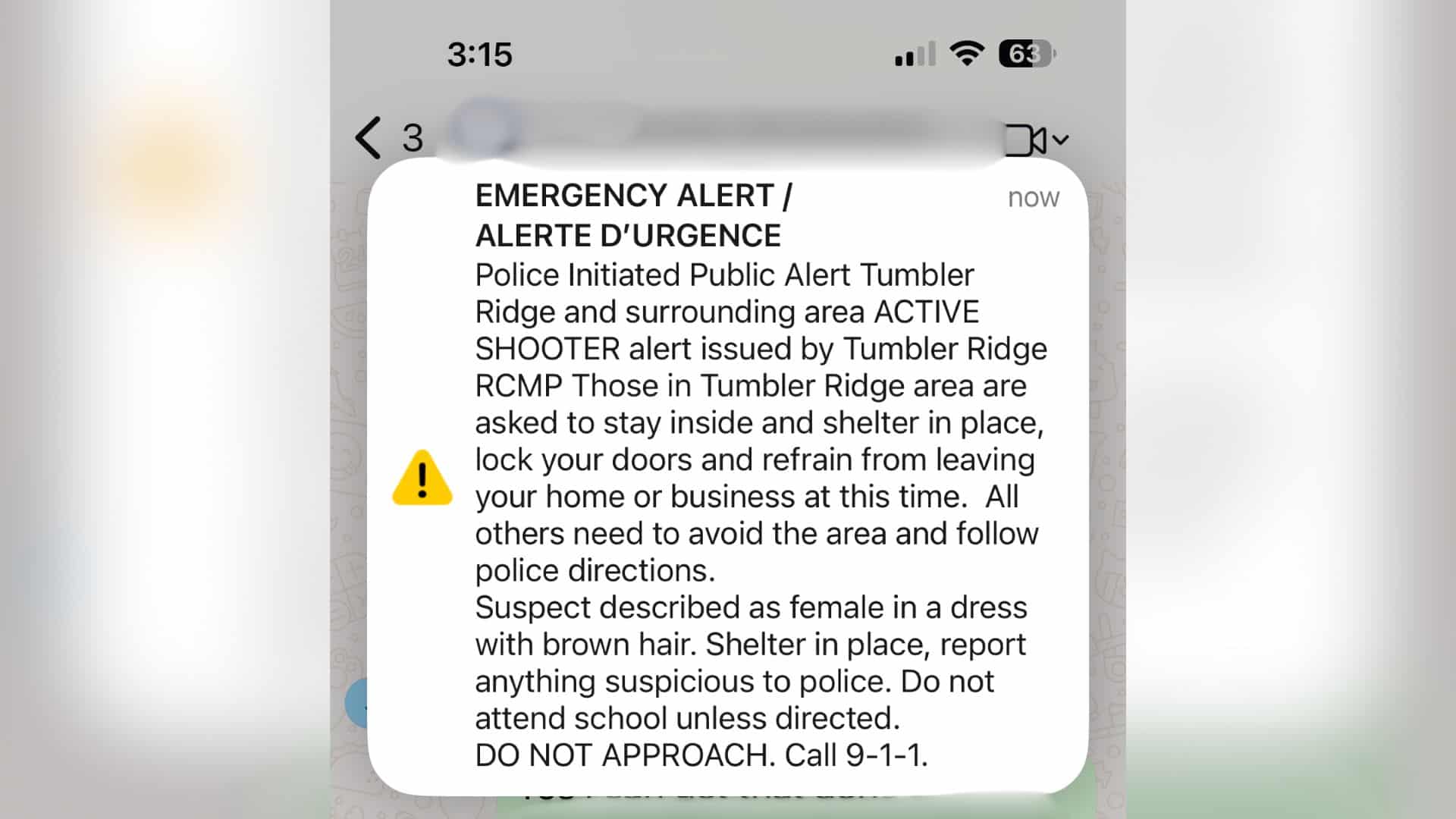
Wireless Emergency Alerts are the most critical component for the general public. These are the "Presidential-style" alerts that trigger a unique sound and vibration on smartphones. By 2026, the precision of these alerts has improved significantly due to enhanced geo-fencing capabilities. Unlike early iterations that often overshot the intended area, modern WEA messages are targeted to specific buildings or city blocks, reducing "alert fatigue" and ensuring that only those in the danger zone are notified. This geographic accuracy is facilitated by device-based geo-fencing, where the smartphone itself determines if it is within the danger coordinates provided by the broadcaster.
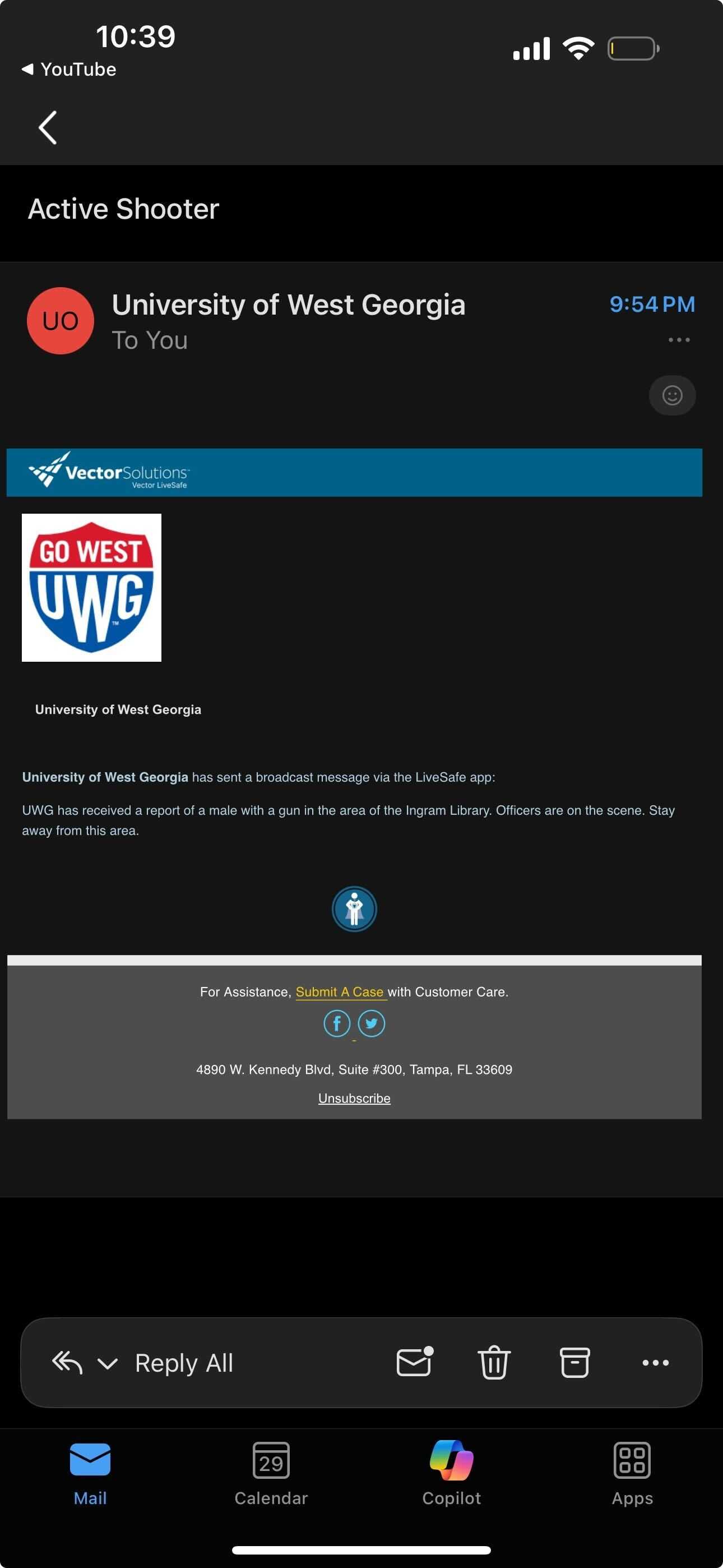
For private organizations, such as schools, hospitals, and corporate campuses, the infrastructure often includes a Mass Notification System (MNS). These systems are designed to fill the gap between a 911 call and a public WEA broadcast. An MNS can simultaneously trigger desktop pop-ups, SMS texts, automated voice calls, and digital signage overrides. The integration of these systems into a single "one-click" activation protocol is now considered a standard safety requirement for large-scale facilities.
Detection Technologies and Automated Triggers
The speed of an active shooter alert is often the deciding factor in survival rates. Historically, alerts were dependent on a human witness calling 911, a dispatcher processing the information, and an authorized official manually sending the notification. In 2026, automated detection technologies have significantly shortened this timeline by removing human latency from the initial identification phase.
Acoustic gunshot detection systems (AGDS) are now widely deployed in urban centers and high-risk facilities. These systems use sophisticated microphone arrays and digital signal processing to identify the unique acoustic signature of a muzzle blast. When a shot is fired, the system can triangulate the location within seconds. In many advanced "smart buildings," these sensors are integrated directly into the alert system, meaning a confirmed gunshot can automatically trigger a lockdown alert and notify local police without human intervention.
Visual AI (Artificial Intelligence) has also become a cornerstone of detection. Modern security camera software can be trained to recognize the "object signature" of a firearm. When the AI identifies a weapon drawn in a hallway or parking lot, it flags the event for security personnel or, depending on the facility's policy, initiates a pre-emptive alert. These technologies are often used in tandem; the visual AI provides the "what" and the acoustic sensors provide the "where," creating a verified event that justifies an immediate, high-stakes public alert.
Primary Methods of Alert Delivery
The efficacy of an active shooter alert is measured by its reach and the speed with which it prompts action. Because no single communication channel is 100% reliable during an emergency—due to network congestion or individual device settings—a "redundant notification" strategy is essential.
- Wireless Emergency Alerts (WEA): These are sent by government agencies and do not require a subscription. They bypass network congestion by using a dedicated broadcast channel. In 2026, these alerts often include "clickable" maps and specific instructions tailored to the user's precise location within a building.
- SMS and Push Notifications: These are common in university and workplace settings. While SMS can suffer from delivery delays during high-traffic events, push notifications through dedicated safety apps (like Rave Guardian or AlertMedia) tend to be faster and can include rich media, such as floor plans or safe-exit routes.
- Audible and Visual On-Site Alerts: In a high-noise environment or for individuals with hearing impairments, strobe lights and high-decibel sirens are vital. Modern systems use "voice-evacuation" technology, which replaces a generic siren with a clear, calm voice providing specific instructions (e.g., "Active shooter reported in North Wing. Initiate lockdown.").
- Desktop and Digital Signage Overrides: For employees at their desks or students in common areas, an intrusive pop-up that locks the computer screen until the message is acknowledged ensures the alert is not missed. Similarly, digital directories and menu boards in public spaces can be instantly converted into emergency instruction displays.
| Alert Method | Delivery Speed | Geographic Precision | Target Audience | Key Advantage |
|---|---|---|---|---|
| WEA (Public) | Moderate (seconds) | High (Block level) | General Public | No opt-in required; bypasses congestion. |
| SMS/Text | Variable | Low (Phone number) | Registered Users | High familiarity; works on legacy phones. |
| Push Notification | Rapid | High (App-based) | App Users | Can include maps and two-way chat. |
| Desktop Pop-up | Instant | Exact (IP-based) | Employees/Students | Impossible to ignore while working. |
| Acoustic PA | Instant | Localized | On-site Occupants | Immediate action without a device. |
Setting Up and Receiving Alerts
For individuals, ensuring you are capable of receiving active shooter alerts involves both device configuration and active participation in local safety programs. Most modern smartphones have emergency alerts enabled by default, but it is prudent to verify these settings. On iOS and Android devices, these are typically found under "Notifications" or "Safety & Emergency" settings. You should ensure that "Extreme Threats" and "Public Safety Alerts" are toggled on.
In 2026, many municipalities have moved toward "opt-in" community notification systems for more localized updates that might not reach the threshold of a federal WEA. These systems, often powered by platforms like Everbridge or Nixle, allow residents to register their specific home or work addresses to receive text or email updates about police activity in their immediate vicinity.
For organizations, the setup process is more complex. It begins with a "hazard vulnerability assessment" to determine the most likely scenarios. Implementation requires:
- Database Management: Ensuring that employee or student contact information is current and that the system can distinguish between different groups (e.g., notifying the "First Response Team" differently than the "General Population").
- Authority Definition: Clearly defining who has the power to "push the button." In many modern protocols, this authority is decentralized to allow front-desk staff or security guards to trigger an alert instantly, rather than waiting for executive approval.
- Integration: Linking the alert system with physical security measures, such as magnetic door locks (Access Control Systems) and fire alarm panels, to ensure a coordinated response.
Critical Challenges and Limitations
Despite technological advancements, active shooter alerts are not without flaws. One of the most significant challenges is the "latency-accuracy tradeoff." An alert sent too slowly may result in casualties, but an alert sent too quickly based on unverified data can cause mass panic, injuries during a stampede, or "crying wolf" syndrome that leads to future complacency.
False positives remain a concern, particularly with automated acoustic sensors. While 2026-era AI is much better at distinguishing a gunshot from a car backfire or a firework, errors still occur. Consequently, many high-security environments use a "human-in-the-loop" verification process where a security officer must confirm a sensor's hit via live video feed before an all-campus alert is broadcast. This adds roughly 5 to 10 seconds to the response time but significantly reduces the risk of false alarms.
Another limitation is "notification fatigue." In an era where people are bombarded by digital pings, there is a risk that a life-saving alert is dismissed as just another notification. This is why the unique, jarring audio tone of the WEA is legally protected and standardized. Furthermore, network dead zones—such as basements or reinforced "safe rooms"—can prevent mobile alerts from reaching those who need them most, highlighting the necessity of hardwired PA systems and internal Wi-Fi-based alerts.
Organizational Implementation and Best Practices
For a business or educational institution, deploying active shooter alerts is a component of a broader Emergency Action Plan (EAP). According to Occupational Safety and Health Administration (OSHA) guidelines, an EAP must be in writing and include procedures for reporting a fire or other emergency. For active shooter scenarios, the alert system is the "trigger" for the rest of the plan.
A best-practice implementation involves "Tiered Alerting." This means the first alert is a simple, high-impact instruction (e.g., "Active Shooter. Run, Hide, Fight. Use North Exit."). Subsequent updates provide more detail as the situation evolves (e.g., "Police are on site. Suspect contained in the cafeteria. Remain in lockdown."). This prevents information overload during the initial seconds of high stress while keeping people informed during the hours-long process of clearing a building.
Regular drills are essential for testing the technical performance of the alert system and the behavioral response of the occupants. In 2026, many organizations use "silent tests" to verify that all desktop overrides and digital signs trigger correctly without causing unnecessary alarm to the public. However, at least once a year, a full-scale exercise should be conducted to ensure that the human elements of the alert system—such as the clarity of the voice instructions and the speed of the manual triggers—are functioning as intended.
Frequently Asked Questions
Does 911 automatically send an active shooter alert to my phone?
Calling 911 does not automatically trigger a Wireless Emergency Alert (WEA) to everyone in the area. While the 911 dispatcher receives the report, the decision to broadcast a public alert rests with the local police department or emergency management office. There is often a delay of several minutes between the first 911 call and a public alert being issued as officials verify the threat.
Can I opt out of active shooter alerts on my smartphone?
While most smartphones allow you to opt out of "Amber Alerts" and "Public Safety Alerts," federal law in many jurisdictions prevents users from opting out of "National Alerts" (formerly called Presidential Alerts). It is strongly recommended to keep all public safety alerts enabled, as active shooter notifications are often categorized under "Extreme Threats" or "Public Safety," and missing one could be fatal.
What is the difference between an active shooter alert and a lockdown notice?
An active shooter alert is a notification of a specific, immediate threat involving a gunman. A lockdown notice is a specific instruction that may be issued during an active shooter event, but it can also be used for other situations, such as a nearby police chase or a chemical leak. Essentially, the alert tells you "what is happening," and the lockdown notice tells you "what to do."
Are active shooter alerts available in multiple languages?
As of 2026, the WEA system and most commercial mass notification platforms support multi-language alerts. If your phone's primary language is set to Spanish, for example, you will receive the alert in Spanish, provided the sending agency has authored a version in that language. Most modern systems are moving toward automated translation to ensure non-English speakers receive life-saving info simultaneously.
How do I know if an alert is real or a test?
Legally, all test alerts must be clearly labeled as "TEST" in the message body. If you receive an alert that does not explicitly state it is a test, you must treat it as a real emergency. In 2026, most systems also use a different, less intrusive tone for scheduled tests to prevent confusion with actual emergency broadcasts.
Immediate Steps for Personal Safety
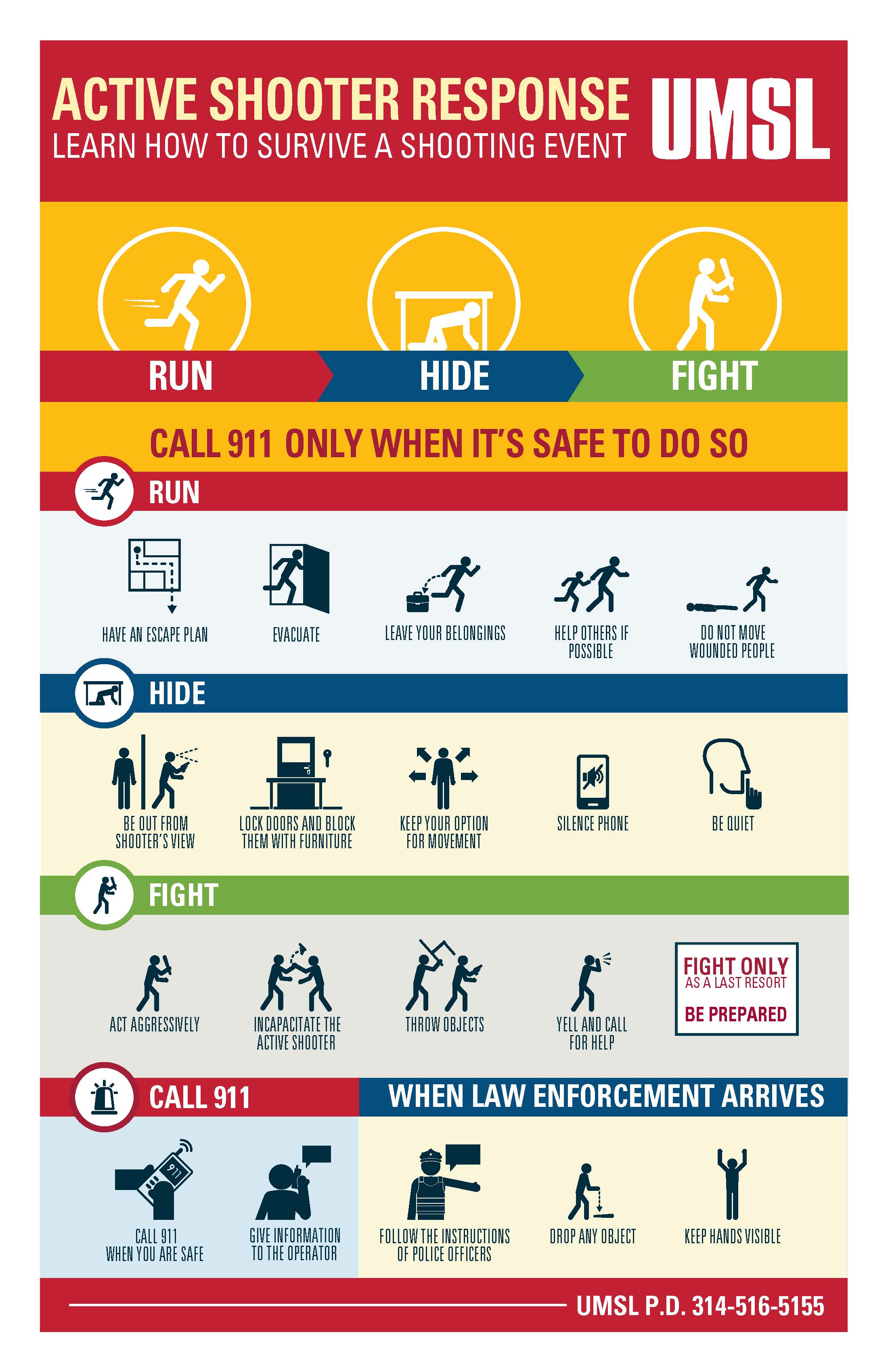
The moment you receive an active shooter alert, your priority is immediate action rather than verification. Do not call 911 to ask if the alert is real, as this overwhelms emergency lines. Instead, follow the established "Run, Hide, Fight" protocol developed by the Department of Homeland Security (DHS).
If there is an accessible escape path, attempt to evacuate the premises immediately (Run). If evacuation is not possible, find a place to hide where the shooter is less likely to find you, lock and blockade the door, and silence your cell phone—including the vibration (Hide). As a last resort, and only when your life is in imminent danger, attempt to disrupt or incapacitate the shooter using physical force or improvised weapons (Fight). Once you are in a safe location, continue to monitor your device for "All Clear" notifications or further instructions from law enforcement.