Navigating the Santa Cruz County Superior Court civil case search system requires an understanding of California’s judicial transparency policies and the specific digital infrastructure maintained by the local Clerk of the Court. As of 2026, the Santa Cruz Superior Court utilizes standardized electronic access portals to provide public information regarding litigation, small claims, and civil filings. This guide outlines the precise methods, jurisdictional boundaries, and procedural nuances required to perform a compliant and efficient search.
Understanding the Scope of Civil Litigation Records in Santa Cruz
In Santa Cruz County, civil case records are categorized by the nature of the dispute and the jurisdictional limits of the court. When conducting a search, users must distinguish between different types of civil filings, as the retrieval process and document accessibility may vary based on whether the case is currently active, sealed by court order, or archived.
The civil division encompasses:
- Unlimited Civil Cases: Disputes involving amounts exceeding 35,000 dollars.
- Limited Civil Cases: Disputes involving amounts up to 35,000 dollars.
- Small Claims: Disputes handled under simplified procedures for monetary amounts up to 12,500 dollars for individuals.
- Unlawful Detainer: Landlord-tenant disputes and eviction proceedings.
- Probate and Family Law: These often operate under separate, specialized portals or registry systems within the county infrastructure.
Operational Procedures for the Online Case Management Portal
The primary method for locating civil records is through the official Superior Court of California, County of Santa Cruz online portal. As of 2026, the court emphasizes digital-first access to reduce administrative burdens at the Watsonville and Santa Cruz courthouse locations.
Follow these steps to conduct an accurate query:
- Identify the Case Type: Before initiating the search, confirm if the record you seek is a civil matter. Probate, family, and criminal cases require different search parameters.
- Utilize Search Identifiers: Use the unique Case Number if known. If the number is unavailable, search by the party name (Plaintiff or Defendant). Note that exact spelling is critical; typographical errors will result in null returns.
- Apply Filtered Logic: Use the date range filters provided in the 2026 portal interface to narrow results if the party has been involved in multiple historical proceedings.
- Verify Document Availability: While the register of actions is public, specific sensitive documents, such as those involving minor children or sealed evidentiary exhibits, will not be downloadable through the public portal and may require a physical visit to the Clerk’s Office.
Data Accuracy and Search Limitations
When retrieving information, users must account for the lag between court filings and digital updates. The Superior Court of California, County of Santa Cruz, generally updates its electronic register of actions within 24 to 48 hours of a filing being processed by the clerk.
Important Considerations for Data Users
Verification Necessity Information retrieved online is for informational purposes. Certified copies of court orders, judgments, or filings must be requested directly from the Clerk’s Office to be considered legally admissible in other proceedings.
Privacy Constraints Certain civil records contain protected personal information. Redaction policies in 2026 are strictly enforced. If you encounter a record that appears to contain improperly disclosed private data, contact the Court Clerk immediately to report the discrepancy.
Comparison of Access Methods for Civil Records
The following table outlines the efficacy and utility of different methods for obtaining civil case documentation within the county.
| Access Method | Reliability | Real-Time Status | Cost Implications |
|---|---|---|---|
| Official Online Portal | High | Yes (24-48hr lag) | Free for basic lookups |
| Physical Clerk Kiosk | Highest | Real-time | Free |
| Certified Copy Request | Absolute | Finalized Records | Varies by page count |
| Third-Party Data Aggregators | Low to Medium | Frequently outdated | Subscription-based |
Troubleshooting Common Search Failures
If your search yields no results, do not immediately assume the record does not exist. Consider these expert troubleshooting strategies:
- Phonetic Mismatches: If you are searching by name, try variations. For hyphenated names or common clerical errors, use partial string searching if the portal allows (e.g., entering only the last name).
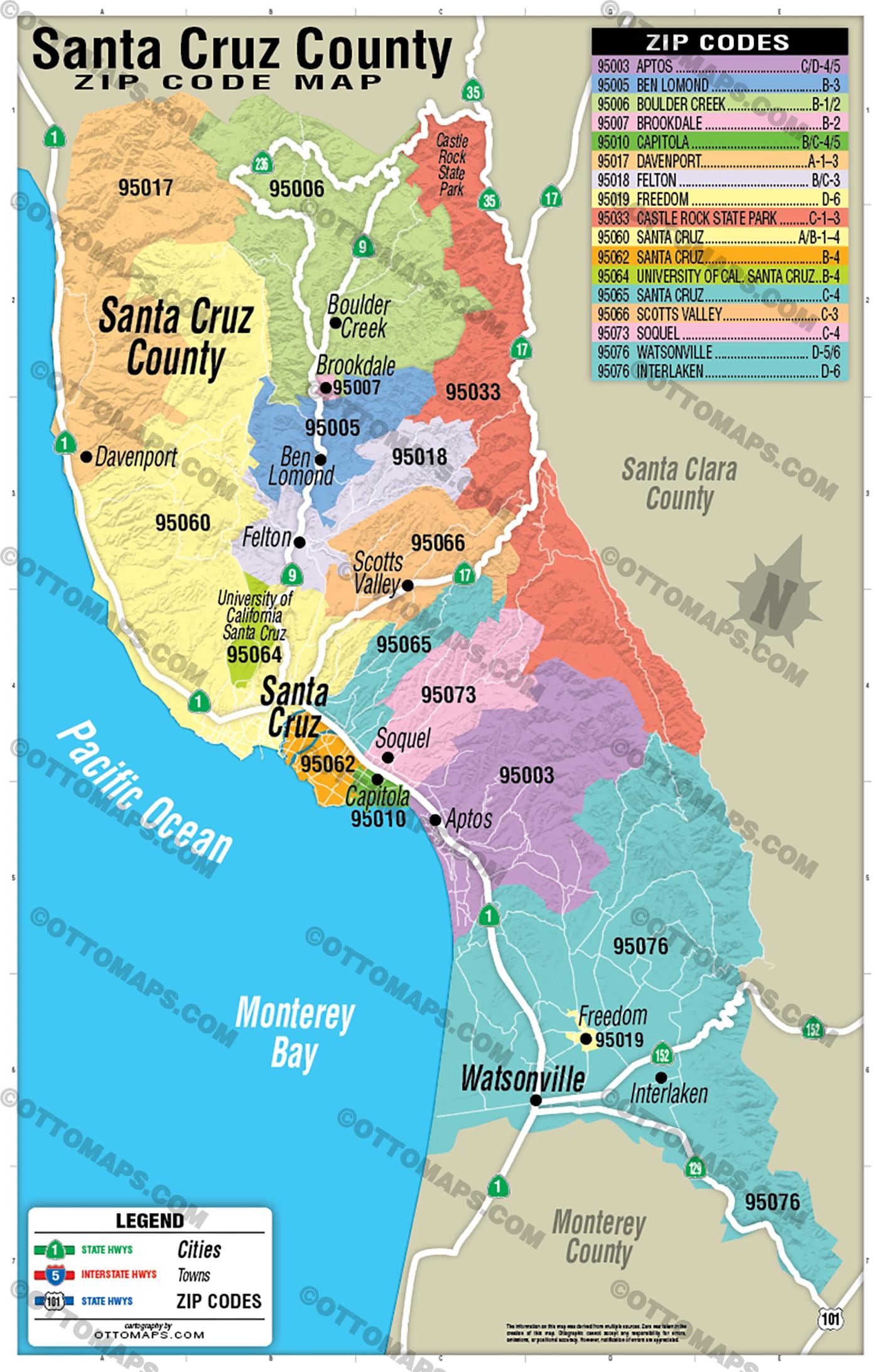
- Jurisdiction Confusion: Ensure the case was filed in Santa Cruz County. Cases involving parties in Santa Cruz but filed in adjacent jurisdictions like Monterey or Santa Clara County will not appear in the Santa Cruz portal.
- Status of Case: If a case was disposed of or archived more than a decade ago, it may have been moved to microfiche or physical deep storage. These records often require a specific archival request form and additional processing time.
Frequently Asked Questions Regarding Public Access
Can I view the actual contents of a civil complaint online?
In many cases, the register of actions is viewable, but the full image of the complaint may be restricted for non-parties. You may be required to visit the courthouse in person or request a copy through the Clerk's digital document request system if it is a public-record document.
Is there a fee to search for cases?
General name and case number searches on the official court website are provided free of charge to the public. However, requesting certified copies of specific documents or printing services at the courthouse will incur statutory fees set by the California Government Code.
How do I find a case if I only know the attorney involved?
Most county portals are optimized for party names (the names of the plaintiff and defendant). If you only have the attorney's name, you will likely need to contact the clerk's office directly, as the public interface typically does not support attorney-based index searches.
What should I do if the online portal is down?
The court system undergoes periodic maintenance. If the site is inaccessible, check the official court homepage for service status announcements. Always wait for the official domain (ending in .gov or .org associated with the county court) to return to service rather than using third-party proxies.
Are small claims cases treated differently than standard civil cases?
Yes, while they fall under the civil umbrella, small claims records are often handled with expedited procedures. The search filters in the portal usually allow you to toggle "Small Claims" separately to avoid cluttering your results with unlimited civil litigation.
Expert Recommendations for Legal Professionals and Researchers
For those conducting recurring research, maintain a local log of Case Numbers rather than relying on repeated searches. As of 2026, the Santa Cruz Superior Court strongly encourages utilizing the electronic filing (e-filing) system for active attorneys, which ensures the most accurate data synchronization. For researchers, keep in mind that case numbering conventions include a prefix indicating the case type (e.g., CV for Civil, SC for Small Claims). Understanding these prefixes will drastically reduce the time spent filtering through search results.
If you require official assistance with a complex legal matter or need to verify a document for a pending court appearance, it is advised to coordinate directly with the Santa Cruz Superior Court Clerk’s Office during standard business hours. Relying solely on third-party aggregation sites in 2026 often leads to reliance on obsolete data, which can compromise the integrity of your legal research or business due diligence.