This guide focuses exclusively on reporting fraudulent communications to Spectrum (Charter Communications), including their Internet, Mobile, and Voice services. For users seeking to report signal interference or radio frequency issues, please contact your regional telecommunications regulatory body.
The landscape of digital fraud has shifted dramatically as we move through 2026. Phishing attacks targeting Spectrum customers have evolved from simple "urgent billing" emails into sophisticated, AI-driven campaigns that utilize generative text and deepfake audio to bypass traditional security filters. As a Spectrum subscriber, your role in the ecosystem of collective security is more critical than ever. Reporting these incidents does not just protect your personal data; it trains Spectrum’s Security Operations Center (SOC) algorithms to better defend the millions of households relying on Charter’s infrastructure.
Identifying Modern Phishing Tactics in the 2026 Threat Landscape
Before you can effectively report a threat, you must recognize the hallmarks of contemporary cyber-deception. In 2026, attackers are moving away from easily detectable "broken English" and toward highly personalized "Spear Phishing" that leverages leaked data from third-party breaches to make their Spectrum-themed lures more convincing.
Common indicators of a fraudulent Spectrum communication include:
- Synthetic Urgency and Account Suspension Threats: Claims that your Spectrum Internet or Mobile service will be disconnected within the hour unless "Identity Verification" is completed via a provided link.
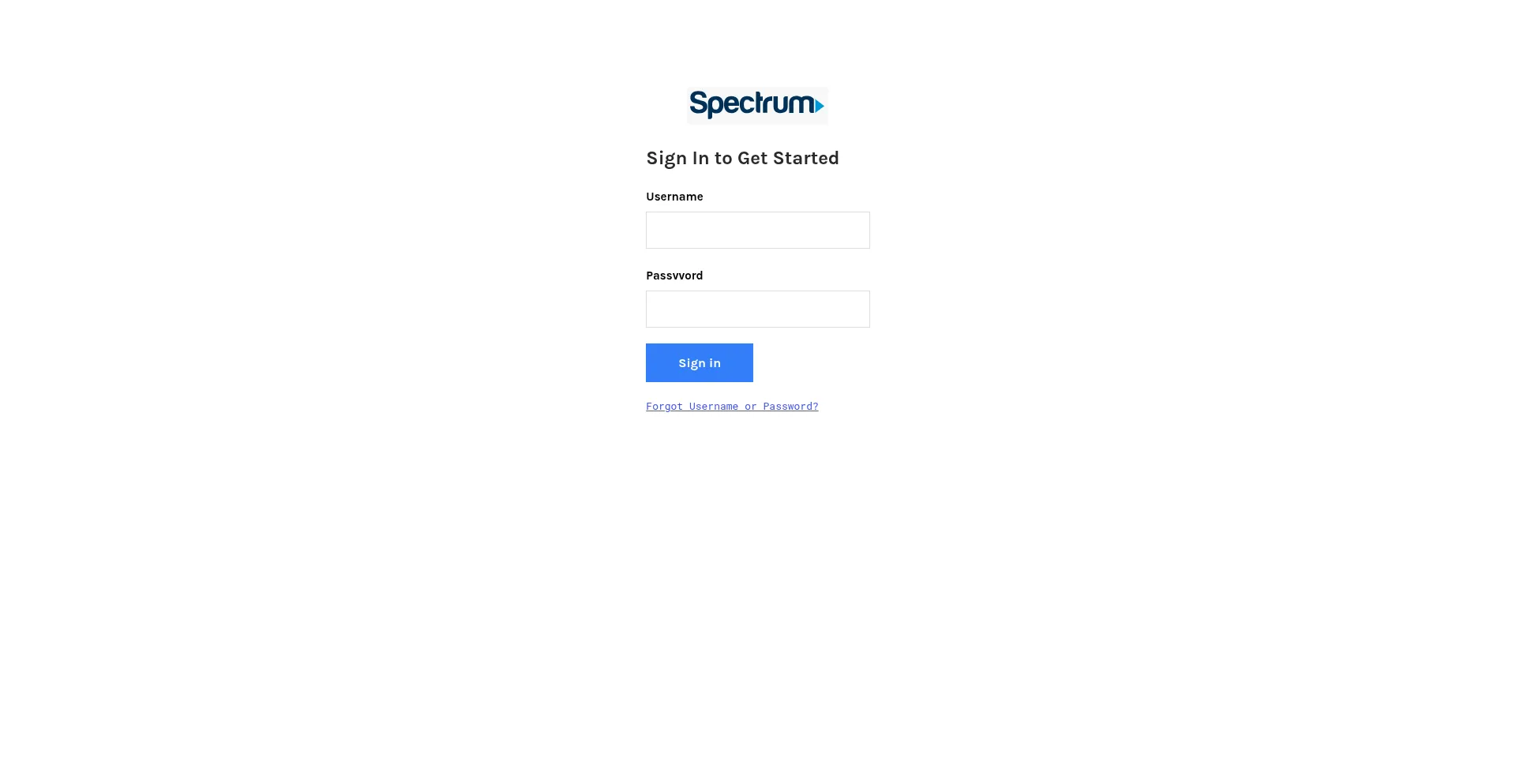
- Hyper-Personalized Billing Scams: Emails that correctly reference your approximate billing cycle or recent equipment upgrades but direct you to a non-spectrum.net domain.
- Deepfake Vishing (Voice Phishing): Automated calls using AI-synthesized voices that mimic Spectrum’s actual customer service prompts, asking for your PIN or the last four digits of your Social Security number.
- QR Code Obfuscation (Quishing): Physical mail or digital messages containing QR codes that lead to credential-harvesting sites, bypassing standard URL scanners used by many email providers.
Step-by-Step Protocol for Reporting Phishing to Spectrum
Spectrum provides several dedicated channels for reporting various types of fraudulent activity. Using the correct channel ensures that the information reaches the appropriate technical team for mitigation, domain takedown, or legal action.
1. Reporting Fraudulent Emails (Phishing)
If you receive an email claiming to be from Spectrum that asks for sensitive information or directs you to a suspicious website, do not click any links. Instead, follow these steps:
- Extract the Full Headers: To take action, Spectrum’s security team needs the technical headers. In most 2026 email clients, you can find this under "View Source" or "Show Original."
- Forward to the Abuse Team: Send the email as an attachment (to preserve the headers) to abuse@spectrum.net.
- Use the Web Portal: Alternatively, log into your Spectrum account and navigate to the Security Center to use the "Submit Phishing Link" tool, which allows you to paste the URL of the malicious site.
2. Reporting SMS Scams (Smishing)
Smishing has become the primary vector for Spectrum Mobile customers. To report these:
- Forward to 7726: This is the industry-standard short code (SPAM) used by major carriers, including Spectrum Mobile, to track and block malicious SMS origins.
- Report via the My Spectrum App: Open the app, go to the "Support" tab, and select "Report a Security Issue" to upload a screenshot of the text message.
3. Reporting Fraudulent Calls (Vishing)
If you receive a suspicious call from someone claiming to be a Spectrum representative:
- Note the Timestamp and Caller ID: Even if the number appears to be a local Spectrum office, it is likely spoofed.
- Report via Spectrum Voice Online: For landline (VoIP) customers, use the "Call Guard" feature in your account settings to mark the number as fraudulent, which contributes to Spectrum’s global blocked-caller database.
Technical Comparison of Reporting Methods and Their Outcomes
The Role of abuse@spectrum.net Sending reports directly to this address initiates a multi-stage verification process. The Spectrum SOC (Security Operations Center) analyzes the IP address of the sender and the reputation of any embedded URLs. If a domain is found to be hosting a phishing kit, Spectrum’s legal team works with registrars to have the site neutralized. This process is essential for protecting the broader community.
| Reporting Channel | Primary Target | Expected Outcome | Technical Requirement |
|---|---|---|---|
| abuse@spectrum.net | Email Phishing | Domain Takedown / Filter Update | Full Email Headers |
| 7726 (SPAM) | SMS / Smishing | Originating Number Blocked | Original SMS Content |
| My Spectrum App | General Scams | Account-Level Protection | Screenshot / Narrative |
| FTC/FCC Portals | Legal Fraud | National Regulatory Action | Detailed Incident Report |
Advanced Defense Strategies for Spectrum Users in 2026
Reporting is a reactive measure. To build a proactive defense, Spectrum customers should leverage the advanced security features integrated into the 2026 Charter infrastructure.
Enabling Advanced Shield
Spectrum’s "Advanced Shield" is an AI-enhanced security layer included with most 2026 internet plans. It automatically blocks access to known malicious domains at the DNS level. Ensure this is toggled to "High" in your router settings or via the My Spectrum App to prevent family members from accidentally clicking on phishing links that haven't been reported yet.
Multi-Factor Authentication (MFA) Implementation
In 2026, password-only security is insufficient. Spectrum now supports hardware security keys (FIDO2) and biometric passkeys. By enabling MFA on your Spectrum account, even if a phisher successfully steals your credentials, they will be unable to access your billing information or make unauthorized changes to your mobile plan.
Analyzing Email Headers for Authentication
If you are technically inclined, you can verify the legitimacy of a Spectrum email yourself by checking three key protocols:
- SPF (Sender Policy Framework): Does the sending IP have permission to send for spectrum.net?
- DKIM (DomainKeys Identified Mail): Is there a valid digital signature proving the email wasn't altered?
- DMARC (Domain-based Message Authentication, Reporting, and Conformance): Did the email pass both SPF and DKIM? If you see "dmarc=fail," the email is a confirmed phishing attempt.
Critical Network Rules and Requirements
Spectrum operates under specific operational requirements that help you distinguish real communication from fake ones. Understanding these "Ground Truths" can help you identify a scam before you even need to report it.
Spectrum Communication Policy 2026 Spectrum will NEVER ask for your full Social Security Number, your account password, or your payment CVV code over an unencrypted email or via a text message. Any request for payment via third-party gift cards, cryptocurrency, or non-Spectrum wire transfers is a 100% confirmed fraud attempt. All legitimate billing notifications will also appear in your "My Spectrum" notifications inbox within the official app.
FAQs: Expert Advice on Spectrum Security
What happens after I report a phishing email to Spectrum?
Once you send an email to abuse@spectrum.net, it is ingested by an automated threat intelligence platform. The system extracts URLs and file attachments to run them in a "sandbox" environment. If malicious behavior is confirmed, the information is shared with global threat feeds (like the Anti-Phishing Working Group) and blocked for all Spectrum users.
Can I be hacked just by opening a phishing email from a "Spectrum" sender?
In 2026, simply opening an email is rarely enough to compromise a modern, patched system. However, "zero-click" exploits do occasionally exist. The primary danger lies in interacting with the content—clicking links, downloading attachments, or replying with personal information.
Is there a phone number I can call to report phishing?
While you can call 1-855-70-SPECTRUM (773-2878), this is primarily for general customer support. For technical security reporting, the email and app-based methods are significantly more effective because they provide the technical metadata (like headers and URLs) that a voice call cannot convey.
Does Spectrum offer a "bounty" for reporting scams?
Spectrum does not currently offer a financial "bug bounty" for reporting phishing scams. However, reporting helps maintain the integrity of the network, which ensures lower service costs and higher security for all subscribers.
How do I know if a "Spectrum" technician at my door is legitimate?
Always ask for a Spectrum employee ID. In 2026, you can verify a technician's arrival through the My Spectrum App, which provides a real-time GPS map of the technician’s location and their digital badge details once they are dispatched to your address.
Comparative Analysis: Reporting to Spectrum vs. Regulatory Bodies
While reporting to Spectrum helps the ISP secure its internal network, reporting to federal authorities helps dismantle the criminal infrastructure behind the scams.
- Pros of Reporting to Spectrum: Immediate protection for other Spectrum users; faster takedown of "spoofed" Spectrum websites; direct account-level security review.
- Cons of Reporting to Spectrum: Does not result in criminal prosecution of the attacker; limited to threats specifically mimicking the Spectrum brand.
- Pros of Reporting to the FTC (Federal Trade Commission): Contributes to international law enforcement databases; helps identify cross-industry fraud trends.
- Cons of Reporting to the FTC: No immediate technical action taken to block the specific email or link on your personal account.
By utilizing the reporting tools provided by Spectrum in 2026, you act as a vital sensor in a vast defensive network. Cybersecurity is a shared responsibility, and your diligence in forwarding that suspicious email or reporting that fraudulent text is the first line of defense against the increasingly complex threats of the digital age.