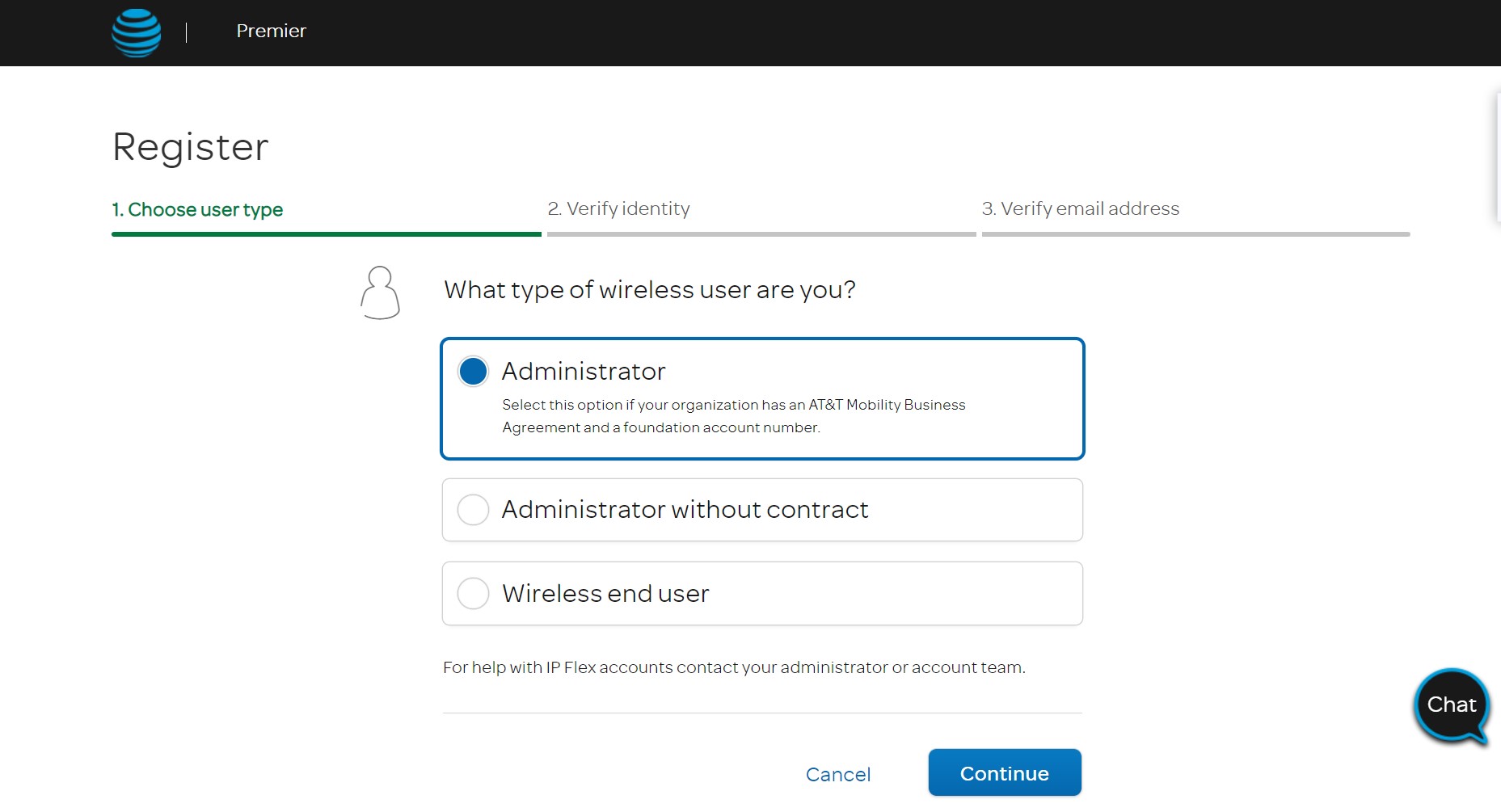
The AT&T Premier portal is the dedicated administrative interface for enterprise and business-level accounts, facilitating the management of corporate mobility and fiber connectivity solutions. This guide focuses exclusively on the administrative login and management protocols for authorized enterprise users of the AT&T Premier platform.
Understanding the AT&T Premier Ecosystem in 2026
The AT&T Premier portal functions as a centralized command center for organizations to manage wireless devices, voice services, and data plans. Unlike consumer-facing portals (such as myAT&T), the Premier environment is engineered for bulk operations, allowing corporate administrators to perform fleet-wide provisioning, oversee billing consolidation, and monitor real-time usage metrics across thousands of endpoints.
By 2026, the architecture of the portal has shifted toward enhanced security protocols, requiring multi-factor authentication (MFA) as a baseline. The system is designed to interface directly with existing enterprise resource planning (ERP) systems, allowing for seamless data integration.
Essential Prerequisites for Account Access
Gaining entry to the AT&T Premier portal is not a self-service registration process for the general public. It is a strictly controlled environment governed by the enterprise agreement established between the corporation and AT&T.
- Enterprise Authorization: Your organization must possess an active Master Service Agreement (MSA) with AT&T.
- Administrator Provisioning: A user profile must be created by an existing Super Administrator within your organization or assigned by an AT&T Account Executive.
- Identity Verification: Users must be verified against the corporate email domain registered with the AT&T account during the initial onboarding.
- Hardware and Software Standards: Access is optimized for current browsers (Chrome, Edge, or Safari) with support for modern TLS 1.3 encryption protocols.
Streamlining the Authentication Workflow
The login process has been refined for 2026 to prioritize security while reducing the time required for administrative tasks. Follow these steps to ensure a successful sign-on:
- Navigate to the Official Portal: Always ensure your browser reflects the official enterprise domain. Avoid third-party redirects or unsolicited bookmarks.
- MFA Enrollment: Upon first login, users are required to link a hardware token or a mobile authentication app. SMS-based 2FA is being phased out in high-security business segments in favor of push-based mobile app verification.
- Credential Management: Administrative passwords must be rotated every 90 days in accordance with the 2026 Enterprise Security Policy.
- Session Termination: The portal features an aggressive idle-timeout mechanism. After 15 minutes of inactivity, the session will terminate, requiring re-authentication to prevent unauthorized access in shared work environments.
Comparison of Administrative Capabilities
The following table outlines the distinct tiers of management access within the AT&T Premier environment. Organizations should map these roles carefully to ensure the Principle of Least Privilege is maintained.
| Role Type | Access Permissions | Reporting Capability | Account Modification |
|---|---|---|---|
| Super Administrator | Full Global Access | All Tiers | Full Administrative Control |
| Billing Manager | Financial/Invoice Only | Cost Centers Only | Limited to Billing Adjustments |
| Fleet Specialist | Device/IMEI Level | Usage and Inventory | Provisioning and Activation |
| View-Only User | Limited Read Access | Restricted Access | No Modifications Permitted |
Troubleshooting Common Login Obstacles
If you experience issues accessing the portal, evaluate the following potential failure points before contacting technical support:
Session Cache and Browser Data Corrupted browser cookies or outdated cache files are the primary cause of loop-redirect errors. Clear your browser history and cache, or attempt to log in using an Incognito or Private window to determine if the issue is client-side.
Network Restrictions and Firewalls If you are operating behind a corporate firewall or VPN, ensure that the AT&T Premier server endpoints are whitelisted in your organization’s egress rules. VPNs sometimes inject latency that causes the handshake protocol to time out during the MFA step.
Account Lockout Protocols After five unsuccessful authentication attempts, the account will be locked for security. If this occurs, you must contact your organization’s internal Help Desk or your dedicated AT&T Account Manager to trigger a credential reset. Self-service resets are disabled for security-sensitive administrative accounts.
Optimizing Fleet Management and Data Usage
The 2026 dashboard provides advanced analytics for decision-makers. Administrators should leverage the "Usage Threshold" alerts to monitor data consumption across mobile fleets. By setting automated triggers, you can prevent overage fees before they hit the monthly invoice.
Furthermore, the portal integrates with the AT&T Business "Premier Reports" module. This module allows for the generation of custom CSV and Excel exports that track ROI per device. We recommend scheduling these reports to generate on a recurring monthly basis to align with internal accounting reconciliation cycles.
Frequently Asked Questions
What should I do if I am locked out of my AT&T Premier account? Contact your internal IT department or designated AT&T account administrator to initiate a password reset. For security reasons, the system prohibits automated password recovery for high-level administrative profiles.
Is the AT&T Premier login different from myAT&T? Yes, they are separate platforms; myAT&T is designed for individual consumers, while AT&T Premier is built exclusively for enterprise and business-grade service management. You cannot use personal login credentials to access the Premier portal.
Can I manage multiple business accounts from a single Premier login? Yes, provided that your corporate email is mapped as a master user across those business IDs. You can toggle between different business entities within the "Account Selector" menu located in the top-right corner of the dashboard.
Does AT&T Premier support API access for automated management? Yes, advanced users can request access to the AT&T API Gateway, which allows for the automation of device activations and billing reports directly into your internal systems.
Are there specific browser requirements for the 2026 portal version? The portal is optimized for the latest stable releases of Chrome, Edge, and Safari. We strongly advise against using legacy browsers like Internet Explorer, as they lack the security protocols necessary to access the 2026 interface.
Expert Recommendations for Secure Operations
As an enterprise administrator, you carry the responsibility of maintaining the integrity of your corporate account. We recommend that you conduct a quarterly audit of all active user permissions within the Premier portal. Remove any accounts belonging to personnel who have changed departments or departed from the company.
Ensure that every administrator is enrolled in the "System Alerts" notification feature. This ensures that you receive immediate updates regarding maintenance windows, new feature deployments, and urgent security advisories, keeping your operations running without unnecessary friction.
For further assistance, reach out to your assigned AT&T Business representative to review your current Service Level Agreement (SLA) and ensure your account configuration matches the requirements of your 2026 infrastructure roadmap.