Note: This article is focused on navigating the official Gimkit join mechanisms, game modes, and platform features for educators and students accessing gimkit comjoin portals.
Understanding the Gimkit Join Ecosystem and Digital Infrastructure
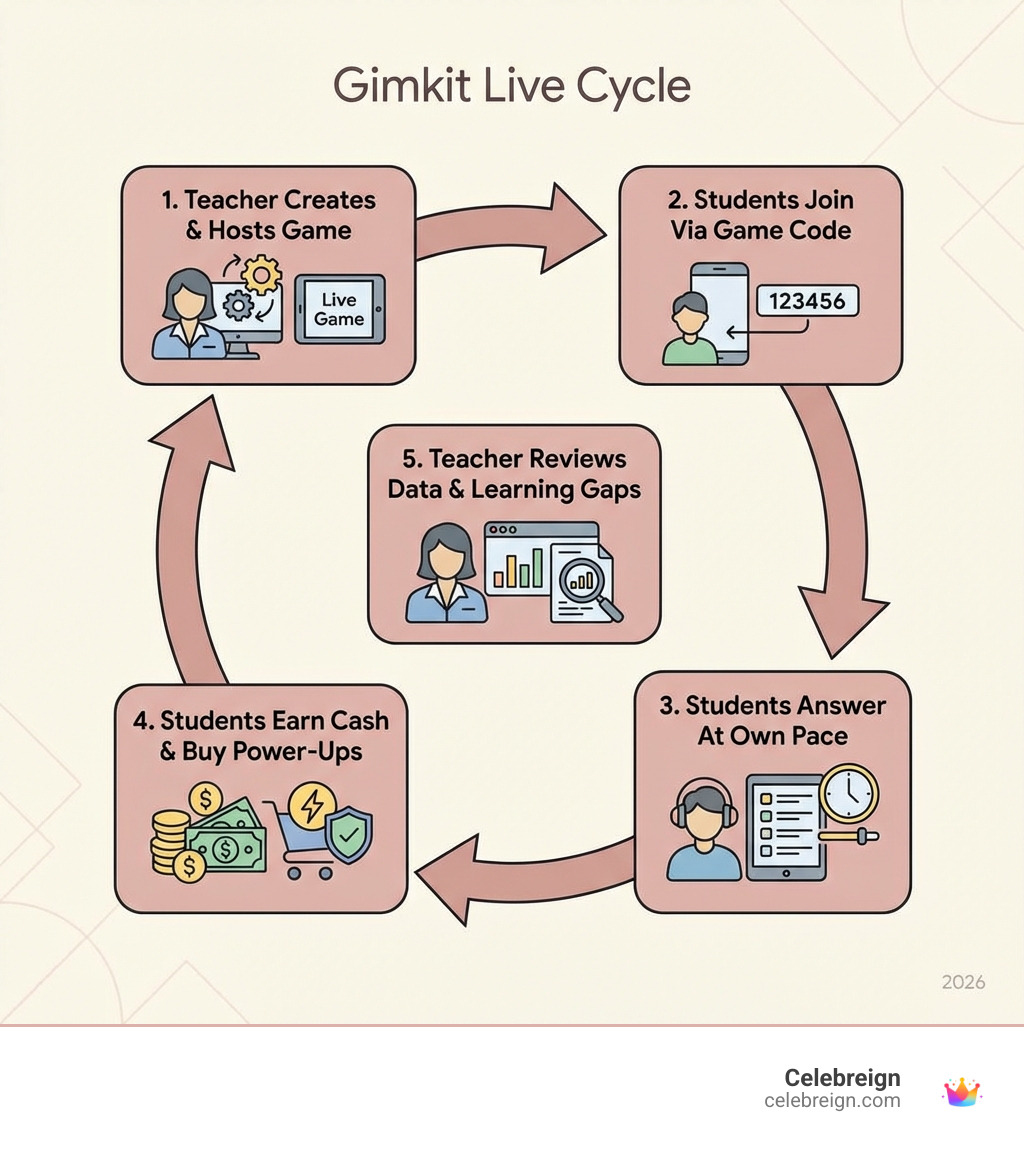
Navigating the educational gaming landscape requires an understanding of how interactive platforms handle high-volume user access. The search query "gimkit comjoin" typically stems from students or participants looking for the direct pathway to enter a live, host-led classroom game session. Gimkit operates on a real-time multiplayer architecture designed by a teacher to transform formative assessment into a gamified, economy-driven experience. As educational technology scales through 2026, understanding the precise access vectors, domain specifications, and troubleshooting steps prevents connection bottlenecks during active instructional time.
When a host initiates a session, the platform generates a unique numeric code. Participants utilize this code to bridge their client-side browser directly to the server-side game state. Ensuring seamless connectivity involves recognizing legitimate portal paths, bypassing common browser restrictions, and maintaining stable network protocols within institutional or home environments.
Step-by-Step Instructions for Accessing and Joining a Live Session
Entering an active game room requires a structured approach to prevent input errors and latency issues. Whether you are a student joining on a district-issued Chromebook or a participant logging in from a personal device, the connection workflow remains uniform.
- Open a modern, standards-compliant web browser such as Google Chrome, Mozilla Firefox, Microsoft Edge, or Apple Safari.
- Navigate directly to the official platform entry point by typing the primary web address into the URL bar, ensuring you avoid lookalike or phishing subdomains.
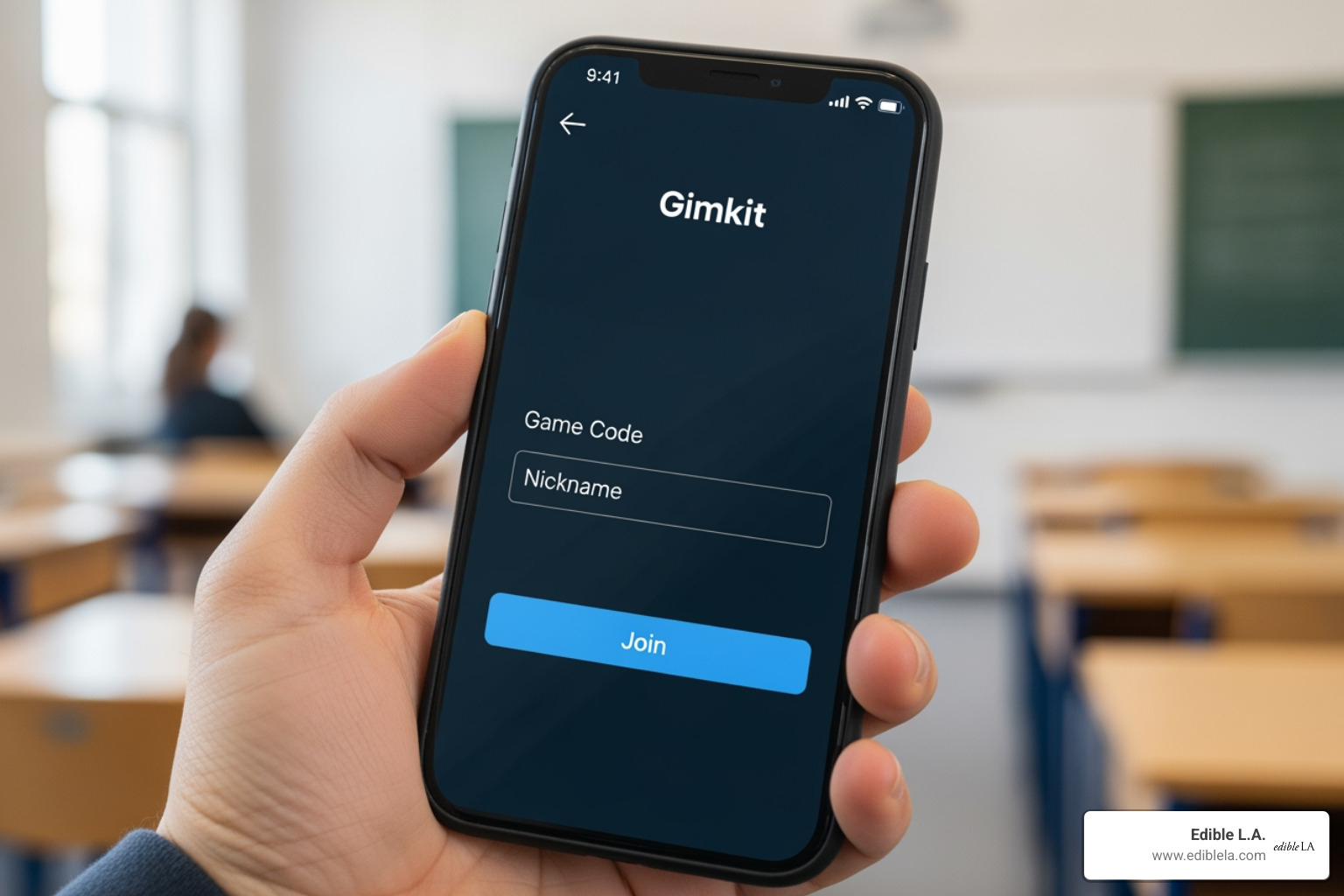
- Locate the prominent input field designated for the entry code, which the game host has displayed on a shared projector, interactive whiteboard, or virtual meeting screen.
- Input the multi-digit numeric code accurately without spaces or extraneous characters.
- Click or tap the join action button to proceed to the profile configuration screen.
- Enter your preferred display name or the identifier requested by your instructor, adhering to any classroom naming guidelines.
- Select or customize your character avatar if the host has enabled cosmetic features for the active session.
- Wait in the virtual lobby for the host to officially launch the game round.
Core Platform Features, Game Modes, and Monetization Mechanics
The pedagogical power of this platform rests on its economic loop. Unlike traditional quiz software where correct answers merely award points, this environment introduces a virtual currency system. Correct answers earn cash, which participants must strategically reinvest into upgrades, power-ups, and multiplier assets.
Modern iterations of the software feature diverse game modes designed to test different cognitive strategies and collaborative dynamics. Reviewing the standard operational modes clarifies how participants interact during a live session:
- Classic Mode: The foundational format where players answer questions independently to earn cash, purchase power-ups, and race toward a specific monetary goal.
- Trust No One: A deduction-based mode blending academic review with social strategy, task completion, and hidden role mechanics inspired by popular party games.
- Floor Is Lava: A survival-oriented format requiring continuous correct answering and upgrade purchases to maintain vertical positioning above a rising hazard.
- Boss Battle: A cooperative mode uniting all active participants against a shared antagonist health pool, demanding coordinated academic output to secure victory.
Comparative Analysis of Access Methods and Account Tiers
Evaluating how participants and educators interact with the platform requires examining the structural differences between free participation, account-based creation, and upgraded institutional subscriptions.
| Access Category | Primary User Type | Cost Structure | Key Capabilities & Limitations |
|---|---|---|---|
| Guest Participant | Students / Players | Free | No account required; joins via code; temporary session access only. |
| Basic Educator | Teachers / Hosts | Free | Creates limited game sets; hosts live sessions for smaller player counts. |
| Pro / Plus Tier | Educators / Institutions | Annual Subscription | Unlimited game creation, advanced reporting, custom audio, and full access to all special game modes. |
| Institutional License | Entire Schools / Districts | Contract-Based | Enterprise-grade deployment, centralized roster management, and priority technical support. |
Troubleshooting Common Connectivity and Access Failures
Technical friction during live classroom deployment can disrupt instructional flow. Diagnosing and resolving these disruptions requires a systematic approach to hardware, network, and browser parameters.
- Invalid Code Errors: Verify that the numeric sequence matches the current host display. Codes expire immediately when a host terminates a session or advances past the lobby phase.
- Network Latency and Lag: Ensure local firewall configurations or district content filters are not blocking WebSocket connections essential for real-time multiplayer synchronization. Whitelisting core domain assets resolves most blocking incidents.
- Browser Cache Corruption: If the interface fails to load or buttons become unresponsive, clear the browser cache and cookies, or attempt access via an incognito/private browsing window.
- Audio and Visual Glories: Ensure device volume is unmuted and graphics hardware acceleration is enabled within browser settings to maintain smooth framerates during high-speed gameplay sequences.
Pros and Cons of Gamified Assessment Platforms
| Advantages (Pros) | Limitations (Cons) |
|---|---|
| High student engagement through monetary loops and strategic upgrade mechanics. | Potential for distraction if participants focus solely on currency accumulation rather than content review. |
| Extensive variety of game modes prevents repetition and caters to diverse classroom dynamics. | Requires reliable, high-speed internet infrastructure across all participating student devices. |
| Robust formative assessment reporting allows educators to track knowledge gaps effectively. | Free tier limitations restrict the frequency and scale of custom game generation. |
Frequently Asked Questions Regarding Access and Participation
Do I need to create a user account to join an active game session?
No, participants do not need an account to join a live session; entering the numeric code and a display name is all that is required. Accounts are strictly necessary for hosts who wish to create, save, and manage their own instructional content sets.
What should I do if the system states the game session is full?
Game hosts configure maximum player limits based on their subscription tier and server performance considerations. If a room is full, the host must either increase capacity through a plan upgrade or start a secondary parallel session.
Can I participate in a live session using a mobile smartphone?
Yes, the platform interface is fully responsive and optimized for mobile web browsers on smartphones and tablets without requiring a native application download.
Why is my browser displaying a connection error when entering the code?
Connection errors typically stem from strict school network firewalls blocking WebSocket protocols or outdated browser caches. Refreshing the page, switching networks, or clearing browser data generally resolves the issue.
Are custom audio features supported across all device types?
Most modern desktop and mobile operating systems support platform audio, though specific silent mode switches on mobile devices may mute sound effects unless manually toggled off.
How are game codes generated, and how long do they remain active?
Codes are generated dynamically by the host's dashboard the moment a live session is initiated and remain active only until the host explicitly closes the room.
To maximize your instructional impact or elevate your competitive classroom experience, ensure you are utilizing verified browser pathways, maintaining updated software dependencies, and reviewing platform updates regularly.