Yes, you can fax documents at nearly all The UPS Store locations across the United States and Canada. While many traditional communication methods have transitioned to fully digital platforms, high-security sectors such as healthcare, law, and government continue to rely on faxing for its verifiable transmission receipts and "hard copy" legal standing. As of 2026, The UPS Store remains the primary retail infrastructure for secure document transmission, offering both domestic and international faxing services to the public.
It is important to distinguish between UPS (the logistics and package delivery corporation) and The UPS Store (the retail service locations). Faxing services are exclusively provided at The UPS Store retail franchises. Most locations offer a full-service experience where a certified associate handles the document feeding and transmission for you, ensuring that the connection is successful and providing a printed confirmation receipt for your records.
Modern Faxing Infrastructure: The 2026 Standard at The UPS Store
In the 2026 business environment, the technology behind retail faxing has evolved. While the physical interface remains familiar, the backend infrastructure at The UPS Store now utilizes advanced Fax-over-IP (FoIP) protocols integrated with end-to-end encryption. This modernization ensures that even though you are using a legacy communication format, the data packets are transmitted across secure, high-speed fiber networks rather than old analog copper lines.
This shift to modern infrastructure provides three distinct advantages for users in 2026:
- Increased Success Rates: Digital transmission protocols reduce the risk of "handshake" failures between machines, which were common with older analog technology.
- Higher Resolution: Modern machines allow for clearer transmission of fine print, which is critical for legal contracts and medical prescriptions.
- Real-Time Verification: The 2026 confirmation receipts include more detailed metadata, including timestamps synchronized with global atomic clocks, providing indisputable proof of document delivery.
Detailed 2026 Pricing for UPS Faxing Services
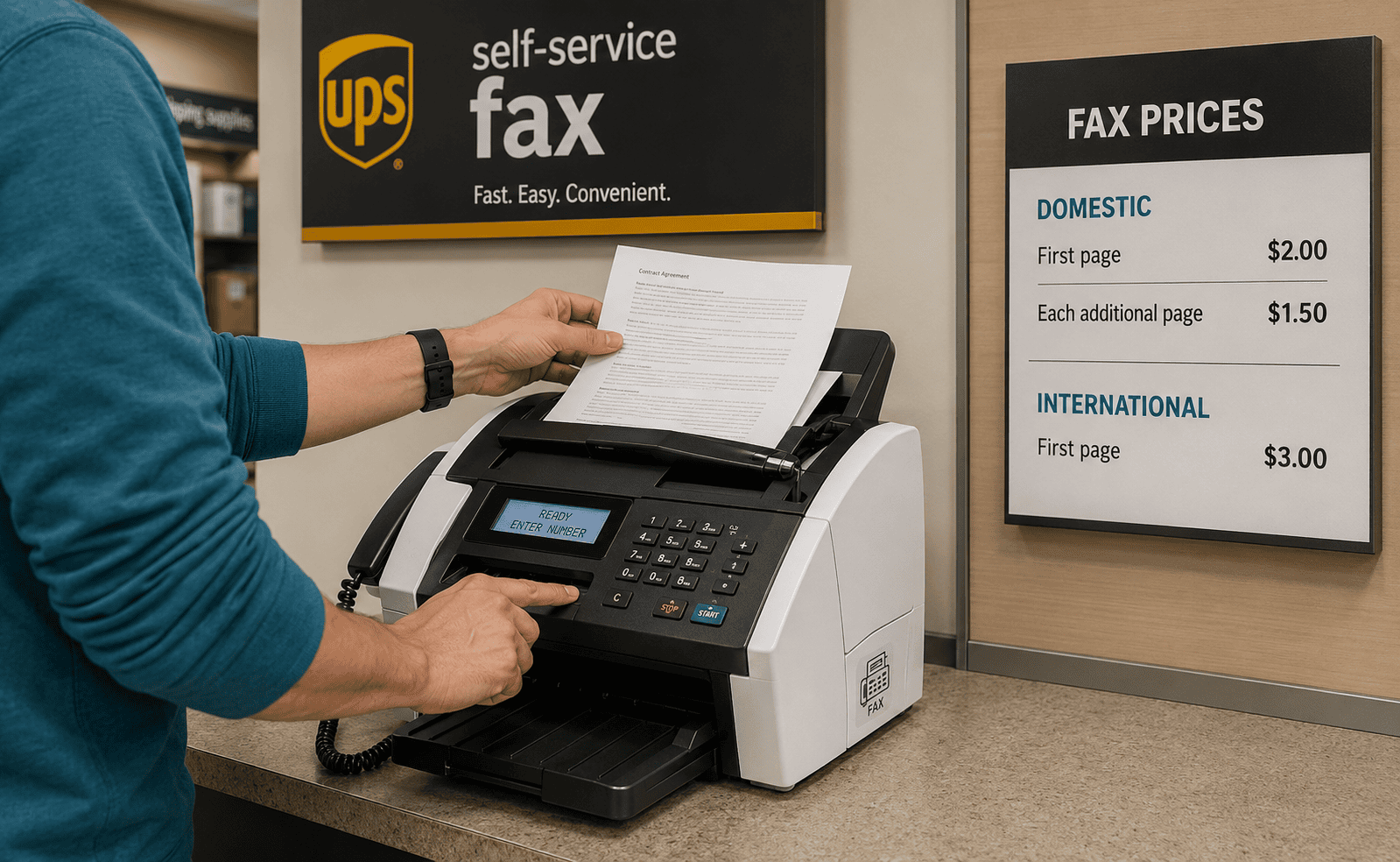
Pricing for faxing at The UPS Store is not standardized nationwide, as each location is an independently owned and operated franchise. However, based on 2026 regional market data, costs generally fall within specific bands. Factors influencing the price include the destination of the fax (local, long-distance, or international) and the total page count.
| Service Category | 2026 Estimated Rate (First Page) | 2026 Rate (Additional Pages) | Primary Application |
|---|---|---|---|
| Local Faxing | $2.00 – $2.75 | $1.00 – $1.50 | Local government & small biz |
| Domestic Long Distance | $2.50 – $3.50 | $1.50 – $2.00 | Out-of-state legal & insurance |
| International Faxing | $6.00 – $9.00 | $3.00 – $5.00 | Global regulatory compliance |
| Receiving Faxes | $1.00 – $2.00 | $1.00 | Secure document retrieval |
Note that many locations offer "Small Business Bundles" or loyalty discounts for high-volume users. If you are a member of a professional organization or have a registered business account with The UPS Store, you may be eligible for a 10-15% reduction in these standard rates.
Step-by-Step Guide to Sending a Fax at The UPS Store
Sending a fax in 2026 is designed to be a "white-glove" service. You do not need to be a technology expert to ensure your documents arrive safely. Follow this standardized procedure at any retail location:
- Document Preparation: Organize your documents and remove any staples, paper clips, or sticky notes that could jam the high-speed feeders. Ensure all pages are in the correct order.
- Cover Sheet Creation: The UPS Store provides professional cover sheets. In 2026, these are mandatory for HIPAA and GDPR compliance as they prevent the sensitive content of the first page from being immediately visible at the receiving end.
- Verify the Destination Number: Double-check the recipient’s fax number. For international transmissions, ensure you have the correct country code and city prefix.
- Associate Assistance: Hand your documents over to the store associate. They will scan the pages into the secure terminal. In 2026, most machines use "Scan-to-Fax" technology, meaning your original documents never actually leave your sight and are returned to you immediately after the digital scan is complete.
- Confirmation Receipt: Wait for the transmission to complete. The machine will print a "Transmission Verification Report." This document is your legal proof of delivery. Do not leave the store without it.
Security, Privacy, and Compliance Standards
In 2026, the primary reason individuals and businesses still use The UPS Store for faxing is the physical security and regulatory compliance it provides. Sending sensitive data via standard email remains a primary vector for cyberattacks and phishing. Faxing, particularly via a managed retail environment, offers a "closed-loop" sensation that digital file sharing often lacks.
HIPAA and Medical Data Privacy The UPS Store locations adhere to strict privacy guidelines regarding the handling of Protected Health Information (PHI). Store associates are trained to handle medical documents with discretion, and modern 2026 hardware ensures that digital buffers are cleared immediately after the transmission is verified.
Legal and Notary Integration Many legal documents require both a notary seal and immediate transmission. The UPS Store provides a unique synergy where you can have a document notarized on-site and then immediately faxed to the court or opposing counsel, creating a verified chain of custody that is highly defensible in legal proceedings.
Receiving a Fax at The UPS Store: 2026 Operational Realities
Can you receive a fax at UPS? Yes, but the process requires more coordination than sending. Because The UPS Store serves many customers, their fax machine is a shared resource. To receive a document, you must:
- Contact the Store First: Call your local store to get their specific fax number and inform them that a document is arriving for you.
- Include Your Contact Info: The sender must include your name and phone number on the cover sheet.
- Pick-up Protocol: Once the fax arrives, the store will typically hold it in a secure folder. You will need to present a valid government-issued ID to collect the pages.
- Storage Fees: Most stores charge a per-page receiving fee, and some may charge a daily "holding fee" if the documents are not picked up within 24 hours of arrival.
Comparison: UPS vs. Competitors and Digital Alternatives
While The UPS Store is a leader in this space, it is helpful to compare their service with other 2026 options to determine which fits your specific technical requirements.
| Feature | The UPS Store (2026) | FedEx Office (2026) | Digital Fax Apps |
|---|---|---|---|
| Availability | Extremely High (Franchise-based) | High (Corporate-based) | Instant (Mobile) |
| Service Model | Full-Service (Associate led) | Self-Service or Full-Service | 100% Self-Service |
| Proof of Delivery | Physical Printed Receipt | Physical or Digital Receipt | Digital Log Only |
| Security Level | High (Physical & Digital) | High (Corporate standards) | Variable (Depends on app) |
| Best For | Local small biz & legal | High-volume corporate users | Casual/Personal use |
Digital fax apps are convenient but often lack the "certified" nature of a physical receipt from a recognized global brand. For insurance claims, real estate closings, and government filings in 2026, the physical receipt from a UPS Store is often the preferred gold standard for verification.
Expert Insight: Troubleshooting Common Faxing Issues
As a Senior Technical Strategist, I recommend observing the following "Pro-Tips" to avoid delays or transmission failures at the retail level:
- The "Busy Signal" Delay: In 2026, many medical offices still have limited analog lines. If the UPS Store machine receives a busy signal, the system will usually attempt to retry 3 times automatically. If it fails, ask the associate to wait 10 minutes before the next manual attempt.
- Resolution Settings: If you are faxing a document with detailed diagrams or photos, ask the associate to set the machine to "Fine" or "Super Fine" resolution. This may increase the transmission time (and potentially the cost), but it ensures the recipient can actually read the data.
- The "Handshake" Error: If a fax fails repeatedly, the problem is often on the receiving end. Modern UPS machines are highly compatible, but if the receiver's machine hasn't been updated to 2026 firmware standards, a communication error may occur. Requesting a "slower baud rate" transmission can sometimes bypass these legacy hardware conflicts.
Frequently Asked Questions
Does every UPS Store offer faxing in 2026? Yes, faxing is a core service requirement for The UPS Store franchise network. While individual store hours may vary, the presence of fax technology is a standard across all 5,000+ locations in North America.
Can I fax a double-sided document? Absolutely. Modern scanners used at The UPS Store are equipped with duplex feeders that can scan both sides of a page simultaneously. You will be charged based on the total number of "impressions" (sides) sent.
How long does it take for a fax to go through at UPS? A typical 5-page domestic fax takes approximately 2 to 4 minutes to scan and transmit. International faxes may take longer depending on the satellite or fiber-optic routing to the destination country.
Is faxing at UPS secure for HIPAA-protected documents? Yes. The UPS Store provides a secure environment that meets the administrative and physical safeguard requirements for HIPAA. The use of a cover sheet and the immediate return of your original documents are key components of this security protocol.
Can I pay with digital currency or mobile wallets at The UPS Store? By 2026, almost all The UPS Store locations accept Apple Pay, Google Pay, and major regional digital currencies. However, verify with the specific location if you are using a decentralized cryptocurrency, as franchise policies on non-sovereign digital assets can vary.
What should I do if the recipient claims they never received my fax? Refer to your Transmission Verification Report. This receipt contains the time, date, recipient number, and page count. In 2026, this document is considered definitive proof. If the receipt says "OK" or "Success," the document reached the recipient's machine, and the issue is likely internal to their office.
For those requiring reliable, secure, and professionally managed document transmission, The UPS Store remains the most accessible solution in 2026. Whether you are dealing with a local zoning board or an international regulatory body, the physical verification and high-security infrastructure of a retail fax service provide a level of certainty that digital alternatives cannot always match. Visit your local store today to ensure your documents are handled with the technical precision they deserve.