Account verification is the security process used by digital platforms to confirm that a user’s identity matches their claimed persona. In 2026, this typically involves a combination of government-issued identification, biometric data, and behavioral analysis to prevent fraud, ensure regulatory compliance, and establish trust between service providers and their global user base.
The digital landscape of 2026 has made account verification an essential gatekeeper for nearly every online interaction. Whether you are opening a decentralized finance (DeFi) wallet, securing a social media profile, or accessing government services, the "verified" status acts as a digital seal of authenticity. As identity theft and AI-generated synthetic identities become more sophisticated, the mechanisms used to verify accounts have evolved from simple email confirmations to multi-layered cryptographic and biometric proofs.
Understanding the nuances of these systems is vital for maintaining access to essential services and protecting your personal data. This guide explores the diverse methodologies of account verification, the regulatory frameworks governing them, and practical steps for navigating the verification landscape safely and efficiently.
The Evolution and Purpose of Account Verification
At its core, account verification serves three primary functions: security, compliance, and trust. While the initial goal of verification was simply to ensure a user could receive communications via email or SMS, the current requirements are significantly more robust.
For financial institutions and crypto-asset service providers, verification is a legal mandate. Under Know Your Customer (KYC) and Anti-Money Laundering (AML) regulations, platforms must verify the identity of their users to prevent illicit activities. These regulations are overseen by international bodies like the Financial Action Task Force (FATF), which sets the global standards for how identity should be screened against sanctions lists and criminal databases.
In the social and professional sphere, verification has shifted from a badge of "notability" to a tool for bot mitigation and account integrity. By requiring users to link a verified identity to their profile, platforms can reduce the spread of misinformation and ensure that interactions occur between real human beings rather than automated scripts. In 2026, many social platforms offer "verified-only" tiers that prioritize human-generated content over unverified accounts.
Common Types of Account Verification Systems
Verification is not a one-size-fits-all process. Depending on the level of risk associated with the account, a platform may use one or more of the following methods.
1. Identity Document Verification (IDV)
This is the gold standard for financial and high-security accounts. It involves the user submitting a digital scan of a government-issued document, such as a passport, driver’s license, or national ID card. Advanced Optical Character Recognition (OCR) technology is used to extract data, which is then cross-referenced with government databases or third-party identity providers to ensure the document is valid and not forged.
2. Biometric and Liveness Testing
To prevent "presentation attacks"—where a fraudster holds up a photo of a victim—modern systems require liveness checks. In 2026, this usually involves a "3D Liveness" test where the user must move their head or blink while their camera captures facial geometry. This ensures that the person attempting to verify the account is physically present.
3. Knowledge-Based Authentication (KBA)
Though less common due to privacy concerns, KBA involves answering questions derived from a user's credit history or public records (e.g., "Which of these addresses have you lived at?"). This is often used as a secondary layer when document verification fails or when a user is attempting to recover a lost account.
4. Proof of Address (PoA)
Financial platforms frequently require proof of residency to comply with jurisdictional tax laws and regional regulations. This typically requires uploading a utility bill, bank statement, or tax document issued within the last three to six months.
Step-by-Step: Navigating the Verification Process
The verification journey generally follows a standard progression across most platforms. Being prepared with the right documentation can significantly reduce the time it takes to gain full account access.
Prerequisites for a Smooth Verification
Before starting, ensure you have the following ready:
- A valid, non-expired ID: Passports are the most universally accepted document.
- A high-resolution camera: Most verification happens via smartphone apps.
- Stable lighting: Poor lighting is the leading cause of biometric verification failure.
- A physical document: Many systems can detect if you are taking a photo of a digital screen rather than a physical ID card.
The General Workflow
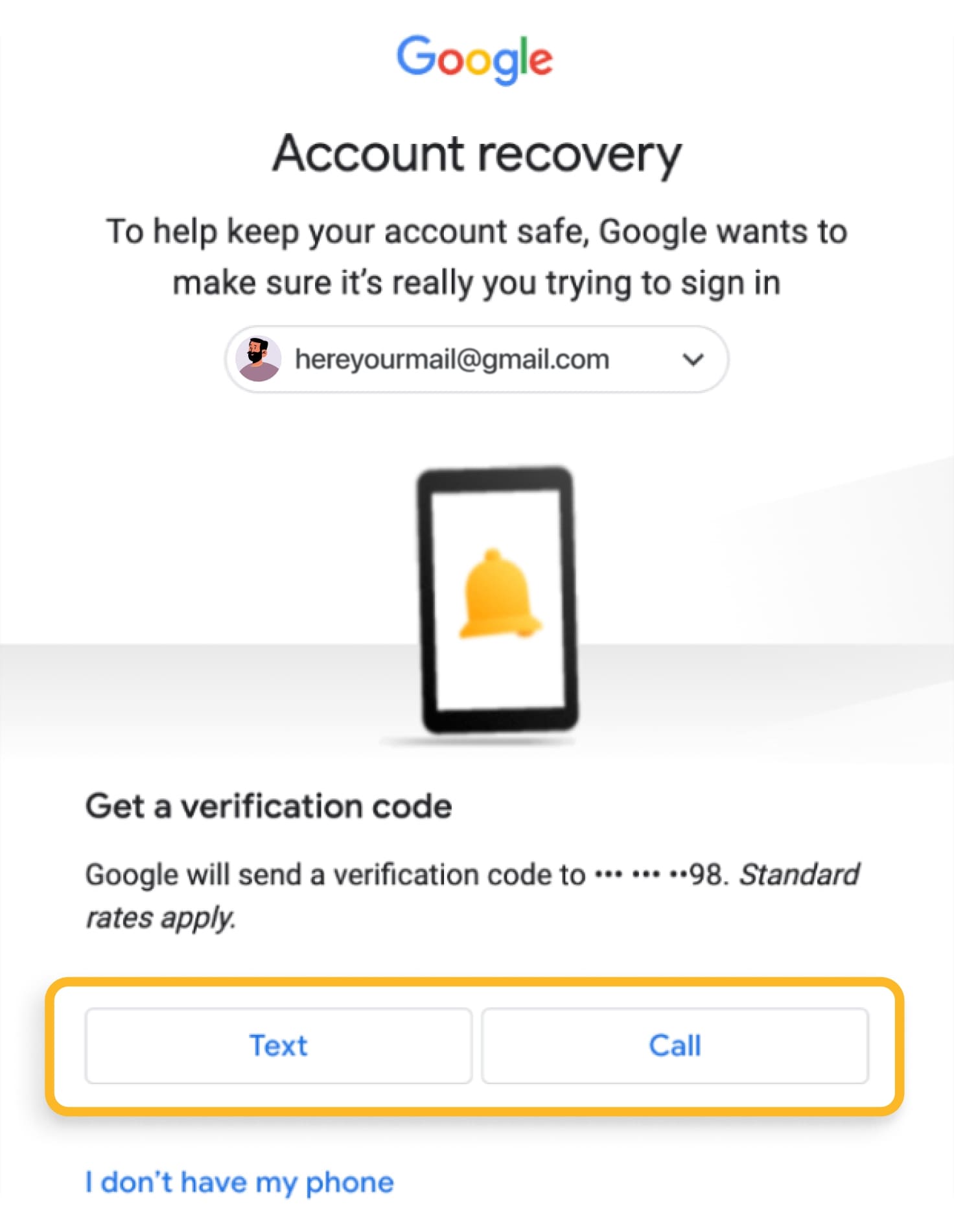
- Initiation: You will receive a prompt within the app or website to "Verify Identity" or "Complete KYC."
- Consent: You must agree to the platform’s data processing terms. In 2026, privacy regulations like GDPR and various regional equivalents require explicit consent for biometric processing.
- Document Capture: You will be asked to photograph the front and back of your ID. Ensure all four corners of the document are visible and there is no glare on the security holographic features.
- Face Scan: The system will activate your front-facing camera for a liveness check. Follow the on-screen prompts carefully (e.g., "Look left," "Smile," or "Move closer").
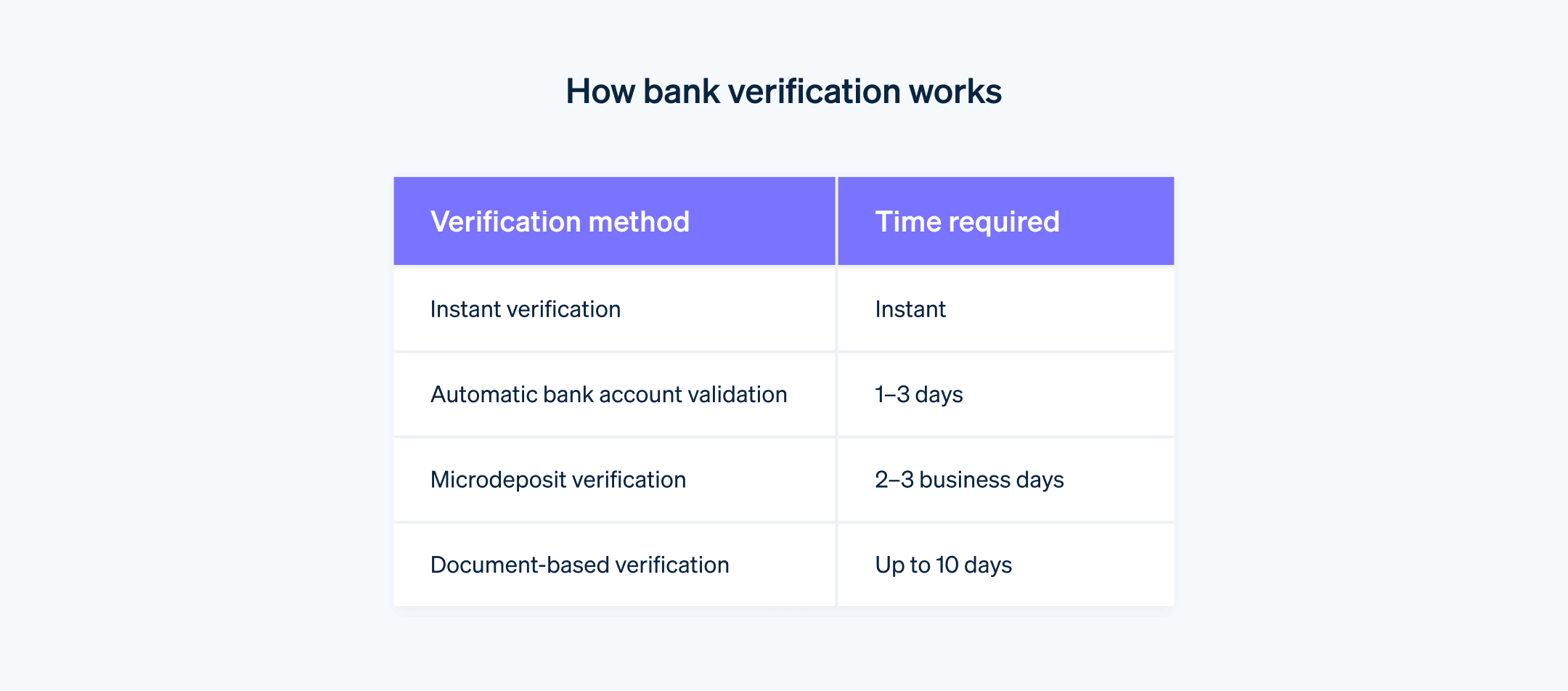
- Review and Submission: The AI-driven system will perform an initial check. If successful, your data is sent for final processing, which can take anywhere from a few minutes to 48 hours.
Comparison of Verification Methods and Use Cases
The following table outlines how different verification tiers are applied across the digital economy in 2026.
| Verification Level | Primary Method | Typical Timeframe | Common Use Cases |
|---|---|---|---|
| Tier 1: Basic | Email or SMS OTP | Seconds | Forum registration, newsletters, basic app access. |
| Tier 2: Intermediate | Social Media link / Phone | Minutes | Marketplace buying, commenting on high-traffic sites. |
| Tier 3: Advanced | Government ID + Liveness | 5 - 60 Minutes | Banking, Crypto Exchanges, Real Estate portals. |
| Tier 4: Enterprise | Video Call + Notarization | 24 - 72 Hours | High-value corporate accounts, legal contracts. |
Technical Challenges and Troubleshooting
Despite the advancement of AI in 2026, account verification systems still encounter errors. Understanding why a verification attempt might fail can help you resolve the issue without contacting support.
Common Failure Points
- Image Clarity: Blurry photos prevent OCR software from reading text. If the camera cannot focus, try moving to a room with indirect natural light.
- Document Mismatch: If your account name is "John Doe" but your ID says "Jonathan Doe," the automated system may flag a discrepancy. Always use your legal name exactly as it appears on your documents.
- Network Latency: Biometric data packets are large. If your connection is unstable, the liveness check may timeout, leading to a "Failed" status.
- Device Compatibility: Older devices may lack the camera resolution or processing power required for modern 3D liveness checks.
Troubleshooting Steps
If your verification is rejected, first check the notification for a specific reason. Most platforms provide a "Reject Reason" code. If the issue is document-related, try using a different form of ID (e.g., switching from a driver's license to a passport). If the biometric check fails repeatedly, ensure you are not wearing glasses, hats, or masks that obscure facial landmarks.
Security and Privacy Considerations
Submitting sensitive personal information to a digital platform carries inherent risks. In 2026, users should be diligent about where they share their data.
Check for Encryption: Ensure the platform uses end-to-end encryption for the upload process. Look for the padlock icon in the browser address bar and verify that the URL belongs to the official service provider.
Data Retention Policies: Different jurisdictions have different rules for how long a company can store your biometric data. For instance, the National Institute of Standards and Technology (NIST) provides guidelines on digital identity that many reputable companies follow to ensure data is deleted after the verification process is complete.
The Rise of Decentralized Identity (DID): A growing trend in 2026 is the use of "Zero-Knowledge Proofs." This allows a user to prove they are over 18 or a citizen of a certain country without actually revealing their birth date or full identity. Platforms supporting DID are generally considered more privacy-centric.
Frequently Asked Questions
Why does the platform require a "selfie" or video of my face?
The "selfie" or video is a liveness check designed to ensure that a real human is behind the camera. This prevents bad actors from using stolen photos or AI-generated deepfakes to bypass security. It is a critical layer of defense against identity theft.
How long does account verification usually take?
In 2026, most automated verification systems complete the process within 10 to 15 minutes. However, if your documents require manual review by a human compliance officer—often the case for international IDs or unclear photos—it can take between 24 and 72 hours.
Is it safe to upload my passport to an online service?
It is generally safe if the service is a reputable, regulated entity (like a major bank or established social network). Always verify that the company has a clear privacy policy and complies with regulations such as the GDPR or CCPA. Avoid providing ID to unknown or unverified platforms.
What should I do if my ID is expired?
Most verification systems will automatically reject expired documents because they are no longer legally valid. You must renew your ID before attempting the verification process. Some platforms may accept an expired ID alongside a "renewal notice" or secondary document, but this is rare.
Can I verify an account without a smartphone?
While some platforms allow you to upload files via a desktop computer, the liveness check almost always requires a high-quality camera, which most people find easiest to use via a smartphone. If you lack a smartphone, you may need to use a webcam or visit a physical branch if the service provider offers one.
Does account verification affect my credit score?
Standard identity verification for social media or simple bank account opening does not affect your credit score. However, if the verification is part of a "hard inquiry" for a credit card or loan application, it may have a minor, temporary impact on your score.
Recommended Next Actions for Users
To ensure your digital identity remains secure and your accounts are successfully verified, take a proactive approach to your documentation. Periodically check that your primary identification documents (Passport or National ID) have at least six months of validity remaining. When undergoing a verification process, perform the task on a trusted device and a private internet connection rather than public Wi-Fi.
If you are a business owner looking to implement verification, prioritize providers that offer SOC2 Type II compliance and utilize AI-driven fraud detection. Balancing a seamless user experience with rigorous security standards is the key to maintaining user trust in 2026's digital economy.