Account recovery is the structured process of regaining access to a digital service after losing credentials, such as a password or second-factor device. In 2026, this involves verifying your identity through pre-established fallback methods like recovery codes, trusted contacts, biometric hardware, or secondary email addresses to reset security tokens.
The Evolution of Account Recovery in the Passkey Era
As of 2026, the landscape of account recovery has shifted significantly from traditional "forgot password" links toward identity-centric verification. With the global adoption of the FIDO2 standard and the ubiquity of passkeys, the primary challenge is no longer just remembering a string of characters but maintaining access to the cryptographic hardware or synchronized "cloud vaults" that store digital keys.
Historically, account recovery relied heavily on Knowledge-Based Authentication (KBA), such as security questions about your first pet or high school. However, because this information is easily found through social engineering or data breaches, modern platforms have largely deprecated these methods. Today, recovery is built on "Proof of Possession." You must prove you still control a secondary channel—a phone number, a verified email, or a physical security key—to trigger a state of "credential reset."
The shift to 2026 technology means that for most users, recovery is now an automated, algorithmic process. Artificial intelligence models now analyze recovery attempts for patterns of fraudulent behavior, such as IP address mismatches or unusual geographical locations. While this increases security, it also means that if you have not set up your recovery prerequisites correctly, the "human in the loop" (customer support) is often unavailable to override the system for security reasons.
Essential Prerequisites for Modern Account Recovery
Successful recovery is almost entirely dependent on the actions you take before you lose access. In the current technical environment, platforms assume that if you cannot provide a pre-verified recovery factor, you are an intruder. Therefore, establishing a robust "recovery chain" is the first step in digital hygiene.
Verified Secondary Contact Methods
Most major ecosystems (Google, Apple, Microsoft) require at least two forms of secondary contact. The first is typically a secondary email address, preferably one hosted by a different provider. If your primary Google account is locked, having a Proton or Outlook address as a backup ensures you can receive the necessary reset tokens. The second is a mobile phone number capable of receiving SMS or a VOIP-verified signal. However, because of the continued risk of SIM swapping, many platforms in 2026 prioritize app-based notifications over SMS.
Recovery Keys and Backup Codes
When you enable Two-Factor Authentication (2FA) or Multi-Factor Authentication (MFA), platforms generate a set of one-time-use recovery codes. These are 8-to-12-digit alphanumeric strings that bypass the MFA requirement. In 2026, these are considered the "gold standard" for self-service recovery. If you lose your phone (your primary authenticator), these codes are the only way to log in without undergoing a multi-day identity verification review.
Account Recovery Contacts
Apple and other privacy-focused entities have popularized the "Recovery Contact" system. This allows you to designate a trusted friend or family member who can receive a short code on their device to help you get back into yours. Crucially, the contact does not gain access to your data; they simply act as a human-verified "key" that proves you are who you say you are to the platform's servers.
Platform-Specific Recovery Workflows
While the underlying security principles remain consistent, the specific steps required to regain access vary by ecosystem. Understanding these differences is critical for navigating a lockout efficiently.
Google and Android Ecosystems
Google’s recovery process is heavily automated. If you lose your password, Google will first attempt to verify you via a "Prompt" sent to a signed-in Android device or iPhone. If that is unavailable, it moves to the recovery email. In 2026, Google employs a "cooldown period" for high-security accounts. If the system detects a recovery attempt from an unrecognized device, it may delay the password reset for 48 to 72 hours, sending alerts to all registered devices to prevent unauthorized takeovers.
Apple ID and iCloud
Apple utilizes a tiered recovery system. For users with "Account Recovery" enabled, you can use a recovery contact or a 28-character recovery key. If neither is available, you must initiate "Account Recovery," which is a manual-automated hybrid process. This can take several days or weeks, during which Apple’s servers verify your identity based on credit card information on file and other usage patterns. Apple explicitly states that support representatives cannot accelerate this process, as it is a hard-coded security measure to protect encrypted iCloud data.
Microsoft and Enterprise Accounts
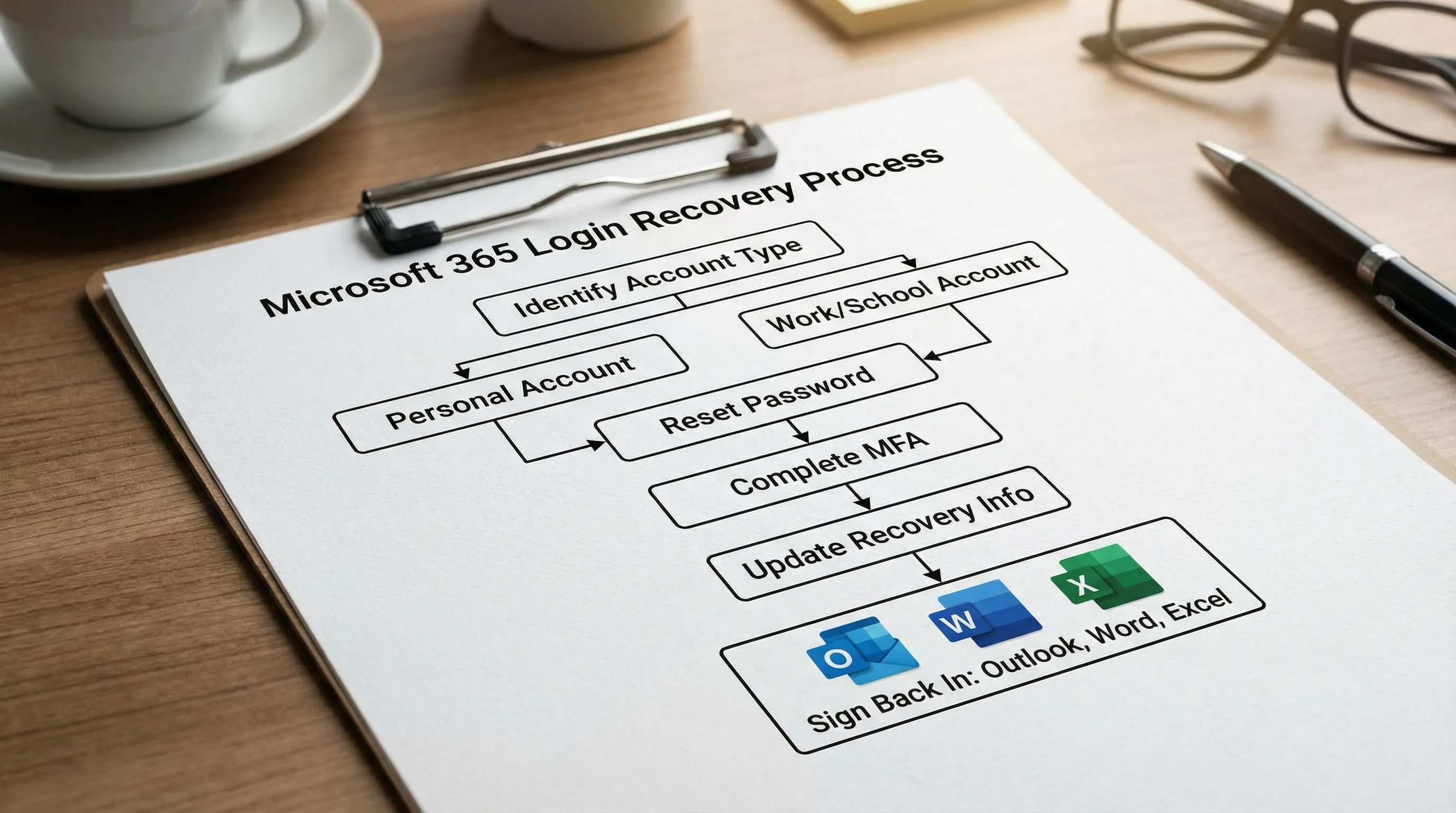
Microsoft accounts use the "Microsoft Authenticator" app as the primary recovery vehicle. For enterprise users (Microsoft 365), recovery is often handled by an organization’s IT administrator through the Azure Active Directory (now Entra ID). For personal accounts, if you lose your MFA and have no backup codes, Microsoft provides a comprehensive recovery form. This form asks for historical data, such as previous passwords, subject lines of recent emails, and folders created, to verify ownership.
Comparing Recovery Methods and Their Security
| Recovery Method | Security Level | Speed of Access | Requirements | Best Use Case |
|---|---|---|---|---|
| Recovery Codes | Very High | Instant | Physical/Digital copy stored safely | Total loss of MFA devices |
| Passkey Sync | High | Instant | Biometric (Face/Fingerprint) | Moving to a new device |
| Trusted Contacts | Medium-High | Fast (Minutes) | Availability of the contact | Users who struggle with technical codes |
| Secondary Email | Medium | Fast (Minutes) | Access to a separate inbox | Routine password resets |
| SMS/Phone | Low | Fast (Seconds) | Mobile signal/Active SIM | Low-risk accounts; convenience |
| Manual Review | High | Slow (Days/Weeks) | Proof of ID / Financial records | Last resort for locked-out accounts |
Navigating Compromised or Hacked Accounts
The recovery process changes drastically when the loss of access is due to a malicious actor rather than a forgotten password. In a compromise scenario, the attacker often changes the recovery email and phone number immediately.
If you suspect your account has been hacked, speed is the most critical factor. Most platforms provide a specialized "I think my account was hacked" portal. These portals look for "historical integrity." They check if the recovery information was changed very recently and allow the original owner to revert those changes using the previous recovery data for a limited window (usually 24-48 hours).
Once access is regained, the recovery process is not complete until a "Security Audit" is performed. This involves:
- Revoking All Sessions: Force-logging out every device currently connected to the account.
- Checking App Permissions: Deleting any third-party apps that were granted OAuth access during the breach.
- Updating MFA: Generating a new set of recovery codes, as the attacker may have copied the old ones.
- Scanning for Rules: In email accounts, attackers often set up "forwarding rules" to steal incoming reset links for other services (like banking). Ensure no unauthorized forwarding is active.
Common Obstacles and Troubleshooting
Even with the best preparation, hurdles can arise during account recovery. One of the most common issues in 2026 is "IP Reputation." If you are attempting to recover an account while using a VPN or a public Wi-Fi network, the platform may block the attempt as a security precaution. Always attempt recovery from a "known" network, such as your home or office, where you have successfully logged in before.
Another significant obstacle is the "Verification Loop," where the recovery code is sent to the very account you are locked out of. This usually happens when a user sets their primary email as its own recovery address. To solve this, you must look for an "Alternative Method" link at the bottom of the recovery screen. If no other method was configured, you will likely be forced into the manual identity verification queue, which requires submitting government-issued identification to the platform's security team.
Frequently Asked Questions
What should I do if I lost my 2FA device and have no recovery codes?
You must use the "Account Recovery" or "Try another way" link on the login screen. This typically initiates a manual identity verification process where the platform will ask for information only the account owner would know, or require a waiting period to ensure no one else claims the account.
Can customer support reset my password over the phone?
In 2026, almost no major tech company (Google, Microsoft, Meta) allows password resets via phone support due to the risk of social engineering. Recovery is handled through automated, encrypted workflows to ensure that even employees cannot access your account without authorization.
How long does the account recovery process usually take?
If you have recovery codes or a secondary email, it takes seconds. If you must undergo a security review because of a lack of backup info, it can take anywhere from 3 to 30 days. This delay is a security feature designed to give the actual owner time to stop a fraudulent recovery attempt.
Do I lose my data if I perform an account recovery?
Standard account recovery preserves your data. However, for "End-to-End Encrypted" services (like Apple's Advanced Data Protection), if you lose both your trusted devices and your recovery key, the data remains encrypted and unrecoverable even by the provider, although you may get the account back.
Is SMS still a safe way to recover an account?
While better than having no recovery method, SMS is vulnerable to SIM swapping. If your account contains sensitive financial or personal data, it is highly recommended to use a physical security key or an authenticator app with cloud backup instead of SMS.
Strategic Recommendation: The Recovery Audit
To ensure you never lose permanent access to your digital life, you should perform a "Recovery Audit" every six months. This is a proactive check of your security settings across all major platforms. Start by verifying that your recovery phone number and secondary email address are still active. If you have changed mobile providers or deleted an old email, update these settings immediately.
Next, download a fresh set of recovery codes for your primary accounts and store them in at least two physical locations, such as a fireproof safe and a trusted relative's home. Finally, ensure that your "Legacy Contact" settings are configured on platforms that support them; this ensures that in the event of an emergency, your heirs or designated representatives can recover your digital assets without legal battles. Taking thirty minutes twice a year to verify these links in your recovery chain is the only guaranteed way to prevent a permanent lockout in an increasingly automated world.