An access policy is a structured framework of rules, protocols, and technical constraints that determines how users, devices, and applications interact with an organization’s digital resources. By defining who can access specific data, when they can do so, and under what conditions, these policies serve as the primary defense against unauthorized data exposure and internal security threats.
In the landscape of 2026, the traditional network perimeter has effectively vanished. Organizations no longer rely solely on firewalls to keep threats out; instead, identity has become the new security boundary. Whether an employee is accessing a cloud-based CRM from a home office or a third-party API is requesting data from a secure server, the access policy acts as the gatekeeper. It ensures that every request is authenticated (verified for identity) and authorized (verified for permission) before any data is exchanged. Without a rigorous access policy, organizations face significant risks, including data breaches, non-compliance with global regulations like GDPR or CCPA, and operational disruptions caused by accidental or malicious system changes.
The Evolution of Access Management: From Static to Adaptive
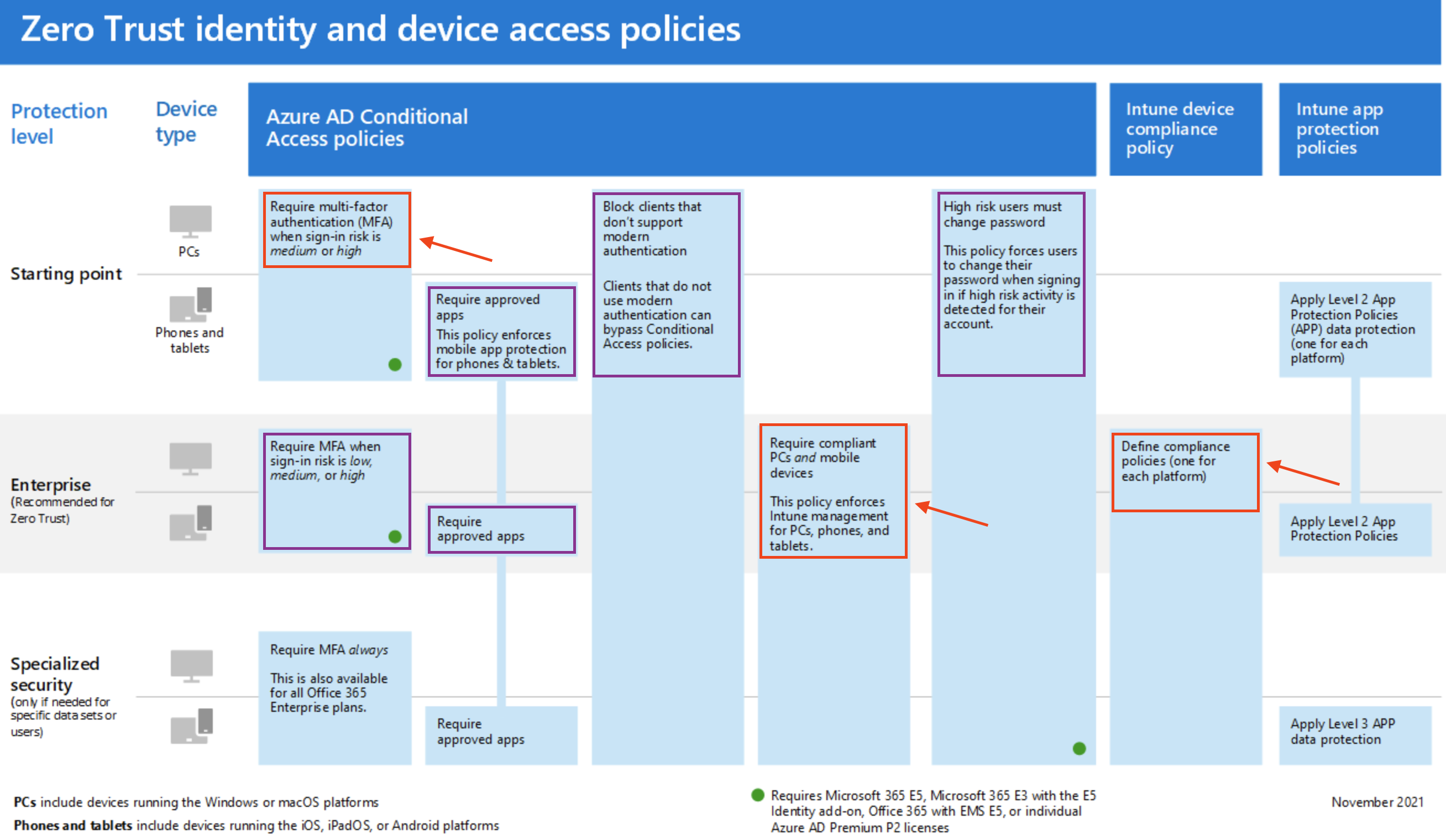
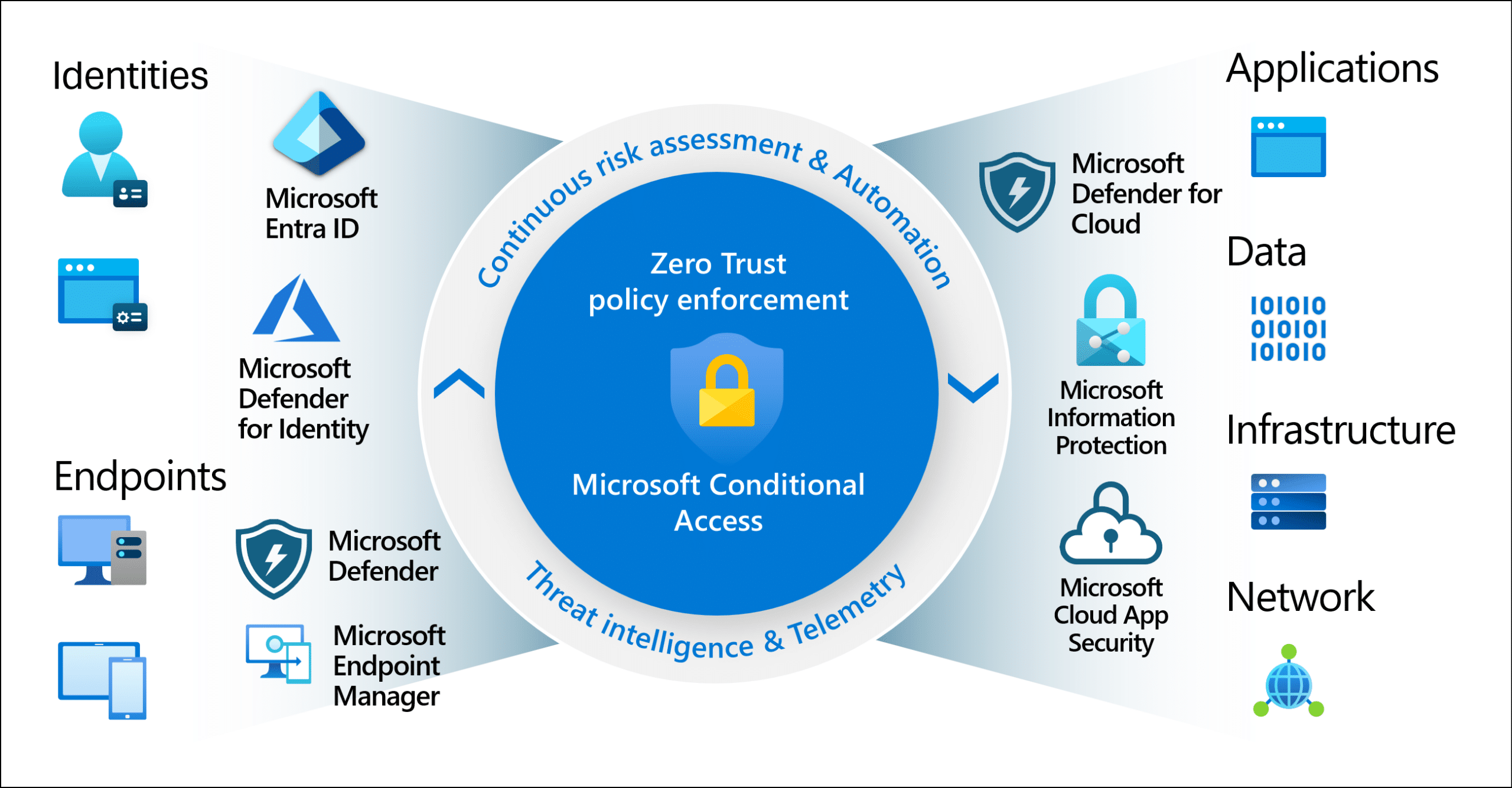
Historically, access policies were static. Once a user was granted entry into a network via a password, they often had broad "east-west" mobility to move through different systems. This "trust but verify" model proved disastrous as cyberattacks became more sophisticated. Today, the industry has shifted toward a "never trust, always verify" approach, commonly known as Zero Trust Architecture (ZTA).
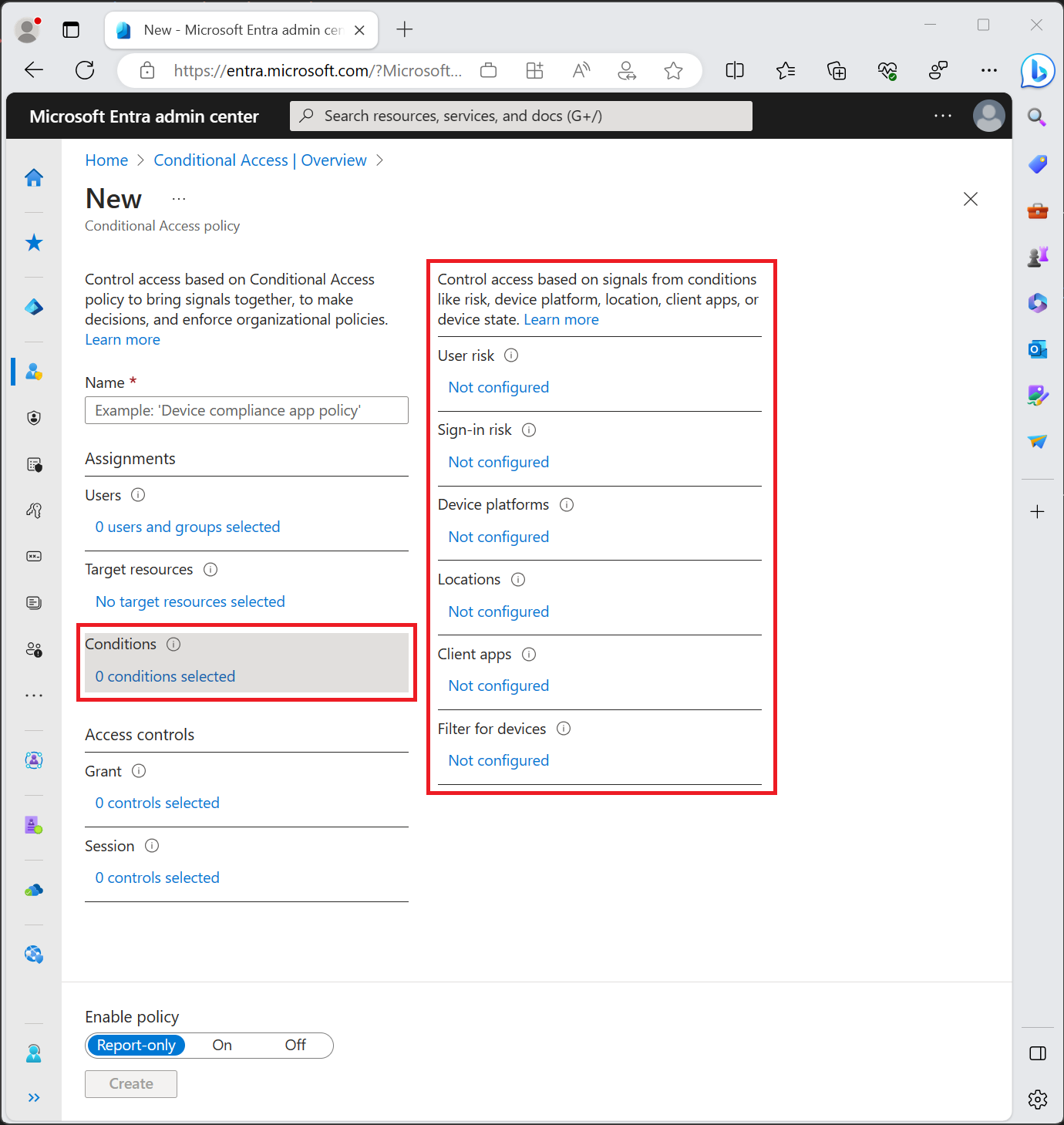
In 2026, access policies are increasingly adaptive. This means the policy doesn't just check a username and password; it evaluates the context of the request. For example, if a high-level executive attempts to download sensitive financial reports from an unrecognized IP address at 3:00 AM, an adaptive access policy might trigger a secondary authentication factor or deny the request entirely, even if the credentials are correct. This shift from static permissions to dynamic, risk-based evaluation is the cornerstone of modern cybersecurity.
Core Components of an Effective Access Policy
To build a robust access policy, administrators must understand the interaction between three fundamental pillars: Authentication, Authorization, and Accounting (the AAA framework). These elements work in tandem to create a secure environment where every action is scrutinized and recorded.
Authentication (Who are you?)
Authentication is the first step in the access chain. It is the process of verifying that a user or entity is who they claim to be. In recent years, the industry has moved away from simple passwords, which are easily compromised, toward Multi-Factor Authentication (MFA) and passwordless solutions. Modern policies often require biometric data, hardware security keys, or FIDO2-compliant tokens to establish identity with high confidence.
Authorization (What can you do?)
Once identity is established, authorization determines the scope of the user’s permissions. This is where the Principle of Least Privilege (PoLP) is applied. PoLP dictates that users should only be granted the minimum level of access necessary to perform their job functions. For instance, a marketing coordinator needs access to social media analytics but should never have the authority to modify the company’s server configurations.
Accounting and Auditing (What did you do?)
The final pillar involves tracking and recording all activities performed during a session. Accounting provides a "paper trail" that is essential for forensic investigations and compliance audits. If a data breach occurs, logs generated by the access policy allow security teams to identify exactly when the breach happened, which account was used, and what data was accessed or exfiltrated.
Primary Access Control Models
Organizations choose different models for their access policies based on their size, security requirements, and the complexity of their infrastructure. The choice of model significantly impacts how permissions are managed and scaled.
| Model | Full Name | Primary Mechanism | Best Used For |
|---|---|---|---|
| RBAC | Role-Based Access Control | Permissions are assigned to specific roles (e.g., Manager, IT Admin) rather than individuals. | Organizations with clearly defined job functions and high employee turnover. |
| ABAC | Attribute-Based Access Control | Uses attributes (e.g., time of day, location, department) to grant access dynamically. | Complex environments requiring highly granular and contextual security. |
| DAC | Discretionary Access Control | Resource owners (users) decide who has access to their specific files or data. | Low-security environments or small teams with high collaboration needs. |
| MAC | Mandatory Access Control | The system administrator sets strict classifications (e.g., Secret, Top Secret) that users cannot change. | Government, military, and highly regulated industries with extreme security needs. |
Role-Based Access Control (RBAC)
RBAC remains the most popular choice for enterprise organizations. By grouping users into roles, administrators can manage permissions en masse. When an employee is promoted or changes departments, the administrator simply changes their role, and their access rights are updated automatically across all integrated systems. This reduces the risk of "privilege creep," where users accumulate unnecessary permissions over time.
Attribute-Based Access Control (ABAC)
ABAC is the more sophisticated successor to RBAC. It allows for "if-then" logic based on a wide array of variables. For example: "If the user is in the Legal department AND it is between 9 AM and 5 PM AND they are using a corporate-managed device, THEN grant access to the contracts folder." This level of granularity is essential for organizations operating in multiple jurisdictions with varying data privacy laws.
Designing and Implementing a Modern Access Policy
Developing an access policy is not a one-time event but a continuous lifecycle of assessment and refinement. A poorly implemented policy can lead to "access friction," where employees are unable to do their jobs effectively due to overly restrictive rules.
1. Resource Inventory and Classification
Before you can protect your data, you must know where it is and how sensitive it is. Start by categorizing data into tiers: Public, Internal, Confidential, and Restricted. An access policy should be most stringent for "Restricted" data (like customer PII or intellectual property) while allowing easier access to "Internal" documentation.
2. Identifying User Personas
Map out the different types of users who interact with your systems. This includes full-time employees, contractors, automated bots, and third-party vendors. Each persona requires a different set of baseline permissions. For instance, a contractor might be granted "Just-in-Time" (JIT) access, which automatically expires after a set period, reducing the risk of orphaned accounts.
3. Defining Policy Rules and Constraints
Translate business requirements into technical rules. This involves setting parameters for:
- Geofencing: Restricting access to specific geographic regions.
- Device Health Check: Ensuring a laptop has the latest security patches before allowing it to connect to the VPN.
- Time-of-Day Restrictions: Limiting administrative changes to standard business hours.
4. Continuous Monitoring and Iteration
The threat landscape is constantly changing. A policy that worked six months ago may be insufficient today. Organizations should use Automated Policy Analysis tools to identify redundant rules or accounts that haven't been used in 90 days. Regular "access reviews"—where managers confirm that their subordinates still require their current permissions—are a critical component of maintaining a healthy security posture.
Compliance and Regulatory Significance
In 2026, access policies are not just a technical necessity; they are a legal requirement. Regulatory bodies worldwide have increased their scrutiny of how companies control data access.
- GDPR (General Data Protection Regulation): Requires strict "data protection by design and by default," which necessitates granular access controls to ensure only authorized personnel handle personal data.
- HIPAA (Health Insurance Portability and Accountability Act): In the healthcare sector, access policies must ensure that Protected Health Information (PHI) is only accessible to those providing care or processing payments.
- SOC2 (System and Organization Controls): For service providers, a robust access policy is a primary requirement for passing a SOC2 audit, demonstrating to clients that their data is managed securely.
Failure to demonstrate a functional access policy can result in massive fines and loss of consumer trust. According to recent industry reports, over 70% of successful data breaches involve the misuse of privileged credentials, making access policy enforcement the most effective way to mitigate financial risk.
Troubleshooting Common Access Policy Issues
Even the most well-designed policies can encounter issues. Understanding how to troubleshoot these problems is vital for maintaining both security and productivity.
"Access Denied" and False Positives
The most common issue is a legitimate user being blocked from a resource. This often occurs due to overlapping rules or conflicting attributes in an ABAC system. Administrators should use "Policy Simulators" offered by IAM (Identity and Access Management) providers to test how specific rules will affect users before deploying them to production.
Policy Bloat and Complexity
Over time, organizations often add new rules without removing old ones. This leads to policy bloat, which can slow down system performance and make it difficult to audit permissions. The solution is a "clean-slate" review every 12 to 18 months, where every rule must be re-justified based on current business needs.
Orphaned Accounts
When an employee leaves a company, their account must be deactivated immediately. If the access policy isn't integrated with the HR system (via protocols like SCIM—System for Cross-domain Identity Management), these "ghost accounts" remain active, providing an easy entry point for hackers. Automation is the only reliable way to prevent this vulnerability.
Frequently Asked Questions
What is the difference between an access policy and an access control list (ACL)?
An access policy is a high-level set of rules and strategies that define the organization's security posture. An Access Control List (ACL) is a specific, technical implementation of those rules at the file system or network level. Think of the policy as the "law" and the ACL as the "enforcement officer" at a specific door.
How often should an organization review its access policy?
At a minimum, high-level policies should be reviewed annually. However, for highly sensitive systems or privileged accounts, access reviews should happen quarterly. In 2026, many organizations use automated tools to perform "continuous certification," where access is revoked automatically if it isn't used within a specific timeframe.
Can AI help in managing access policies?
Yes, AI and Machine Learning play a massive role in modern access management. AI can analyze millions of login events to establish a "baseline behavior" for every user. If a user deviates from that baseline (e.g., accessing unusual files or logging in from a new device), the AI can dynamically adjust the access policy to require additional verification.
Is an access policy only for large corporations?
No. While the complexity varies, every business that uses digital tools—even a three-person startup—needs an access policy. For small businesses, this might be as simple as ensuring that former employees no longer have access to the company's email or cloud storage.
What is "Just-in-Time" (JIT) access?
Just-in-Time access is a security practice where users are granted elevated permissions only when they need them and only for a limited duration. This prevents accounts from having permanent administrative privileges, which significantly reduces the "attack surface" if an account is ever compromised.
Next Steps for Your Security Strategy
To move forward, organizations should conduct a gap analysis of their current access management practices. Start by identifying your "Crown Jewels"—the data that would cause the most damage if leaked—and ensure that your access policy for those specific resources follows the most stringent Zero Trust principles.
Transitioning to a modern, adaptive access policy is a journey, not a destination. By focusing on identity-centric security, leveraging automation, and maintaining a culture of "Least Privilege," you can protect your organization against the evolving threats of the 2020s while ensuring that your legitimate users have the access they need to drive the business forward. For official guidance on technical standards, organizations should refer to the NIST Special Publication 800-207 on Zero Trust Architecture or the ISO/IEC 27001 standards for information security management.