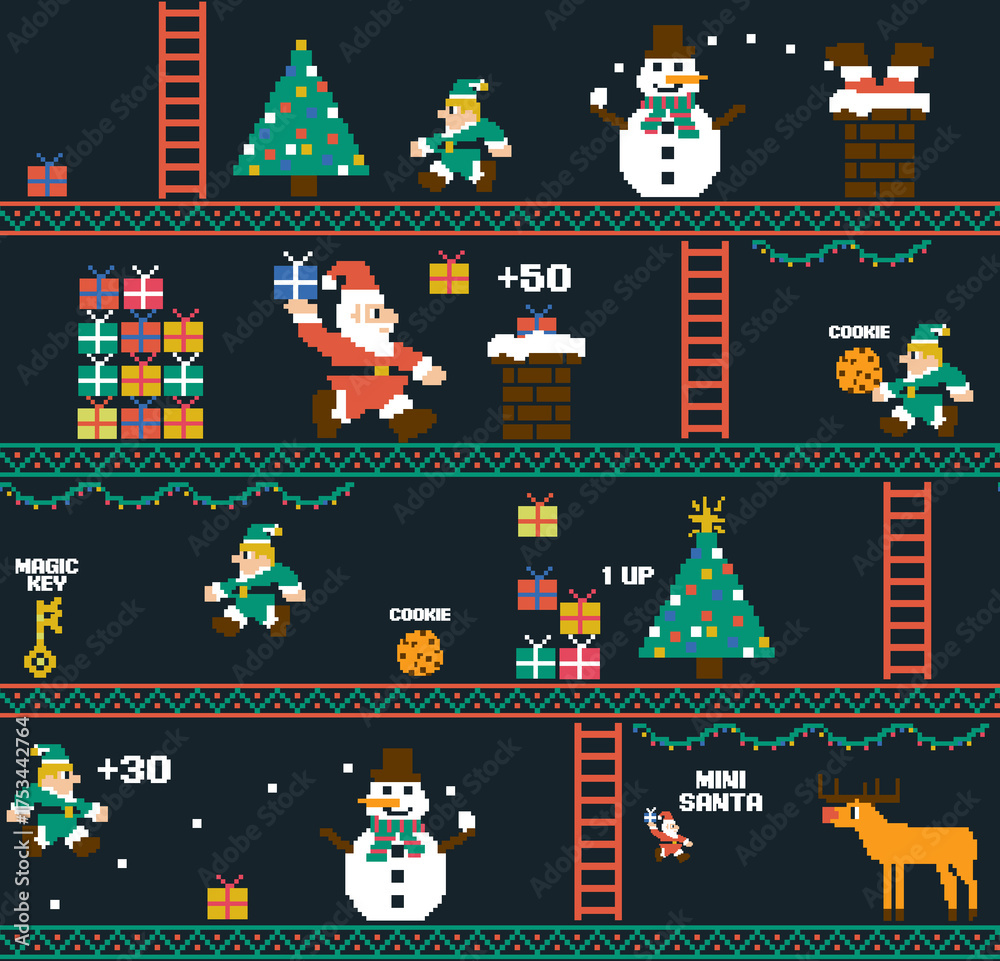
Creating an 8-bit Christmas retro gaming experience brings the golden age of late-1980s console gaming back to life during the holiday season. By pairing original hardware or modern Field-Programmable Gate Array (FPGA) clones with authentic cathode-ray tube (CRT) displays or zero-lag HDMI upscalers, retrogaming enthusiasts and families can recreate vintage home entertainment featuring classic titles, festive chiptune soundtracks, and couch co-op traditions.
The Appeal of 8-Bit Holiday Retrogaming
The late 1980s marked a monumental shift in home entertainment. The Nintendo Entertainment System (NES), Sega Master System, and home computers like the Commodore 64 defined holiday wishlists for a generation. Recreating an 8-bit Christmas today goes beyond simple media consumption; it restores an era of local multiplayer gaming, tactile physical media, and distinct pixel-art aesthetics.
From a technical perspective, 8-bit video game consoles operate within strict architectural constraints that give them a unique artistic character. Driven by central processing units (CPUs) running at speeds between 1.79 MHz (NTSC NES) and 3.58 MHz (Sega Master System), these machines generated graphics through tile-based background maps and small hardware sprites. Color palettes were limited—the NES, for instance, offered a master palette of 54 colors, displaying only up to 25 unique shades simultaneously under typical conditions.
These architectural limits forced developers to rely on creative design, high contrast, and memorable melodic compositions crafted through programmable sound generators (PSG). The resulting software yields a visual and audio identity that evokes immediate warmth and nostalgia. Organizing a festive 8-bit gaming session combines this distinctive aesthetics-focused engineering with the traditional warmth of holiday family gatherings.
Hardware Setup Options: Original vs. Modern Solutions
Executing an 8-bit holiday gaming event requires choosing between authentic original hardware, dedicated plug-and-play mini consoles, FPGA-based hardware recreation, or software emulation. Each approach offers distinct visual characteristics, setup complexity, and financial investment.
- Video Source Signal Options
- Original Hardware (NES / SMS)
- Composite 240p
- CRT TV or Upscaler
- FPGA Hardware (Analogue/MiSTer)
- Native HDMI
- 4K/1080p HDTV
- Software Emulation (RetroArch / Mini Consoles)
- Digital HDMI
- 4K/1080p HDTV
- Original Hardware (NES / SMS)
Original 1980s Hardware
Running an original NES (Front-Loader Model NES-001 or Top-Loader NES-101) or Sega Master System provides the ultimate level of authenticity. However, vintage consoles output analog video signals—typically low-resolution 240p composite video—that modern high-definition televisions process poorly.
Connecting standard composite yellow RCA cables directly to a modern 4K TV often introduces severe input lag, image blurring, and misinterpretation of the 240p progressive signal as 480i interlaced video. To run original hardware correctly on modern displays, users must route signals through specialized line doublers or video processors, such as a RetroTINK or Open Source Scan Converter (OSSC), or connect the hardware to an original CRT television set.
FPGA Hardware Clones
Field-Programmable Gate Array (FPGA) devices represent the high-water mark for hardware-accurate modern retro gaming. Unlike software-based emulation, FPGA chips (found in devices like the Analogue Nt Mini, Analogue Pocket, or open-source MiSTer FPGA project) recreate the actual transistor-level logic of vintage chips at the hardware level.
This results in cycle-accurate gameplay, zero added frame latency, and native digital HDMI output at resolutions up to 4K. FPGA setups accept original cartridges and original controllers via adapter ports, providing authentic physical interaction without the maintenance headaches of forty-year-old analog circuits.
Mini Consoles and Software Emulation
For a streamlined setup, official mini consoles—such as the NES Classic Edition—and low-cost software emulation boxes (such as a Raspberry Pi running RetroArch) offer maximum convenience. These systems run software emulators on compact ARM-based microprocessors, outputting crisp 720p or 1080p HDMI signals directly to modern TVs. While software emulation can introduce 1 to 3 frames of input latency depending on display mode and controller connection, it remains the most accessible entry point for causal holiday gatherings.
Retro Setup Options: Performance, Setup, and Accessibility
The table below outlines the trade-offs across hardware paths for establishing an 8-bit holiday setup:
| Setup Category | Target Display Type | Signal Output | Average Input Latency | Media Type | Ideal Audience |
|---|---|---|---|---|---|
| Original Hardware | CRT TV / PVM | Analog Composite / RF / RGB | 0 ms (Native CRT) | Original Cartridges | Purists & Collectors |
| Original Hardware + Video Processor | Modern HDTV / 4K TV | HDMI (via RetroTINK / OSSC) | < 1 ms (Processor processing) | Original Cartridges | Enthusiasts on Modern Displays |
| FPGA Consoles (Analogue/MiSTer) | Modern HDTV / 4K TV | Native HDMI (1080p/4K) | 0 ms (System level) | Cartridges / ROM Images | Power Users & Video Audiophiles |
| Classic Mini Consoles | Modern HDTV | HDMI (720p/1080p) | 30 - 60 ms | Built-in Flash Storage | Casual Holiday Gatherings |
| Software Emulation (PC / Raspberry Pi) | Modern HDTV / Monitor | Native Display Output | 16 - 50 ms | Digital ROM Files | Customizers & Budget Builders |
Essential 8-Bit Games for the Holiday Season
A successful holiday retro gaming marathon depends on selecting games with accessible mechanics, festive winter atmospheres, or engaging turn-based co-op play suitable for family groups.
RECOMMENDED 8-BIT HOLIDAY ROTATION
| WINTER THEMED | ACCESSIBLE CO-OP / MULTIPLAYER |
|---|---|
| Ice Climber (NES) | Super Mario Bros. 3 (NES) |
| Ski or Die (NES/DOS) | Bubble Bobble (NES) |
| DuckTales - Snow Stage (NES) | Tecmo Bowl (NES) |
| Mega Man 2 - Ice Man Stage (NES) | Micro Machines (NES) |
Winter and Holiday-Themed Titles
- Ice Climber (NES, 1985): A foundational arcade-style title where Popo and Nana scale vertical icy mountain peaks while breaking ice blocks and dodging arctic hazards. Its simple two-button control scheme makes it approachable for players of all ages.
- Ski or Die (NES, 1990): Developed by Electronic Arts, this winter sports compilation features events like halfpipe snowboarding, snow-tube racing, and snowball fights. Its extreme 1990s aesthetic and fast-paced mini-games fit social party environments.
- Home Alone (NES, 1991): Based on the classic Christmas film, this title requires players to defend the McCallister household from the Wet Bandits by laying traps and avoiding capture for 20 minutes.
- Batman: The Video Game (NES, 1989): For players seeking action, Sunsoft’s classic features dark, atmospheric stage design, precise wall-jumping mechanics, and an acclaimed 5-channel chiptune soundtrack set in snowy, nighttime Gotham cityscape stages.
Accessible Couch Co-Op and Party Games
- Super Mario Bros. 3 (NES, 1990): The definitive 8-bit platformer featuring alternating two-player gameplay. World 6 (Ice Land) offers specific seasonal relevance with slippery surface physics and freezing stage hazards.
- Bubble Bobble (NES, 1988): Featuring simultaneous two-player cooperative play across 100 screen-sized levels, this title requires strategic trapping of enemies in bubbles, offering balanced gameplay for kids and adults.
- Tecmo Bowl (NES, 1989): A staple of late-80s holiday gatherings, offering simple four-play football mechanics, famous real-world athlete attributes (such as Bo Jackson's unmatched speed), and rapid arcade-style turns.
Video and Audio Optimization for Modern Displays
Connecting legacy systems to modern flat-screen televisions requires deliberate configuration to ensure low input lag and maintain correct aspect ratios.
Incorrect Display Configuration:
- 240p Analog Signal
- HDTV Direct Composite Input
- 16:9 Stretched, Laggy, Blurry Image
Correct Display Configuration:
- 240p Analog Signal
- Line Doubler / Upscaler
- HDMI 1080p
- HDTV (Game Mode, 4:3 Aspect Ratio)
1. Correct Aspect Ratio (4:3 vs. 16:9)
8-bit consoles were designed for classic 4:3 aspect ratio televisions. Modern displays default to a widescreen 16:9 ratio. Forcing an 8-bit game into 16:9 stretches square pixels horizontally by 33%, distorting character sprites, background tilework, and level geometry. Always set your display or upscaler aspect ratio to 4:3 pillarbox mode, leaving black bars on the left and right sides of the screen.
2. Enabling Low-Latency "Game Mode"
Modern televisions employ heavy digital signal processing (DSP) to smooth video streams, reduce noise, and interpolate motion. These processing passes introduce up to 100 milliseconds of input lag—making timing-sensitive 8-bit platformers virtually unplayable.
Crucial Setting: Set the TV display preset directly to Game Mode. This disables extra image processing features, dropping display lag down to 5–15 milliseconds on modern panels.
3. Line Doublers and CRT Shaders
Original 8-bit games output a progressive signal of 240 lines (240p) at approximately 60Hz. Standard HDTV inputs treat 240p as 480i interlaced video, applying de-interlacing filters that produce comb artifacts and blur motion.
- Line Doublers: Hardware upscalers (such as the RetroTINK-2X or OSSC) take each 240p line and double it in hardware to a clean 480p or higher digital signal, preserving sharp pixel boundaries.
- Scanline Filters: To recreate the feel of a vintage screen, turn on optional scanline overlays on upscalers or emulation software. Scanlines simulate the black space between horizontal lines rendered by an electron gun in a CRT, softening raw pixels and adding depth to contrast.
Technical Maintenance: Servicing Vintage 8-Bit Gear
If using original 1980s hardware during the holidays, preventative maintenance is necessary to prevent system crashes, black screens, or flickering power lights.
Cartridge Maintenance Workflow:
- Dirty Cartridge Edge Connector
- Apply 99% Isopropyl Alcohol to Cotton Swab
- Scrub Gold Pins Firmly in Linear Motion
- Dry Pins with Clean End of Cotton Swab
- Insert into System — NEVER Blow Air/Moisture into Slot
Cleaning Cartridge Contacts
The standard "blowing into the cartridge" method introduces moisture and enzymes from breath onto copper contacts, accelerating corrosion and oxidation over time.
- Obtain 99% Isopropyl Alcohol (IPA) and high-density cotton swabs.
- Dampen the swab with IPA and thoroughly scrub the gold-plated pin connector edge at the bottom of the cartridge.
- Continue cleaning with fresh swabs until no black tarnish or oxidation transfers to the cotton.
- Use a dry swab to remove excess solvent before inserting the cartridge into the system slot.
Servicing the NES 72-Pin Connector
The original front-loading NES (Model NES-001) relies on a Zero Insertion Force (ZIF) 72-pin internal socket that degrades over decades of use. Tension loss in the spring-loaded pins combined with dirty cartridge contacts causes the infamous flashing red power light—triggered by the internal 10NES Lockout Chip failing to communicate with the cartridge.
- Pin Re-tensioning: Disassemble the console chassis, remove the internal 72-pin connector, and submerge it in boiling distilled water for 5 minutes to clean deep oxidation and restore plastic pin springiness. Use a small dental pick to carefully bend each pin contact upward slightly for tight mechanical friction against inserted games.
- Lockout Chip Modification: Disabling Pin 4 of the 10NES CIC security chip on the motherboard stops the infinite reboot loop, allowing regional imports, homebrew games, and slightly worn cartridges to boot cleanly.
Building the Festive Retro Atmosphere
To transform a standard retrogaming session into an immersive holiday event, integrate vintage visual details, authentic audio streams, and physical media accessories.
- 8-Bit Holiday Atmosphere Setup
- Chiptune Soundtracks (Holiday Chip Music)
- CRT Lighting/Glow (Soft Ambient Light)
- Physical Artifacts (Game Maps, Manuals)
Chiptune Holiday Playlists
Complement active gameplay with dedicated 8-bit holiday music. The chiptune genre utilizes actual hardware sound chips—such as the NES's Ricoh 2A03 (featuring two pulse channels, one triangle wave channel, one noise generator, and one DPCM sample channel)—to render seasonal carols.
- Play artist-produced retro holiday albums such as 8-Bit Jesus by Doctor Octoroc or festive chiptune compilation albums available on streaming platforms.
- Stream original hardware music soundtracks via software demoscene players (such as NSF players for NES music files) to play continuous background music directly through vintage hardware setups.
Visual Decor and Display Lighting
- CRT Screen Glow: If using an authentic CRT display, manage room lighting to minimize glare. Ambient warm string lights or low-wattage vintage bulbs enhance the glass tube's phosphor glow without washing out dark color levels.
- Instruction Manuals and Maps: Set out original game boxes, paper instruction manuals, and fold-out game maps (such as the original Legend of Zelda or Dragon Warrior overworld maps) on side tables. This gives spectating players a tactile, authentic way to browse game lore while waiting for their turn on the controller.
Frequently Asked Questions
What makes an 8-bit console hardware architecture unique compared to 16-bit systems?
8-bit consoles rely on 8-bit central microprocessors (such as the 6502 or Z80 derivatives) that address 8 bits of data per bus cycle. Compared to 16-bit systems like the Super Nintendo or Sega Genesis, 8-bit systems feature much smaller color palettes, lower native screen resolutions (typically 256x240 pixels), hardware sprite limits (often restricted to 8 sprites per horizontal scanline before flickering occurs), and simpler PSG audio channels.
Can you play original 8-bit cartridges on modern 4K televisions without lag?
Yes, but only if you use a specialized video upscaler (such as a RetroTINK-4K or OSSC) or an FPGA hardware clone console (such as the Analogue Nt Mini). Standard direct connections from an original console's composite port to a modern TV's analog inputs cause high input latency, improper 240p signal scaling, and visual blur.
Are original NES consoles compatible with modern wireless controllers?
Original 8-bit hardware can use modern wireless controllers (such as 2.4GHz or Bluetooth gamepads) by installing retro wireless receiver dongles. Devices manufactured by 8BitDo plug directly into original controller ports on the NES, SNES, or Sega Master System, allowing low-latency wireless play without modifying the internal console hardware.
How do I fix the flashing red light on an original NES front-loader console?
The flashing red light indicates that the system's 10NES Lockout Chip cannot verify the cartridge inserted. Fix this issue by thoroughly cleaning the cartridge edge pins with 99% Isopropyl Alcohol, re-tensioning or replacing the console's internal 72-pin connector, or disabling Pin 4 on the 10NES chip directly on the mainboard.
What is the easiest plug-and-play way to host an 8-bit Christmas gaming event?
The simplest option is using an official mini console (like the NES Classic Edition) or a pre-configured software emulation box running RetroArch. These devices connect directly to any modern TV via a single standard HDMI cable, output in 720p/1080p high definition, include built-in game libraries, and require zero maintenance or specialized upscaler hardware.
Preparing Your Holiday Setup
To ensure a smooth, problem-free retro gaming experience during the holidays, perform testing and hardware maintenance well before guests arrive.
- Test Signal Chains Early: Hook up your target system (original hardware, FPGA, or emulator) to your main display at least one week ahead. Confirm that display settings are locked to 4:3 aspect ratio and the television is set to Game Mode.
- Clean Hardware and Media: Inspect cartridge contacts, wipe down controller cables, and verify controller button responsiveness. Replace worn D-pads or sticky conductive rubber pads inside original controllers using cheap, readily available replacement silicone sets.
- Prepare Quick-Access Game Lists: Avoid endless menu scrolling by selecting a tight rotation of 5 to 8 accessible single-player and multiplayer titles. Prioritize pick-up-and-play arcade games with short play cycles so everyone at the gathering gets regular turns on the system.