Checking a 2019 case status requires searching official judicial or administrative portals using a unique tracking identifier, such as a 16-digit Case Record (CNR) number, court docket ID, or official filing receipt number. By filtering results by the registration year 2019, users can retrieve current hearing schedules, interim judicial orders, final disposal judgments, or administrative decision notices.
Key Prerequisites for Locating 2019 Case Records
Retrieving accurate information for a case registered in 2019 requires gathering specific baseline details prior to accessing online databases or court registries. Judicial databases maintain millions of records, meaning imprecise search queries often yield non-responsive results or false matches.
| Primary Case Identifier | Details |
|---|---|
| Unique System ID | CNR Number (16 digits), PACER Docket ID, Receipt # |
| Structural Class | Case Type (Civil Suit, Criminal Appeal, Writ, etc.) |
| Numerical Identifier | Case Filing Number (e.g., 10452) |
| Temporal Anchor | Year of Registration (2019) |
| Party / Counsel Names | Petitioner/Plaintiff, Respondent/Defendant, Lawyer |
Unique System Identifiers
The fastest and most accurate method to locate a case is a standardized system identifier. In many unified court systems (such as the Indian eCourts network), this is the Case Record (CNR) number—a 16-character alphanumeric code unique to a specific case, regardless of transfers between courtrooms. In federal or state court systems across North America, this corresponds to the full docket number assigned upon filing. For administrative matters (such as immigration petitions filed with USCIS in 2019), the 13-character receipt number serves as the primary tracking key.
Registration Year vs. Filing Year
A common obstacle when searching for 2019 case records is the distinction between the date a petition was physically submitted and the date it was formally registered by the court clerk. A case physically presented to a court registry in late November or December 2018 may not have received its official case number until early 2019. Conversely, a defect in a petition submitted in December 2019 might have delayed formal registration until 2020. Always verify whether the official record lists 2019 as the Filing Year or the Registration Year.
Auxiliary Search Parameters
If the exact case number or CNR is unavailable, portals allow searches using secondary parameters:
- Party Name: Full legal name of the petitioner, plaintiff, respondent, or defendant.
- Advocate/Attorney Name: The registered bar identification or legal representative's name.
- Filing Class/Case Type: Specific legal categorizations, such as Original Suit (OS), Execution Petition (EP), Special Civil Application (SCA), or Miscellaneous Criminal Petition (Cr.M.P.).
- Establishment Code: The specific court complex, tribunal bench, or administrative district handling the matter.
Step-by-Step Procedure for Checking Judicial Court Case Status
Modern court management systems provide public access to case dockets via web portals and mobile applications. Following a structured search workflow prevents errors and ensures complete access to public court orders.
- Step 1: Select Portal: Access eCourts, State Judiciary, or Federal Portal
- Step 2: Choose Criteria: Select Search by CNR, Case Number, or Party Name
- Step 3: Enter Parameters: Select Jurisdiction, Case Type, Number, & Year 2019
- Step 4: Verification: Solve Captcha / Pass Security Check
- Step 5: Review & Save: Access Proceedings History & Download Orders
Phase 1: Accessing the Appropriate Judicial Portal
Identify the court jurisdiction where the case was originally instituted:
- District and Subordinate Courts: For trial court matters, navigate to the unified district court portal (such as the official eCourts Services Portal for Indian district judiciary filings or state-specific county court registries).
- High Courts and Appellate Benches: Higher judiciary systems typically maintain standalone web portals with dedicated case status search utilities.
- Federal and Supreme Courts: Specialized electronic filing databases (such as PACER in the United States or equivalent supreme court registries) require entry through centralized portal endpoints.
Phase 2: Inputting Search Criteria
- Locate the Case Status tab on the navigation menu.
- If searching by Case Number, select the designated Case Type from the dropdown menu (e.g., Civil Appeal, Bail Application, Writ Petition).
- Type the precise numerical case number into the assigned field.
- Enter 2019 in the Year field. Do not enter the current year unless searching for a newly filed appeal arising from the 2019 matter.
- Complete the security verification (CAPTCHA code).
- Click Submit or Search.
Phase 3: Reviewing Docket Information and History of Proceedings
Once the portal validates the search, the screen displays the comprehensive case record. Review the primary fields for operational updates:
- First Hearing Date: The date the court first took official cognizance of the 2019 filing.
- Next Hearing Date: Indicates the upcoming scheduled court appearance. If listed as IA/Not Reached or Date Unassigned, the matter is pending scheduling by the court master.
- Stage of Case: Specifies the current procedural phase (e.g., Pleadings, Framing of Issues, Evidence, Arguments, or Disposed).
- Coram / Judicial Member: The specific bench or judge currently assigned to the matter.
Phase 4: Accessing Orders and Judgments
To read published court directions, scroll down to the Business on Date or Orders / Judgments section. Interim orders issued during proceedings are listed chronologically. Clicking on the link corresponding to a specific date downloads a PDF copy of the signed order sheet.
Interpreting Case Status Terminology and Judicial Stages
Understanding the technical vocabulary used in court registries is essential for determining the actual legal status of a 2019 case.
| Status Term | Legal Meaning & Operational Implication |
|---|---|
| Pending | Active litigation; future hearing dates will be assigned. |
| Disposed | Matter is finalized, dismissed, or decided by judgment. |
| Disposed of as Allowed | Motion granted in favor of the filing party. |
| Dismissed for Default | Case closed due to non-appearance of plaintiff/counsel. |
| Adjourned Sine Die | Suspended indefinitely without a fixed next hearing date. |
| Stayed | Proceedings halted by an order from a higher court. |
| Restored | Previously closed 2019 matter re-opened for hearing. |
Pending Matters
A case filed in 2019 that remains listed as Pending is actively moving through procedural stages. Because judicial caseloads vary across jurisdictions, matters requiring extensive evidence or multiple expert witnesses frequently remain active for several years.
Common pending sub-statuses include:
- Steps Pending: The court is waiting for one party to file formal notices, legal summons, or amended pleadings.
- Appearance of Parties: The court has issued summons and is waiting for the respondent or defendant to formally enter an appearance.
- Consideration / Admission: The judge is evaluating whether the petition meets statutory requirements to proceed to trial.
Disposed Matters
If a 2019 case status is labeled Disposed, the trial or appellate court has formally concluded its involvement in that specific filing.
The nature of the disposition is typically qualified by secondary terms:
- Allowed / Decreed: The court granted the remedies or prayers requested by the petitioner/plaintiff.
- Dismissed on Merits: The court evaluated the arguments and evidence, ruling against the petitioning party.
- Dismissed as Withdrawn: The party that filed the case in 2019 voluntarily withdrew the suit, often due to an out-of-court settlement or procedural strategy.
- Compromised / Settled: The parties reached a mutually agreed consent terms settlement, recorded as a formal decree.
Tracking Administrative and Immigration Case Filings from 2019
Unlike courtroom litigation, administrative filings—such as trademark applications, land revenue disputes, regulatory compliance reviews, or immigration petitions (e.g., USCIS filings)—follow executive agency pathways.
| Filing Type | Standard Processing Characteristics |
|---|---|
| Immigration (USCIS) | Receipt-based tracking; subject to priority dates. |
| Revenue & Land | District Collector / Tehsildar docket tracking systems. |
| Intellectual Prop. | Patent / Trademark Journal status & opposition registries. |
| Service Tribunals | Administrative Tribunal case databases. |
USCIS and International Visa Filings (2019 Submissions)
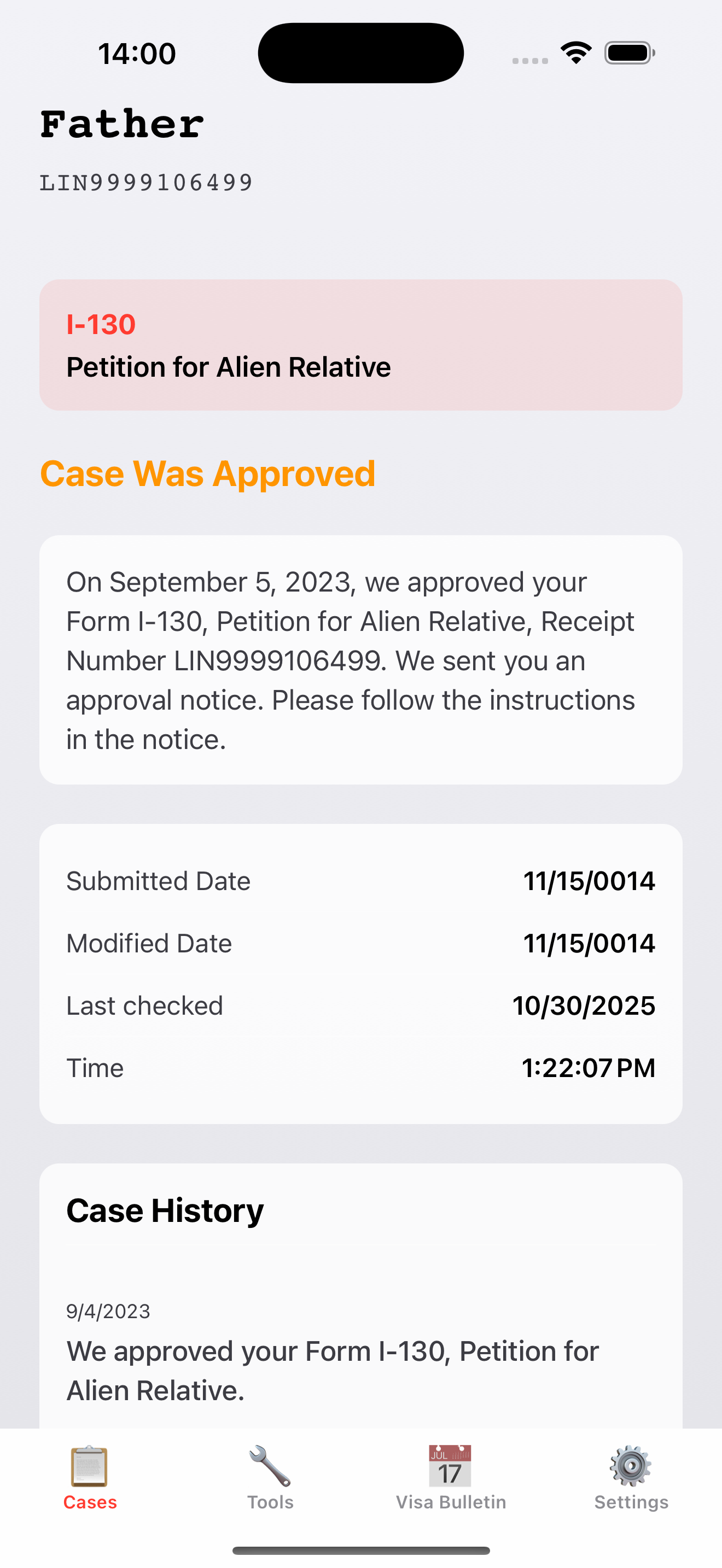
For administrative immigration applications (such as Form I-130, Form I-485, or Form I-765) filed in 2019:
- Locate the 13-character receipt number printed on the Form I-797C Notice of Action issued in 2019 (e.g., three letters like EAC, WAC, LIN, SRC, or IOE followed by 10 digits).
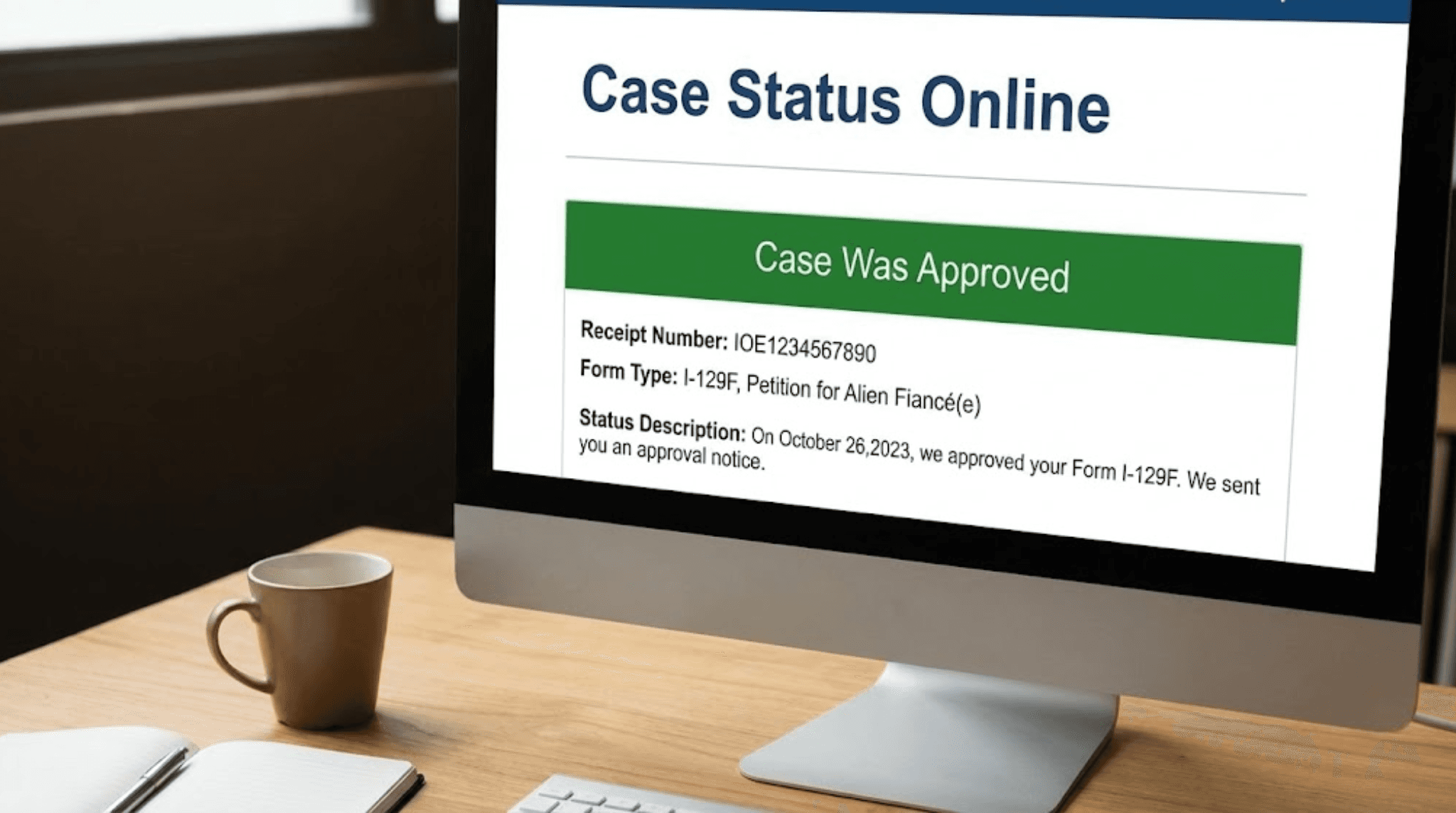
- Access the official online case status tracking portal of the relevant agency (such as the USCIS Case Status Online Portal).
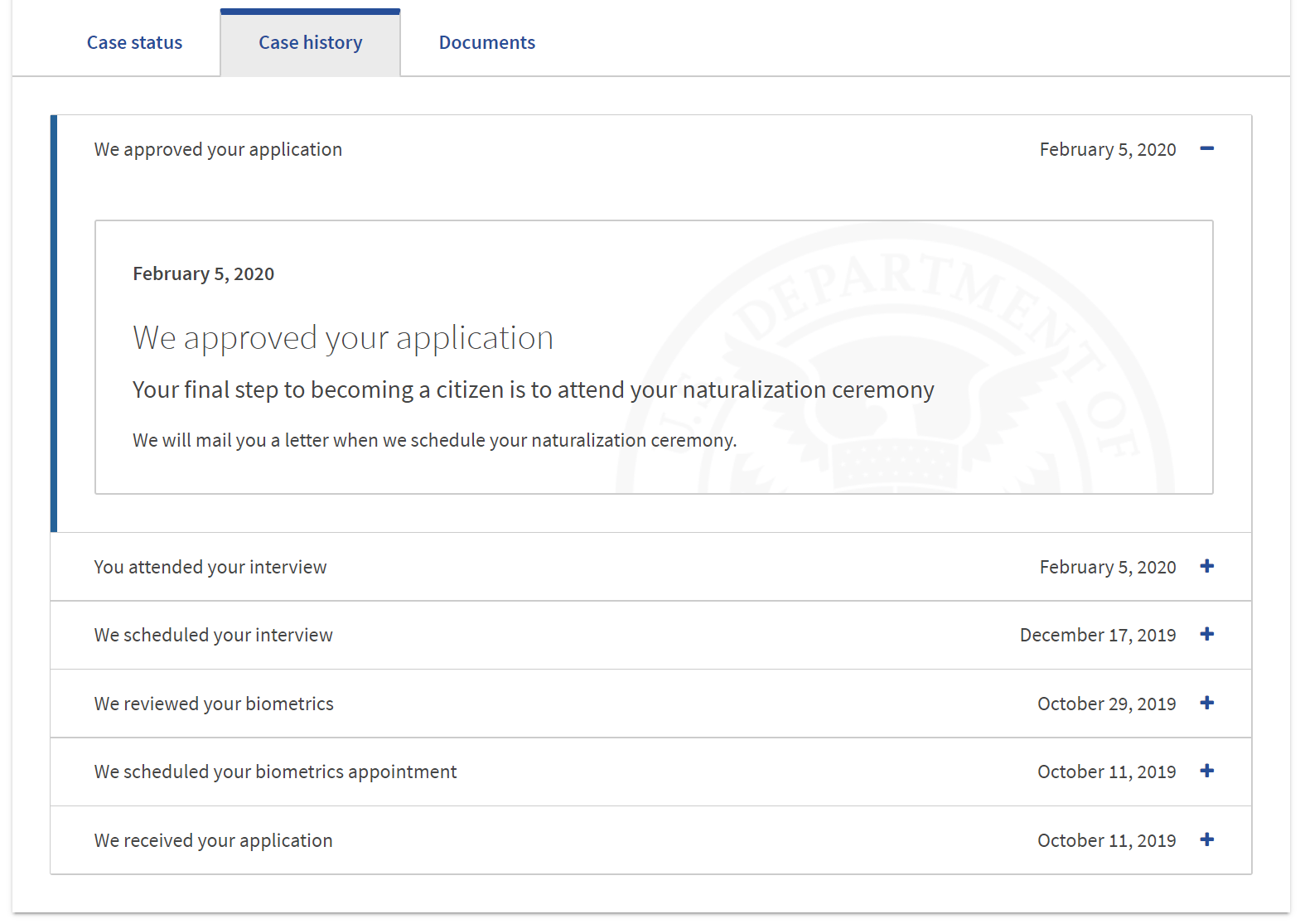
- Review the processing status. 2019 filings generally fall into categories such as Case Was Approved, Request for Additional Evidence (RFE) Responded, Notice Explaining USCIS Actions Was Mailed, or Case Transferred to NVC.
Regulatory and Revenue Tribunals
Administrative disputes originating in 2019 (such as tax appeals, labor board claims, or land revenue revisions) are indexed by the administrative tribunal overseeing the matter. When retrieving these records, locate the agency's specific Tribunal Case Filing System and ensure search parameters filter by the 2019 financial or calendar year.
Detailed Reference: Case Search Methods and Portal Attributes
The matrix below outlines the primary digital pathways to locate case information for matters filed in 2019, detailing required inputs, typical outputs, and recommended actions when standard queries fail.
| Search Method | Required Data Inputs | Expected Outputs / Details | Recommended Action if No Result Found |
|---|---|---|---|
| CNR Search | 16-Digit Alphanumeric Code | Complete chronological record, full party details, historic orders, next hearing date. | Verify character accuracy (ensure '0' is not typed as 'O'). |
| Case Type & Number | Case Type, Case Number, Registration Year (2019) | Specific docket entries, current hearing stage, assigned judge/bench. | Search using the 2018 or 2020 registration years to account for filing delays. |
| Party Name Search | Petitioner or Respondent Name, Year (2019), District/Court | List of matching registered cases matching party names filed in that year. | Expand search parameters by removing middle names or using broad spelling variations. |
| Advocate Name Search | Legal Counsel's Name or Bar Enrollment ID, Year (2019) | Complete cause list history of cases handled by that attorney in 2019. | Query using the attorney's official state bar registration number instead of text names. |
| Receipt / Filing ID | Agency Receipt Number (e.g., 13-digit code), Year | Current administrative processing phase, official notices issued. | Submit a formal administrative inquiry or FOIA request if past standard processing times. |
Troubleshooting Missing or Archived 2019 Case Records
Searching for a case filed several years ago can present technical challenges. The most common issues and technical resolutions include:
1. "Record Not Found" Errors
If entering a 2019 case number yields a "Record Not Found" message:
Check Registration vs. Filing Dates: Re-run the search for the adjacent years (2018 and 2020).
Verify Case Type Abbreviations: Court systems frequently alter internal code designations. For example, a Civil Revision Application might be categorized as C.R.A. on one portal but CRA or CIVIL REVISION on another.
Inspect Court Transfers: If a judicial district was reorganized, the court master may have transferred the 2019 record to a newly formed court complex, assigning it a new local filing number.
Issue: "Record Not Found": Search adjacent years (2018/2020) & verify codes
Issue: Unassigned Next Date: File Urgent Hearing / Mention Application
Issue: Archived File: Apply for Physical File Retrieval from Record Rm
Issue: Name Typo in Record: Search using Advocate Bar ID or CNR Number
2. Transfer to Physical Record Room (Archived Dockets)
When a court case filed in 2019 is disposed of or adjourned sine die, court clerks routinely transfer the physical case files from the courtroom registry to the central Record Room (or central archive branch).
If an online portal shows the status as Archived:
- The electronic record remains visible as a historical log, but active scheduling information is frozen.
- To obtain documents from an archived 2019 record, file an application for certified copies at the court's copying branch, specifying the original 2019 case number and date of disposal.
3. Case Renumbering Due to Appeals or Transfers
If a 2019 trial court matter was decided and subsequently appealed, searching the lower court docket will display the case as Disposed. To track ongoing litigation, locate the lower court's final order, which usually contains details regarding the higher forum's Appeal Number.
Actionable Next Steps for Long-Pending or Disposed 2019 Matters
Once you have successfully located and verified the 2019 case status, take appropriate follow-up action based on the retrieved details.
Important Note on Legal Time Limits: Statutory deadlines (limitation periods) for filing appeals or applications to restore dismissed cases run from the official date of judgment or order. Regularly checking case status prevents missing statutory appeal windows.
For Disposed Cases
- Obtain Certified Copies: Apply directly to the court's copyist department or order certified copies through the digital portal. Certified copies carrying official court stamps are legally required for property transfers, police verification, or appellate filings.
- Verify Compliance with Decrees: Ensure that any performance, payout, or injunctive relief ordered by the court in the final 2019 judgment is executed within statutory time limits.
For Active or Delayed Pending Cases
- File a Motion for Early Hearing: If a case filed in 2019 has experienced extended delays without substantive progress, your legal counsel can file a specific petition requesting an expedited hearing date.
- Set Up Automated Tracking Alerts: Use mobile applications (such as the eCourts Services App) or docket management services to save the case to your personalized watchlist. This ensures automatic push notifications whenever a new hearing date or interim order is uploaded.
Frequently Asked Questions
What should I do if my 2019 case status shows "Disposed" but I never received a judgment copy?
Access the orders section of the relevant court web portal, enter the 2019 case details, and download the electronic copy of the final judgment. If the PDF order is unverified or missing from the portal, submit a physical application for a certified copy at the copying department of the court complex where the judgment was rendered.
Why does a case filed in 2019 still show as "Pending"?
Cases remain pending if litigation phases (such as cross-examination of witnesses, interim injunction appeals, or forensic evidence reviews) are ongoing. High case backlogs within specific jurisdictions can also extend resolution timelines. If no progress has occurred, your attorney can submit an application for early listing.
How can I search for a 2019 court case if I do not know the case number?
Use alternative parameters on the court's case status portal. Select the relevant court complex and conduct a search using the Party Name (entering the petitioner's or respondent's full legal name) or the Advocate Name (using your legal representative's bar registration details), filtering results specifically for the year 2019.
What is a CNR number and how does it apply to a 2019 filing?
A CNR (Case Record) number is a unique 16-digit alphanumeric identifier assigned to every court case registered in unified judicial databases. It remains permanently attached to the case—even if the court complex, judge, or local case number changes over time.
Can a case status from 2019 be updated if the record has been archived?
Yes. If an archived 2019 case is re-opened due to an appeal, a application for restoration, or a petition for modification of orders, the court registry updates the electronic portal. The status will transition from Archived or Disposed back to Restored or Pending.
Professional Assistance and Verification Guidance
While official online portals provide reliable case status tracking, electronic dockets can occasionally contain data entry delays or clerical errors. For critical legal matters, verify online docket information against official court record registers kept in the office of the Chief Judicial Magistrate, Court Clerk, or Registrar of the respective judicial establishment.
Disclaimer: Case status tracking procedures outlined in this guide are provided for administrative and information-gathering purposes. Formal legal actions, interpretations of court orders, or statutory filing deadlines should always be reviewed with a qualified legal professional practicing within the relevant jurisdiction.