In the 2026 fintech landscape, "Square Up receipt" refers specifically to the digital and physical transaction records generated by the Square (Block, Inc.) Point of Sale (POS) ecosystem. This guide focuses exclusively on the Square payment platform and does not cover general debt settlements or unrelated construction terminology.
The Square Up receipt has evolved from a simple proof of purchase into a multi-functional tool for customer engagement, tax compliance, and automated bookkeeping. As we move through 2026, the integration of AI-driven analytics and enhanced privacy protocols has changed how both merchants and consumers interact with these documents. Whether you are a business owner looking to optimize your brand presence or a customer trying to track down a missing transaction from a local vendor, understanding the technical infrastructure of the Square receipting system is essential for financial clarity.
The Architecture of Square Up Receipts in 2026
The modern Square receipt is no longer a static image or a simple text file. It is a dynamic data object hosted on the Square CDN, capable of updating in real-time if a refund is processed or if a loyalty point balance changes. For merchants, these receipts serve as the primary bridge between the physical sale and digital CRM (Customer Relationship Management).
Digital-First Documentation
In 2026, over 85% of Square transactions are processed via digital receipts (email or SMS). This shift is driven by both environmental initiatives and the 2026 California and EU digital record mandates. Square’s "Automatic Receipts" feature uses linked payment cards to recognize customers across different merchants, sending a receipt to their preferred destination without requiring manual input at the terminal.
Hardware Integration for Physical Receipts
Despite the digital surge, thermal printing remains vital for high-volume retail and hospitality. The 2026 line of Square Register and Square Terminal devices utilizes high-speed thermal heads that support 256-bit grayscale for high-fidelity logo printing. These physical receipts now standardly include dynamic QR codes that link directly to the digital version, allowing for easy scanning into accounting software like QuickBooks or Xero.
Consumer Guide: How to Find and Retrieve a Square Up Receipt
One of the most frequent challenges for consumers is identifying a charge on their bank statement that appears as "SQ * [Merchant Name]." Since Square processes payments for millions of small businesses, a customer might not immediately recognize the vendor's name.
Using the Square Receipt Search Tool
Square provides a dedicated web-based portal for consumers to locate their receipts. By visiting the official receipt search page (gosq.com), users can input the transaction amount and the credit card details used for the purchase. In 2026, this tool has been upgraded with biometric authentication for users who have their cards saved in the Square Pay ecosystem, ensuring that sensitive purchase history remains private.
Managing Automatic Receipt Settings
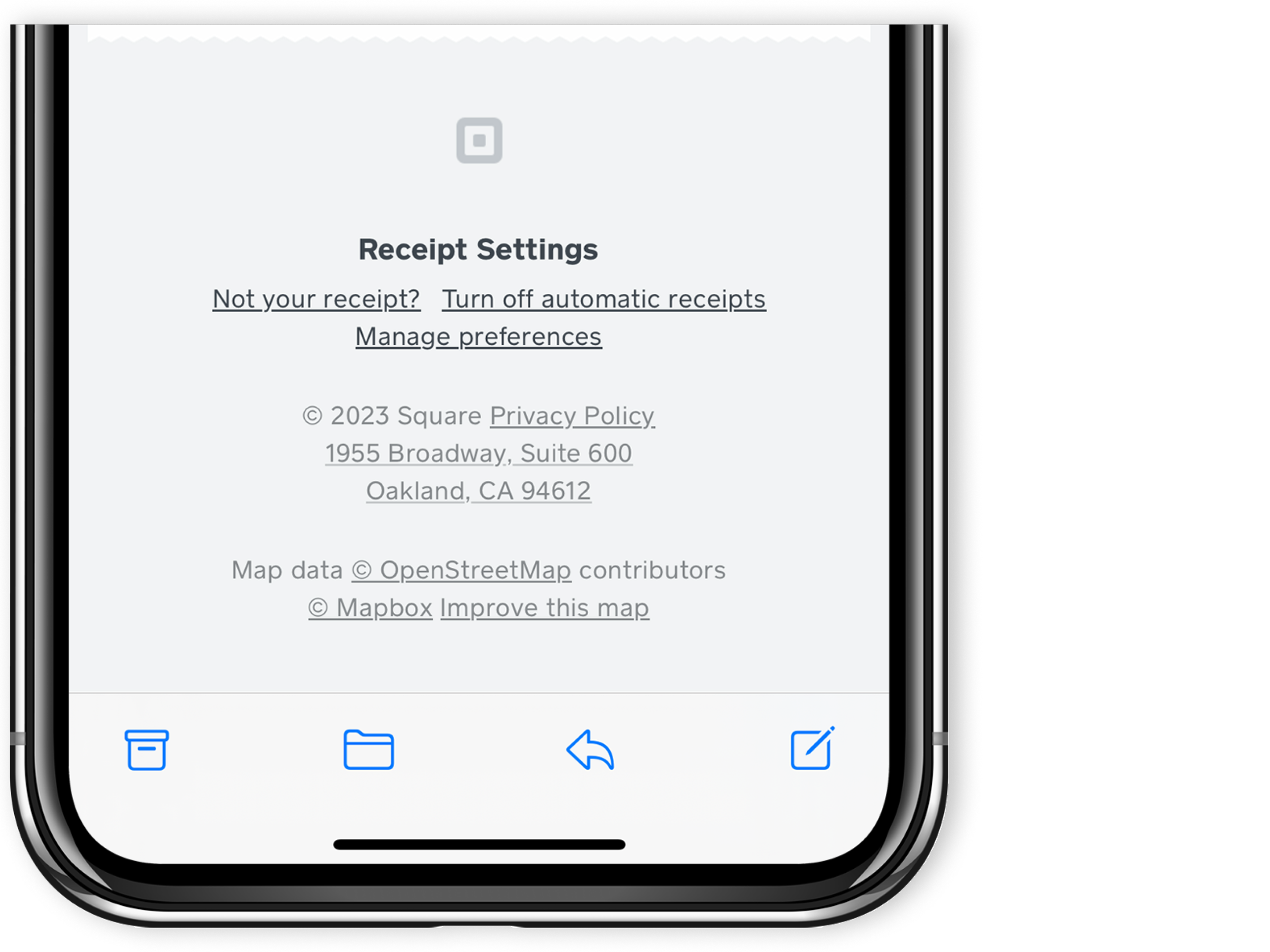
If you find yourself receiving unwanted texts or emails after a purchase, you can manage your preferences through the "Link Preferences" portal.
- Locate a previous digital receipt in your inbox or SMS history.
- Scroll to the footer and select "Manage Preferences."
- Toggle "Automatic Receipts" off or update your primary contact method.
- Changes take effect globally across all Square-enabled merchants within 24 hours.
Merchant Strategy: Customizing Receipts for Brand Authority
For business owners, the Square Up receipt is a high-value marketing asset. In 2026, the "Standard" receipt is a missed opportunity for conversion. Customizing the receipt allows you to reinforce brand identity and drive repeat business through targeted calls to action.
Essential Customization Elements
To maintain professional standards in 2026, your receipt should include more than just the price.
- High-Resolution Branding: Upload a 200x200 pixel PNG logo. In the 2026 dashboard, you can also set a "Brand Color" that tints the header of digital receipts.
- Social and Web Integration: Include direct links to your Instagram, TikTok, or LinkedIn profiles. Square now tracks click-through rates (CTR) on these links within the Seller Dashboard.
- Return Policy Transparency: Clearly state your 2026 return window. With updated consumer protection laws, having a timestamped policy on the receipt protects you against fraudulent chargebacks.
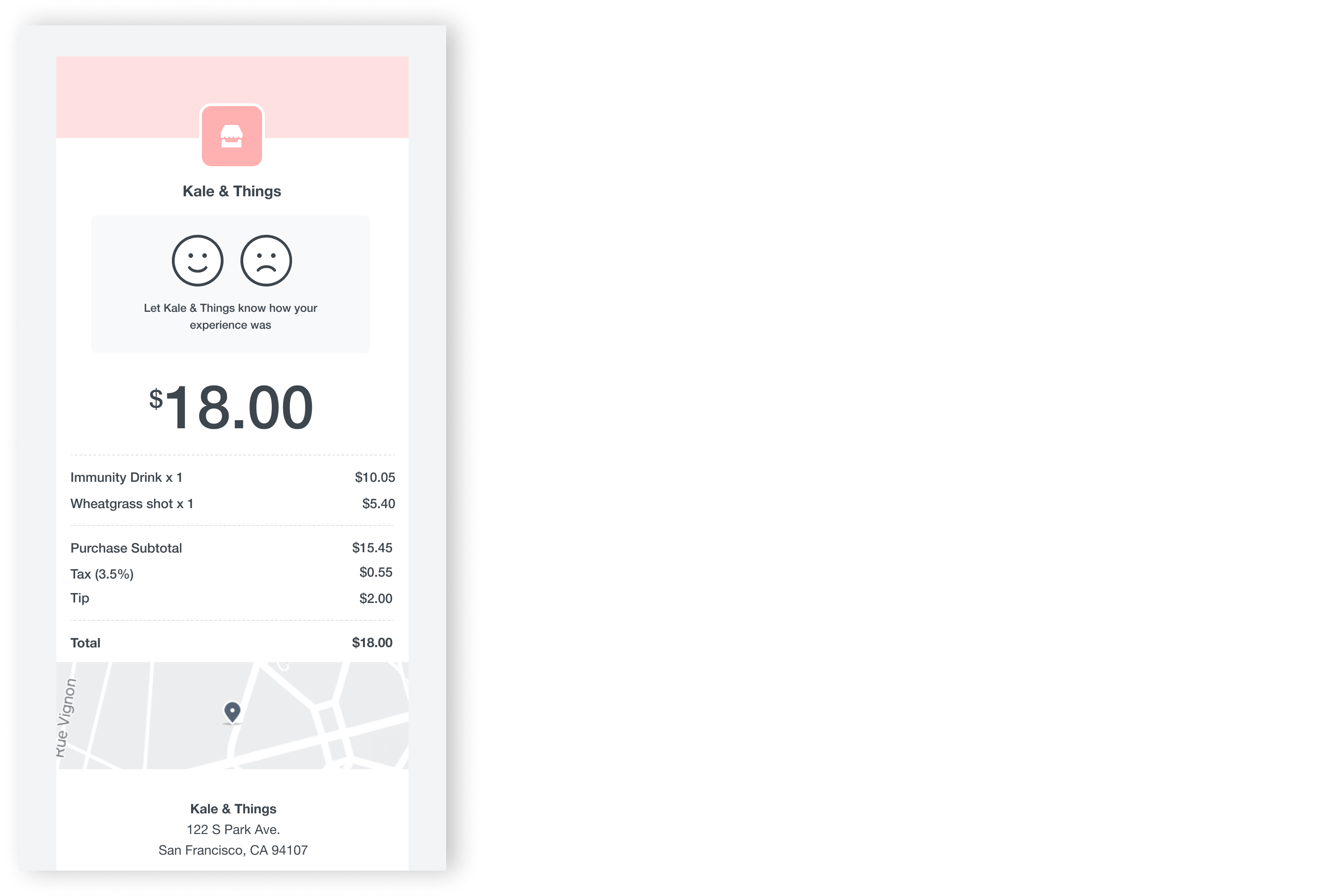
- Dynamic Feedback Loops: Enable "Customer Feedback" to allow buyers to rate their experience with a simple "thumbs up" or "thumbs down" directly from their email.
Advanced Post-Purchase Marketing
Square Receipts in 2026 allow for "Smart Coupons." These are AI-generated discounts based on the customer’s purchase history. If a customer buys a latte, the receipt can automatically generate a 10% coupon for a pastry, valid for their next visit within seven days. This level of personalization is handled automatically by the Square Marketing integration.
Technical Specifications and 2026 Compliance Standards
From a technical SEO and operational perspective, the Square receipt must adhere to strict financial industry standards.
| Feature | Specification / Standard (2026) | Merchant Benefit |
|---|---|---|
| Data Encryption | AES-256 at rest; TLS 1.3 in transit | Prevents data breaches and protects customer PII. |
| PCI Compliance | PCI DSS 4.0.1 Certified | Ensures the merchant is not liable for data handling errors. |
| API Version | Square API v2026-05-15 | Allows developers to pull receipt data into custom ERPs. |
| Accessibility | WCAG 2.2 Compliant (Digital Receipts) | Ensures receipts are readable by screen readers for inclusive service. |
| Carbon Tracking | ISO 14067 integrated estimates | Shows customers the carbon footprint of their purchase. |
Compliance with Fiscal Laws
For merchants operating in regions with "fiscalization" laws (such as parts of Europe or specific US states implementing real-time tax reporting), Square receipts in 2026 are automatically appended with a unique "Fiscal Signature." This ensures that every receipt is registered with the relevant tax authority at the moment of the transaction, simplifying year-end audits.
Troubleshooting Common Square Up Receipt Issues
Even with a robust system, errors can occur. Most issues stem from connectivity or outdated account configurations.
Delayed Digital Receipts Digital receipts usually arrive within seconds. If a customer hasn't received one, first verify the mobile signal or Wi-Fi status of the POS device. In 2026, Square uses a "Store and Forward" mechanism where receipts are queued locally and sent once a connection is re-established. If the connection is active, ask the customer to check their "Promotions" or "Spam" folder, as aggressive 2026 email filters may misclassify transactional mail.
Printer Connectivity Failures For physical receipt issues, ensure the printer is MFi (Made for iPhone/iPad) certified or uses the latest Bluetooth 5.3 standard. Most 2026 printer errors are resolved by clearing the print queue in the Square POS app settings or performing a "Hard Reset" on the peripheral device.
Incorrect Merchant Information If your receipt displays an old address or an incorrect business name, navigate to Account & Settings > Business Information > Locations in your Square Dashboard. Update the "Public Profile" for each location. Note that in 2026, changes to business names may require a re-verification of your EIN or Tax ID for security purposes.
Comparison of Receipt Capabilities: Square vs. Competitors
| Feature | Square (2026) | Toast | Clover |
|---|---|---|---|
| Digital-First Focus | Native / High | Medium (Industry Specific) | Moderate / Third-Party |
| Customization Depth | Extensive (AI-Driven) | High (Restaurant Focus) | Moderate (App-Based) |
| Searchability | Centralized (gosq.com) | Merchant-Specific | Fragmented |
| Offline Receipting | Full Queue Support | Limited | Limited |
| Loyalty Integration | Built-in / Automatic | Add-on | Add-on |
Frequently Asked Questions (FAQ)
How can I get a copy of a Square receipt from a past purchase?
You can retrieve a past receipt by using the Square Receipt Search tool at gosq.com or by searching your email for "Square Up" or the merchant's name. If the purchase was made years ago, check your Square Pay account portal, which archives all transactions linked to your verified phone number or email address.
Can I change the email address where my Square receipts are sent?
Yes, you can update your receipt delivery preferences by clicking "Manage Preferences" at the bottom of any digital Square receipt. This update is tied to your credit card's "fingerprint," so the next time you use that card at any Square merchant, the receipt will go to your new preferred address.
Is a Square digital receipt valid for tax purposes in 2026?
Square digital receipts are fully compliant with IRS and international tax standards for business expense documentation. They include the date, merchant name, items purchased, and tax paid, which are the necessary components for a valid tax record.
Why does my bank statement say "Square" instead of the shop's name?
This usually happens when a merchant hasn't fully configured their "Statement Descriptor" in their Square settings. Merchants are encouraged to update this to their "Doing Business As" (DBA) name to reduce customer confusion and prevent accidental chargebacks.
How do I stop receiving text receipts from Square?
To opt-out of SMS receipts, reply "STOP" to any receipt text message you receive. Alternatively, use the "Manage Preferences" link in a digital receipt to toggle off SMS notifications while keeping email receipts active.
Optimizing the Transactional Experience
The Square Up receipt is more than just a piece of paper or a digital notification; it is a critical touchpoint in the customer journey. For businesses, it serves as a final opportunity to leave a lasting impression through professional branding and personalized offers. For consumers, it provides a secure, searchable, and environmentally friendly way to track spending.
By leveraging the advanced customization and compliance features available in 2026, merchants can reduce administrative overhead and improve customer retention. If you are experiencing technical difficulties or wish to scale your receipting strategy, consulting with a Square-certified technician can ensure your POS environment is optimized for both speed and security.