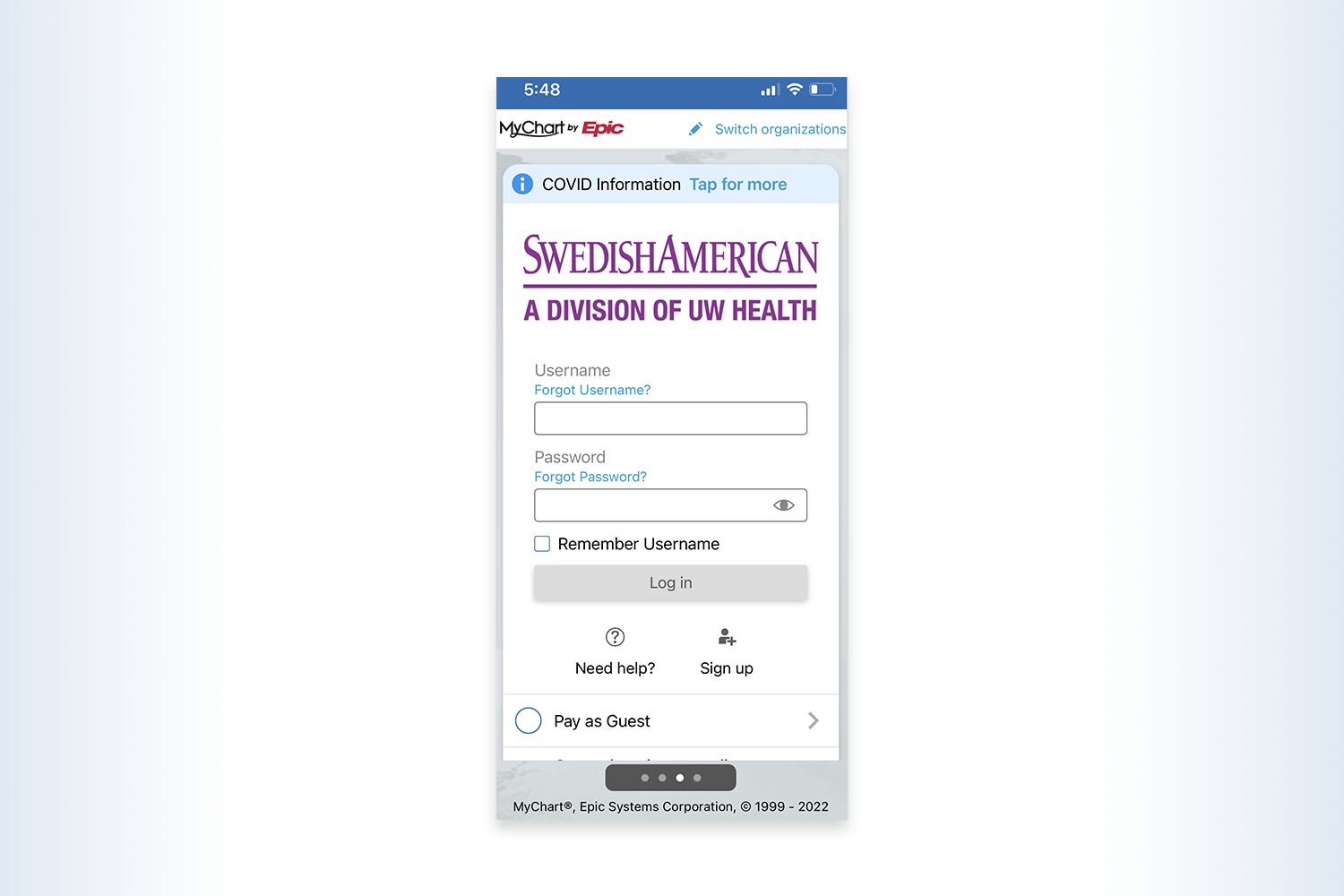
Navigating digital healthcare infrastructure requires secure, streamlined access to personal medical records, test results, and provider communications. For patients utilizing the healthcare systems across Skagit County and the broader Pacific Northwest region, the Skagit MyChart login serves as the primary digital gateway. This portal, powered by Epic Systems architecture, integrates outpatient records, hospital stays, prescription management, and billing into a unified interface. Understanding how to securely access, troubleshoot, and optimize this portal ensures patients remain actively engaged in their healthcare journeys throughout 2026.
Understanding the Skagit Regional Health Portal Ecosystem
The digital patient portal landscape relies on robust electronic health record (EHR) frameworks to ensure data security and interoperability. Skagit Regional Health utilizes the standardized MyChart software platform, which complies with rigorous federal guidelines, including the Health Insurance Portability and Accountability Act (HIPAA) and the 21st Century Cures Act. This compliance guarantees that patients maintain unhindered, electronic access to their health notes, laboratory outcomes, diagnostic imaging reports, and clinical summaries without unnecessary friction.
Security protocols within the portal protect sensitive medical information against unauthorized access. In 2026, cybersecurity threats targeting healthcare infrastructure necessitate advanced authentication layers. The platform employs multifactor authentication (MFA), end-to-end data encryption, and secure HTTPS protocols. Patients accessing their records via desktop browsers or mobile applications must navigate these security checkpoints to safeguard their Protected Health Information (PHI).
Step-by-Step Instructions for Skagit MyChart Account Access
Accessing your medical records requires adherence to standard authentication procedures. Whether you are returning to your account or setting up a new profile for the first time, following the correct sequence prevents login lockouts and security flags.
Logging Into an Existing Account
- Navigate to the official Skagit Regional Health MyChart login page using a secure, modern web browser such as Google Chrome, Mozilla Firefox, Apple Safari, or Microsoft Edge.
- Enter your unique MyChart Username in the designated input field. Avoid entering your email address unless your specific account configuration designates your email as your username.
- Input your secure password, ensuring that capitalization and special characters match your initial setup criteria.
- Click the primary sign-in button.
- Complete the two-step verification prompt if prompted. This step typically involves entering a secure code sent via SMS to your verified mobile number or delivered to your registered email address.
Registering and Activating a New Profile
If you received an activation code from your clinic visit, emergency department discharge paperwork, or via email, you can self-register your online account by executing the following workflow:
- Select the sign-up option located on the primary portal landing page.
- Input your official Activation Code exactly as written, alongside your date of birth and social security number or assigned Medical Record Number (MRN).
- Create a distinct, high-entropy username that does not rely on easily guessable personal data.
- Establish a strong password combining uppercase letters, lowercase letters, numbers, and symbols.
- Configure your communication preferences to receive real-time notifications regarding new lab results, secure messages from your care team, and appointment reminders.
Troubleshooting Common Login and Technical Roadblocks
Technical failures during authentication can disrupt clinical communication. Recognizing common error triggers and applying targeted remediation steps saves time and reduces reliance on phone support queues.
Password and Username Recovery Protocol If you experience repeated login failures, refrain from guessing your credentials repeatedly to avoid triggering an account lockout. Utilize the automated password and username retrieval links located directly beneath the primary sign-in fields. You will be required to verify your identity by providing your date of birth and either your mobile phone number or email address on file.
Common Technical Issues and Solutions
- Browser Cache and Cookie Corruption: Outdated browser data frequently causes formatting errors or authentication loops. Clearing your browser cache and cookies, or attempting to log in via an incognito/private browsing window, often resolves loading failures.
- Expired Activation Codes: Activation codes issued during clinical visits feature a strict expiration window, typically lasting between 14 to 30 days. If your code has lapsed, you must contact your clinic's administrative staff to request a fresh activation link.
- App Connectivity Failures: Mobile users experiencing synchronization errors within the dedicated MyChart application should verify that their operating system and app version are updated to the current 2026 release standards. Reinstalling the application completely forces a fresh handshake with regional servers.
Core Features and Functional Capabilities of the Portal
The platform extends far beyond basic credential verification, offering comprehensive clinical and administrative tools designed to streamline the patient experience.
| Feature Category | Primary Function | Clinical or Administrative Benefit |
|---|---|---|
| Appointment Management | Schedule, reschedule, or cancel primary care and specialty visits. | Eliminates phone wait times and reduces scheduling friction. |
| Test Result Access | View laboratory values, pathology reports, and imaging summaries. | Provides rapid visibility into diagnostic data, often available immediately upon release. |
| Direct Messaging | Send secure, asynchronous messages to your primary care provider and care team. | Allows non-urgent medical inquiries and medication clarification without office visits. |
| Billing and Payments | Review consolidated billing statements, set up payment plans, and settle balances. | Simplifies financial tracking and ensures transparent account management. |
| Proxy Access | Manage medical records for dependents, pediatric patients, or aging family members. | Centralizes family healthcare oversight under a single authenticated user profile. |
Comparing Access Methods: Web Browser Versus Mobile Application
Patients must often decide whether to access their health records via standard desktop web browsers or the dedicated mobile application. Each environment presents distinct operational advantages.
- Desktop Web Access: Ideal for reviewing complex, multi-page PDF documents, extensive clinical notes, and detailed billing statements where screen real estate is critical. Browsers also allow easier printing and local downloading of immunization records and school physical forms.
- Mobile Application Access: Optimized for on-the-go convenience, push notifications for urgent lab results, check-in barcodes for physical appointments, and biometric security features such as facial recognition or fingerprint scanning.
Frequently Asked Questions Regarding Skagit MyChart
How do I reset my forgotten MyChart password?
You can reset your password independently by clicking the "Forgot Password" link on the login page and verifying your identity through your registered email or phone. If you no longer have access to your recovery contact methods, you must call the patient support help desk for manual identity verification.
Are all of my medical records visible inside the portal?
Most outpatient notes, lab results, and standard diagnostic reports appear in the portal automatically. However, certain sensitive records—such as specific behavioral health notes, substance use treatment details, or restricted minor health data—may be withheld or require formal medical records requests due to state and federal privacy regulations.
Can I manage healthcare records for my children through my account?
Yes, parents and legal guardians can request proxy access to view and manage pediatric health records. Access levels vary depending on the child's age, with specific restrictions applying automatically when a minor reaches state-defined privacy thresholds.
What should I do if my recent lab results show abnormal values?
While the portal provides rapid access to laboratory results, you should wait for your ordering physician to review the data and append clinical commentary. If you experience acute symptoms or severe clinical changes, do not wait for a portal message; seek immediate medical attention or visit the nearest emergency facility.
Is there a financial cost associated with using the Skagit MyChart portal?
No, access to the patient portal, mobile applications, and online bill pay infrastructure is entirely free for patients receiving care within the regional network.
Conclusion and Next Steps
Securing reliable access to your personal health information is a vital component of managing your overall well-being. By maintaining updated login credentials, leveraging multifactor authentication, and utilizing the robust features of the portal, you ensure seamless continuity of care. To begin managing your appointments, reviewing your clinical notes, or communicating with your care team, navigate directly to the official Skagit Regional Health login portal and sign in securely today.