Navigating the New York City transit landscape requires precision, as the Metropolitan Transportation Authority (MTA) operates the largest public transportation system in North America. This guide provides an authoritative overview of utilizing the official MTA NYC Travel Planner and associated digital infrastructure for the 2026 transit environment.
The Architecture of the 2026 MTA Digital Transit Ecosystem
The MTA has undergone significant digital transformation by 2026, integrating real-time data from OMNY (One Metro New York) contactless payment systems directly into their route-finding algorithms. When using the official MTA NYC Travel Planner, users are accessing a predictive model that accounts for current construction, service diversions, and signal modernization progress across the numbered and lettered lines.
Understanding the hierarchy of MTA transit data is crucial for minimizing commute times. The system functions on three primary operational tiers:
- Real-time GPS tracking of rolling stock via cellular V-to-I (Vehicle-to-Infrastructure) communication.
- Static scheduling data which defines the baseline frequency for off-peak and overnight hours.
- Live maintenance alerts triggered by the MTA Operations Control Center (OCC).
Optimizing Your Route Planning for Maximum Efficiency
For commuters moving through the five boroughs, the Travel Planner acts as a high-fidelity decision engine. To maximize the effectiveness of the tool, you must adjust parameters based on your specific transit profile. Whether you are navigating a daily commute or a complex inter-borough transfer, the system provides several filtering options.
Selecting Your Optimal Transit Mode
The system categorizes transit options based on speed, cost, and accessibility. Note that as of 2026, the OMNY "Fare Cap" policy remains in full effect, ensuring that once you hit 12 rides in a seven-day cycle, all subsequent subway and local bus trips are free.
| Transit Mode | Operational Priority | 2026 Accessibility Status | Primary Use Case |
|---|---|---|---|
| Subway | High | ADA Accessible (Partial) | Cross-borough travel |
| Local Bus | Moderate | 100 Percent Accessible | Neighborhood connectivity |
| Select Bus Service | High | 100 Percent Accessible | Rapid arterial transit |
| Commuter Rail (LIRR/MNR) | Very High | ADA Accessible | Suburban-to-city transit |
Managing Transfers and Accessibility Constraints
A common pitfall for new and returning commuters is the failure to toggle the "Accessible Routes Only" feature if mobility constraints are a factor. While the MTA has accelerated station upgrades, not every station is fully compliant with 2026 ADA standards.
Operational Guidelines for Accessibility
Route Prioritization. When selecting the accessible-only filter in the planner, the algorithm will automatically prioritize stations equipped with functional elevators. If a critical transfer point reports an elevator outage, the system will reroute users to the nearest compliant alternative, even if it adds time to the journey. Users should verify real-time status through the MTA mobile dashboard before beginning their trip to account for instantaneous mechanical failures.
Integrating OMNY into Your Transit Strategy
The transition to OMNY is complete, and cash-based MetroCards are largely phased out of active daily use by 2026. The Travel Planner now features a "Cost Estimator" that automatically integrates the OMNY fare capping logic. When planning your trip, consider the following technical aspects of the payment infrastructure:
- Contactless Payment. Your primary tool for entry is a NFC-enabled device or OMNY card. The Travel Planner does not replace the payment system but verifies that the lines you select are fully supported by OMNY.
- Fare Integration. When moving between bus and subway, ensure you utilize the same digital or physical credential to trigger the free transfer window, which remains active for two hours.
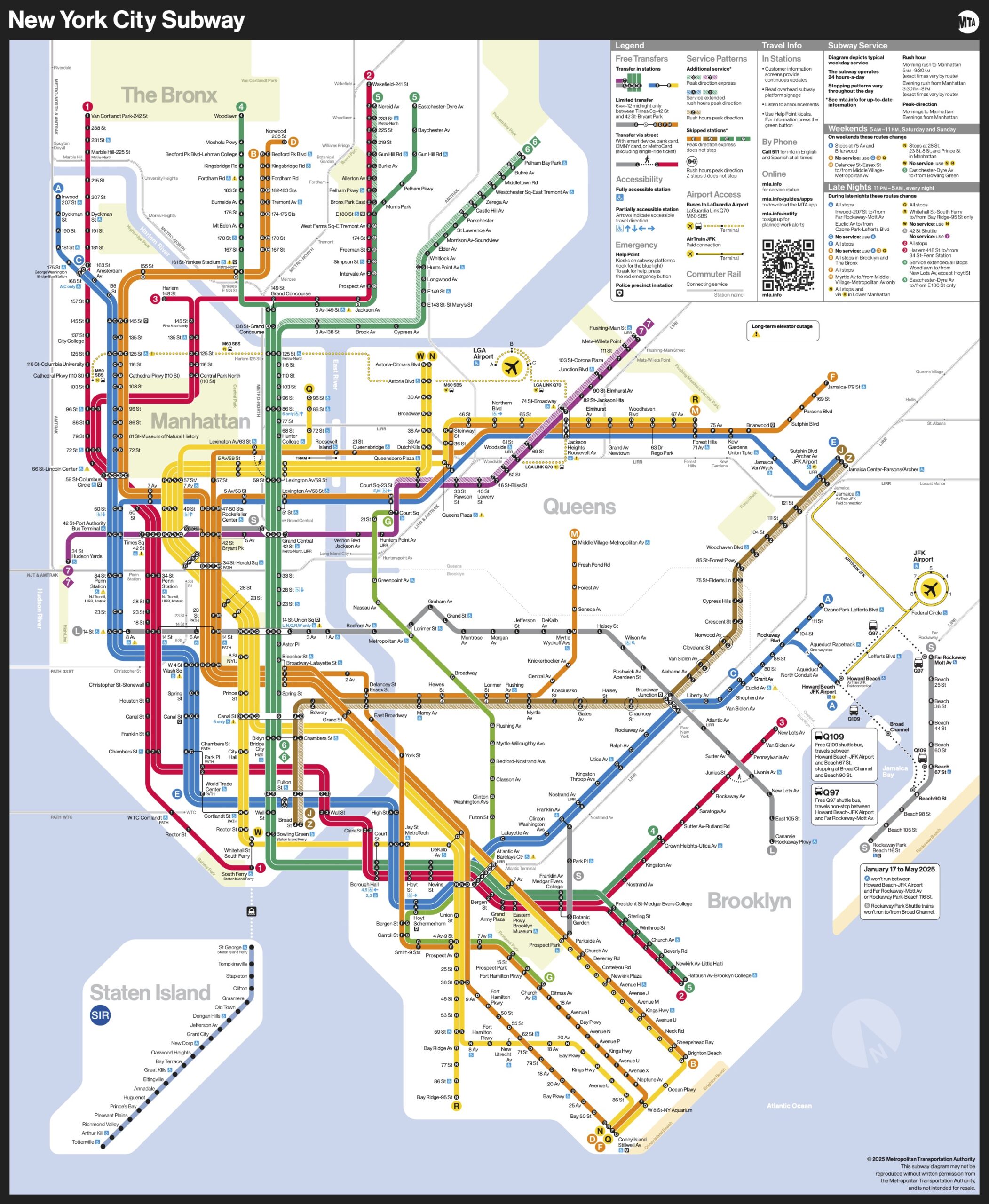
- Bi-directional Transfers. Ensure that if your route requires moving between different subway lines, you are checking for "Free Transfers" which are clearly marked on the system map and reflected in the planner’s routing logic.
Comparative Analysis of Transit Planning Tools
While the official MTA NYC Travel Planner is the foundational source of truth, frequent commuters often compare it against third-party integrations. The following table highlights why the MTA's native tools remain the authoritative source for operational data.
| Feature | MTA Official Planner | Third-Party Navigation Apps |
|---|---|---|
| Real-Time Diversion Alerts | Highest (Direct from OCC) | Variable (Delayed propagation) |
| OMNY Integration | Native and Accurate | Often Lacks Cap Tracking |
| ADA Elevator Status | Real-time Verified | Frequently Outdated |
| Maintenance Schedule | Official Baseline | Often Missing Future Dates |
Frequently Asked Questions for 2026 Transit Users
How accurate are the real-time arrival estimates in the 2026 Travel Planner?
The estimates utilize live telemetry from train-mounted transponders, providing a high degree of accuracy for 95% of trips. However, unexpected signal delays can occasionally cause real-time deviations that the software corrects within 30 to 60 seconds of the event.
Can I plan a trip involving the LIRR or Metro-North using the MTA tool?
Yes, the 2026 interface fully integrates commuter rail schedules with subway and bus data. It calculates the total journey cost, including potential transfers between the city transit system and regional rail lines.
What should I do if the planner recommends a route with a non-functional elevator?
The planner typically flags elevator outages with a warning icon. If you encounter an unexpected outage, use the "Report Incident" feature within the app, which notifies the MTA maintenance team and triggers an immediate re-routing for other commuters.
Does the MTA Travel Planner account for the Fare Cap?
Yes, the system is synced with your OMNY account status. If you have reached your weekly fare cap, the planner will indicate that your fare for the trip is zero, assuming you utilize the same payment credential.
Are weekend service diversions automatically updated in the planner?
The MTA updates the planner weekly to reflect scheduled track work and service changes. For the most accurate weekend planning, verify your route on Thursday evenings when the final service bulletins for the upcoming week are finalized.
Leveraging Expert Strategy for Consistent Commuting
To maintain professional-level efficiency, avoid relying on a single static route. Use the planner to identify "Secondary Routes" for your most common commutes. In the event of an unplanned subway disruption, having a pre-saved backup route involving bus and bike-share connectivity can save significant time. Always ensure your mobile device has location services enabled, as the planner uses this to adjust walking time estimates based on your actual pace to reach the closest entry point.
For long-term reliability, register your OMNY credential online. This links your transit behavior to your account, allowing the MTA to provide personalized alerts regarding route changes that specifically impact your frequent stops, moving beyond generic regional updates.