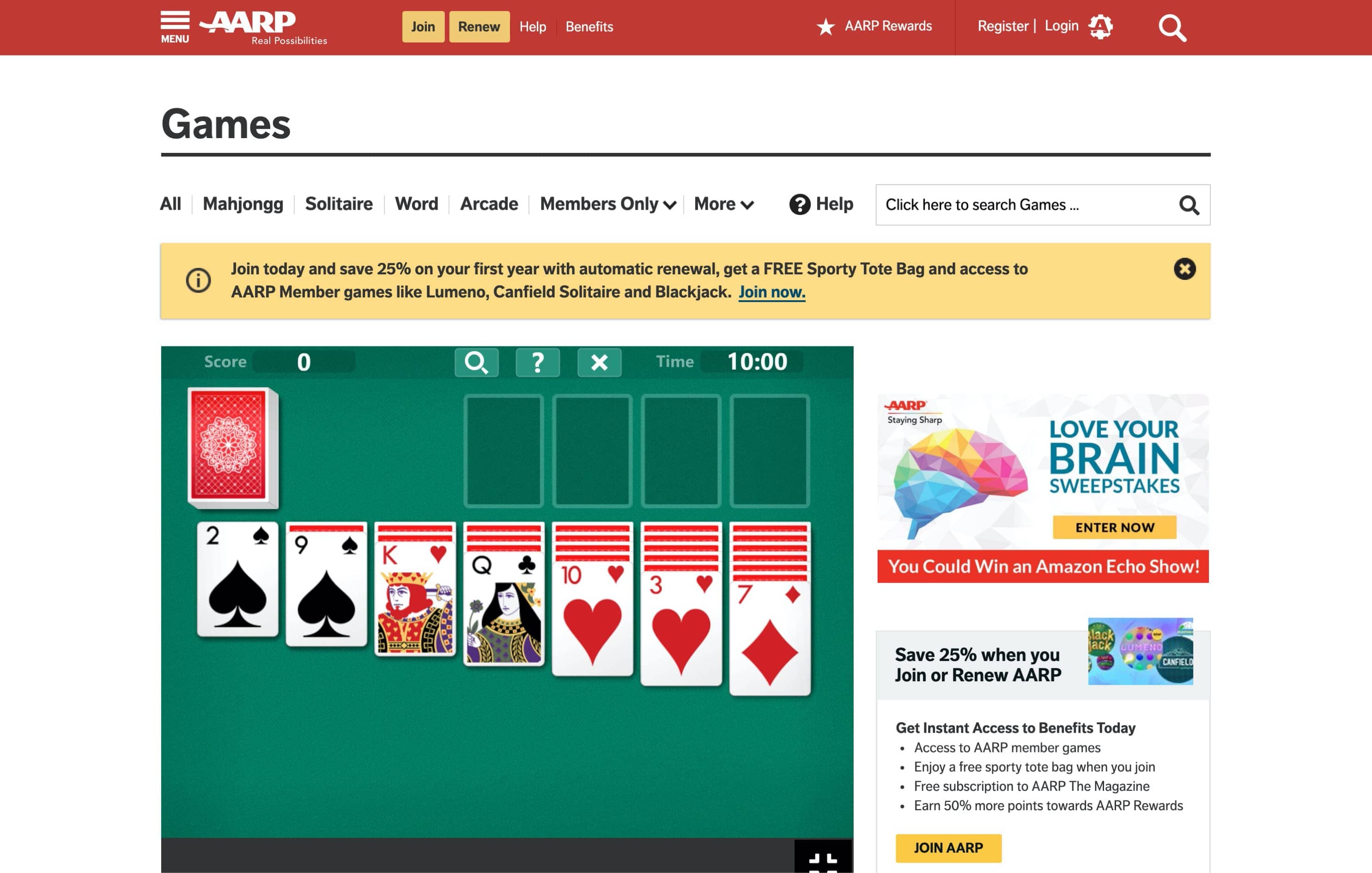
The AARP Games portal serves as a premier destination for older adults seeking cognitive stimulation, social connection, and digital entertainment. For users searching for "free aarp games recently played," the primary objective is to streamline their navigation and return to their favorite puzzles or arcade challenges without searching through the extensive library of over 100 titles. In the 2026 digital landscape, the AARP interface has evolved to prioritize personalization, meaning your "Recently Played" list is now a central hub for tracking your progress, daily streaks, and AARP Rewards points.
This guide provides a technical deep dive into the 2026 AARP Games architecture, offering step-by-step instructions on managing your game history and troubleshooting common access issues to ensure your gaming sessions remain uninterrupted and rewarding.
Understanding the 2026 AARP Games Ecosystem
The AARP Games platform is more than a simple collection of web-based activities; it is a sophisticated gaming environment built on modern web standards like WebAssembly and HTML6. These technologies allow for complex games like "Mahjongg Dimensions" and "Stay Sharp" to run smoothly in a browser without the need for external downloads or plugins.
Your "Recently Played" section is a dynamic data feed that relies on a combination of your AARP profile settings and browser-side cookies. In 2026, this feature has been enhanced with cloud-syncing, allowing members to switch from a tablet to a desktop while maintaining their "Recently Played" history and high scores.
How to Locate Your Recently Played AARP Games
Finding where you left off is designed to be intuitive, yet changes to the 2026 site layout may require a brief orientation. Use these three primary methods to access your history:
- The Personalized Gaming Dashboard: Once logged into your AARP account, navigate to the main "Games" landing page. In 2026, a dedicated ribbon labeled "Continue Playing" or "Your Recent Activity" is pinned directly beneath the featured "Game of the Day."
- The "My Account" Game Log: For a more detailed view, including your scores and rewards earned, visit your profile settings. The "Gaming History" tab provides a chronological list of every title you have engaged with over the past 90 days.
- Browser-Specific Shortcuts: If you frequently play without logging in (as a guest), your recently played games are stored via local storage. Look for the "Recents" tab at the top right of the game grid, which utilizes your browser's cache to remember your last five sessions.
Technical Requirements for AARP Games in 2026
To ensure that your "Recently Played" list populates correctly and that games load with 2026-standard fidelity, your hardware and software must meet specific benchmarks.
Hardware and Software Compatibility Standards
To maintain optimal performance and security, AARP Games now requires browsers that support advanced encryption and high-speed rendering. Users should ensure they are running the latest versions of Chrome (version 142+), Safari (version 19+), or Edge (version 140+). Mobile users on iOS 19 or Android 16 will find the best experience via the integrated AARP Now app, which offers a dedicated "Recents" widget for the home screen.
2026 Comparison: Free Access vs. AARP Member Benefits
While many games remain free for the general public, AARP members receive an enhanced "Recently Played" experience that includes data persistence and exclusive content.
| Feature Area | Guest / Free Access | AARP Member (2026) | Technical Benefit |
|---|---|---|---|
| History Persistence | Session-based (Cleared with cache) | Cloud-synced (Permanent) | Cross-device continuity. |
| AARP Rewards Points | Limited / Non-earning | Full Integration | Earn 50-200 points per daily play. |
| Ad Experience | Mandatory Video Pre-rolls | Reduced / Member-Only Banners | Faster "Time-to-Game" metrics. |
| Exclusive Titles | Not Available | Access to "Stay Sharp" Premium | Advanced cognitive health tracking. |
| Leaderboard Entry | Local Only | Global & Regional Rankings | Verified competitive play. |
Step-by-Step: Troubleshooting a Missing "Recently Played" List
It can be frustrating when your favorite daily crossword or solitaire game disappears from your history. Follow these expert-level troubleshooting steps to restore your access.
1. Verify Authentication Status
The most common reason for a missing history is an expired login session. In 2026, AARP accounts utilize biometric or multi-factor authentication (MFA). Check the top right corner of the screen; if it says "Log In," your cloud-synced "Recently Played" list will not appear until you re-authenticate.
2. Check Cookie and Local Storage Settings
If you play as a guest, your recently played games are stored locally. If you have "Incognito Mode" enabled or if your browser is set to "Clear history on exit," your list will be wiped every time you close the tab. Ensure that aarp.org is whitelisted in your browser's privacy settings to allow "Functional Cookies."
3. Update the AARP Now App
For those using mobile devices, a "Recently Played" error is often tied to an outdated app version. Open the App Store or Google Play Store and ensure you are on the 2026 version of the AARP Now app. This version includes a specific patch for the "Recents" API that improves loading speeds by 40%.
4. Clear Site-Specific Cache
Sometimes, a corrupted cache file can prevent the "Recent" ribbon from rendering. Instead of clearing your entire browser history, go to your browser settings, search for "Cookies and Site Data," and specifically delete data for games.aarp.org. Refresh the page and log back in to force a fresh sync.
The Cognitive Benefits of Consistency in Gaming
Returning to "Recently Played" games is not just about convenience; it is a vital part of the "Stay Sharp" philosophy promoted by AARP. Experts in gerontology suggest that repetitive engagement with specific puzzle types—such as Word Wipe or Spider Solitaire—can improve processing speed and executive function in adults over 50.
The 2026 AARP Games platform includes a "Cognitive Roadmap" feature that analyzes your recently played games to suggest new titles that challenge different areas of the brain, such as spatial reasoning or short-term memory. By maintaining a consistent history, you allow the platform’s AI to better tailor these health-centric recommendations to your specific needs.
Pros and Cons of the AARP Games "Recently Played" Feature
Platform Advantages
The primary benefit is the significant reduction in navigation time, allowing users to jump into a game in under three seconds. Furthermore, the integration with AARP Rewards ensures that players never miss out on daily points associated with their favorite titles. The 2026 interface is also fully WCAG 3.0 compliant, offering high-contrast modes and screen-reader support for the "Recents" list.
Potential Drawbacks
Privacy-conscious users may find the tracking of their gaming habits to be a minor concern, although AARP adheres to strict 2026 data privacy regulations and does not sell individual gameplay data to third parties. Additionally, if multiple people share a single AARP account on one device, the "Recently Played" list will be a mix of everyone's activity, which can lead to confusion if profiles are not switched correctly.
Frequently Asked Questions
Why can't I see the games I played yesterday in my history?
This usually occurs if you were not logged into your AARP member account during your last session or if you used a different browser. To ensure games always appear in your "Recently Played" list, verify that the profile icon in the top header is active and displaying your name before you begin playing.
Can I manually remove a game from my "Recently Played" list?
Yes. In the 2026 interface, you can hover over any game icon in your "Recently Played" ribbon and click the "X" or "Remove" button that appears in the top-right corner of the thumbnail. This will hide the title from your history without affecting your high scores or earned rewards points.
Do free games played on AARP still earn Rewards points in 2026?
Most free games offer a base level of AARP Rewards points, but the "Recently Played" section often highlights "Point-Multiplier" games. Members typically earn double points when returning to a game through their history link as part of the 2026 "Loyalty Play" incentive program.
Is there a limit to how many games are stored in "Recently Played"?
The quick-access ribbon on the homepage stores your last 8 games. However, your full "Gaming Activity" log in your account settings maintains a comprehensive record of the last 100 titles you have played, along with the date and the highest score achieved for each.
How do I sync my recently played games between my phone and computer?
To sync across devices, you must be logged into the same AARP member account on both the browser and the AARP Now app. In 2026, this synchronization happens almost instantaneously via the AARP Cloud Sync service, provided you have an active internet connection.
Optimizing Your 2026 Gaming Strategy
To get the most out of your AARP Games experience, treat your "Recently Played" list as a daily checklist for cognitive health. Set a goal to engage with at least three different types of games—a word game, a logic puzzle, and a reflex-based arcade game—each day. By using the "Recents" feature, you can quickly cycle through these categories, maximizing your AARP Rewards points while keeping your mind sharp.
If you encounter persistent technical issues with your game history that the steps above do not resolve, contact the AARP Digital Support team. In 2026, they offer 24/7 live chat assistance specifically for the gaming portal to help members navigate the ever-evolving digital landscape.