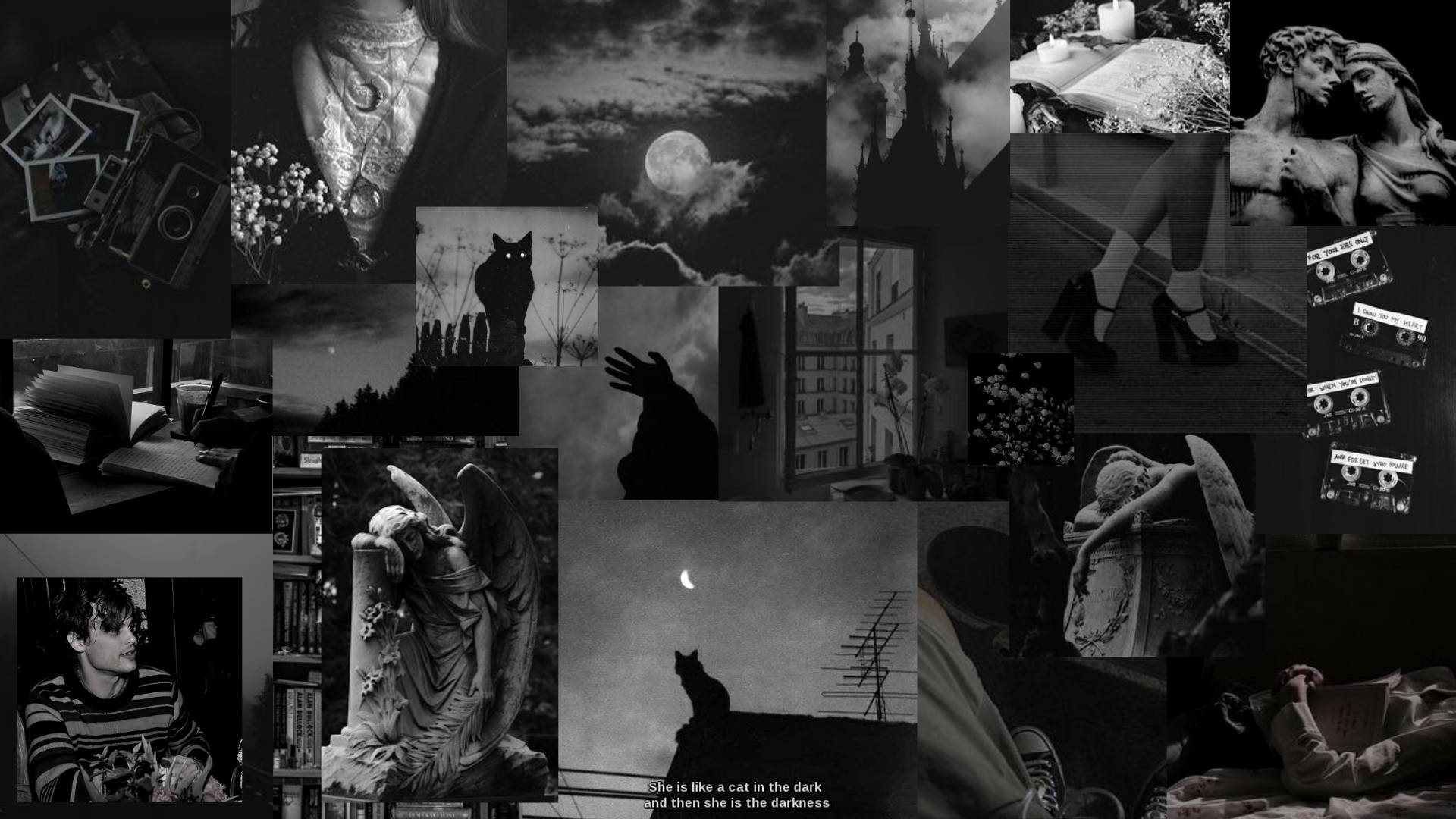
An aesthetic profile pic (PFP) featuring a black-centric theme leverages high contrast, minimalism, and moody lighting to create a sophisticated, mysterious, or edgy digital presence. In 2026, this "dark mode" visual strategy remains the gold standard for users seeking a timeless, professional, yet deeply personal look across social media and gaming platforms.
The Psychology and Appeal of the Black Aesthetic
The choice of a black-themed profile picture transcends simple color preference; it is a strategic move in digital branding. Historically, black has symbolized power, elegance, formality, and mystery. In the context of 2026 digital interfaces, which are predominantly viewed on OLED screens, black aesthetics serve a functional purpose by reducing eye strain and allowing the subject of the image to "pop" against the interface.
A black aesthetic PFP works by utilizing negative space. By surrounding a subject with darkness or using a monochromatic palette, the viewer's focus is funneled directly toward the intended focal point—be it a silhouette, a specific fashion accessory, or a facial feature. This creates an immediate sense of authority and intentionality. Unlike vibrant, multi-colored PFPs that may feel chaotic or juvenile, a black PFP suggests a level of curation and maturity. It functions as a visual "shorthand" for someone who values substance over flashiness.
Furthermore, the "black aesthetic" is versatile. It can lean into "Dark Academia" for those who value intellect and history, "Cyber-Noir" for tech enthusiasts, or "Minimalist Luxury" for professionals. This adaptability ensures that while the color palette remains restricted, the personality conveyed is unlimited.
Popular Sub-Genres of Black Aesthetic PFPs
Choosing a "black" profile picture does not mean being limited to a single style. Several distinct sub-genres have emerged as dominant trends in 2026, each catering to different personality types and platform cultures.
Minimalist Silhouettes
This style focuses on the outline of a person or object against a dark background. It is highly effective for maintaining privacy while still providing a recognizable "vibe." Minimalist silhouettes often use a single light source from behind (rim lighting) to define the edges of the subject, creating a clean and modern look that performs exceptionally well on small mobile icons.
Dark Academia and Noir
Influenced by classic cinema and scholarly pursuits, this style utilizes deep shadows, grainy textures, and vintage elements. Think black turtlenecks, old books, or rainy windows at night. These images often have a "filmic" quality, achieved through lower contrast in the mid-tones while keeping the "true blacks" deep and immersive.
E-Boy/E-Girl and Grunge Aesthetics
Often found on platforms like TikTok or Discord, this sub-genre uses black as a foundation for "edgier" expressions. It may incorporate chain accessories, heavy eyeliner, or intentional digital "noise" and glitches. The goal here is to project a rebellious, counter-culture persona that feels both curated and raw.
High-Fashion and Editorial
This is the most "polished" version of the black PFP. It mimics the look of a Vogue cover or a luxury brand advertisement. It relies on high-end lighting setups—specifically "low-key" lighting—to emphasize texture, such as the sheen on a leather jacket or the sharp line of a jaw.
Technical Elements of Creating the Perfect Black PFP
Creating a high-quality black aesthetic PFP requires more than just turning down the brightness. If not executed correctly, the image will look "muddy" or pixelated rather than stylish.
Mastering the "Black Point"
The most critical technical setting in any photo editor is the "Black Point." Unlike "Brightness" or "Shadows," adjusting the black point ensures that the darkest parts of your image are truly black (#000000 in hex code). This prevents the "washed-out" gray look that often ruins dark photos. In 2026, most mobile editing suites like Adobe Lightroom or VSCO provide a dedicated slider for this.
Lighting: The "Key" and "Rim"
To make a subject visible against a black background, you need "Rim Lighting." This is a light source placed behind the subject, slightly to the side, which creates a thin "halo" or outline. This separates the subject from the background. Without it, your PFP will simply look like a floating head or a dark blob.
Managing Digital Noise (Grain)
Dark photos are prone to "noise"—the grainy, colorful speckles that appear when a camera sensor struggles in low light. While some "film grain" can be an aesthetic choice, sensor noise is usually distracting. To avoid this, use a low ISO setting and a tripod, or use AI-driven noise reduction tools which have become standard in 2026 image processing.
Comparison of Black Aesthetic Styles
The following table breaks down the most common black-themed PFP styles to help you decide which fits your personal brand.
| Style Name | Primary Vibe | Best Platforms | Key Technical Element |
|---|---|---|---|
| Minimalist Noir | Sophisticated, Private | LinkedIn, Twitter (X) | High Contrast, Silhouette |
| Cyber-Grunge | Edgy, Tech-focused | Discord, Twitch | Digital Glitch, Grain |
| Luxury Mono | Professional, High-End | Instagram, Portfolio | Soft Lighting, Texture |
| Shadow Abstract | Artistic, Mysterious | Pinterest, Threads | Negative Space, Blur |
| Gothic Mood | Emotional, Dark | Tumblr, Personal Blogs | Deep Shadows, Desaturation |
Platform-Specific Optimization for Dark PFPs
A black PFP that looks great on Instagram might not translate well to Discord or LinkedIn due to how these platforms handle image compression and UI borders.
Discord and Circular Icons
Discord uses circular crops and often places a status indicator (the green, yellow, or red dot) in the bottom right corner. When designing a black PFP for Discord, ensure your focal point is dead center and that no important details are in the bottom right quadrant. Transparency (using a PNG format) can also be used here to make the subject appear to float directly on the Discord interface.
Instagram and Grid Cohesion
On Instagram, your PFP is the "anchor" for your grid. A black PFP works best if your grid also features high-contrast or desaturated content. If your grid is very bright and colorful, a black PFP can create a jarring visual disconnect. Consider adding a subtle white border around your black PFP to separate it from the app's "Dark Mode" background.
LinkedIn: The "Dark Professional" Look
LinkedIn has moved away from purely bright, corporate headshots. A "dark" professional PFP is acceptable in 2026, especially in creative or tech industries. However, ensure your face is clearly visible. Use a "Rembrandt lighting" setup (a triangle of light on the cheek) to maintain a professional level of clarity while keeping the background and clothing black.
Recommended Tools and Apps for 2026
To achieve the "ultimate stylish look," you need tools that can handle deep color grading without destroying image quality.
- Adobe Lightroom Mobile: The gold standard for controlling "Black Points" and "Dehaze." Use the "Selective Edit" tool to darken only the background while keeping the subject bright.
- VSCO: Best for pre-set filters that emulate film stocks like Kodak Tri-X 400, which are famous for their rich blacks and beautiful grain.
- Prequel: Ideal for adding "aesthetic" overlays like dust, light leaks, or glitch effects that complement dark themes.
- Midjourney/DALL-E 3 (AI): If you prefer a non-photographic PFP, using prompts like "Minimalist vector silhouette, black background, sharp edges, 8k" can generate a perfectly tailored aesthetic image.
- Remini/Topaz Photo AI: Essential for upscaling dark photos and removing unwanted sensor noise.
Common Mistakes to Avoid in Dark Aesthetics
One of the most frequent errors is over-saturation of black. When you push the "Shadows" slider too far down, you lose "texture." For example, a black silk shirt should still look like silk, not a flat black void. Maintaining "detail in the darks" is what separates a professional-looking PFP from an amateur one.
Another mistake is neglecting eye-light. In dark photography, the eyes often disappear into shadow. This makes the subject look "dead" or uninviting. Ensure there is at least one small "catchlight" (a reflection of a light source) in the pupils to maintain a sense of life and connection with the viewer.
Finally, avoid poor contrast ratios. If your hair is black and your background is black, and you don't use rim lighting, you will look like a "floating face." Always ensure there is a layer of separation between your subject and the backdrop.
FAQ
How do I make my black PFP stand out in Dark Mode?
To make a black PFP visible against a dark mode interface, add a thin "stroke" or border in a dark gray or off-white color. Alternatively, use lighting techniques like rim lighting to ensure the edges of your subject are highlighted, creating a natural border against the app's background.
Can I use a black aesthetic PFP for professional branding?
Yes, black is a staple of high-end branding. On platforms like LinkedIn, a black-themed headshot can convey confidence and modern style. The key is to ensure the lighting is high-quality and your face is not obscured by shadows, maintaining a balance between "moody" and "accessible."
What is the best file format for a dark profile picture?
Always use PNG or WebP if the platform allows it. These formats handle dark gradients and deep blacks much better than JPG, which often introduces "banding" (visible lines in the shadows) and blocky artifacts in low-light areas.
Does a black PFP save battery life on mobile phones?
On devices with OLED or AMOLED screens, yes. These screens turn off individual pixels to display true black. While a single profile picture has a negligible impact on overall battery life, a dark-themed UI and PFP contribute to lower power consumption compared to bright, white images.
Implementing Your New Aesthetic
To successfully transition to a black aesthetic PFP, start by evaluating your current digital "vibe." Consistency is key; if you change your PFP to a dark, moody silhouette, consider updating your header images and "About Me" sections to match this more minimalist tone.
Begin by capturing a photo in a dimly lit room using a single lamp as your light source to experiment with shadows. Once captured, use an editor like Lightroom to pull the "Black Point" down until the background disappears into total darkness. Test the result on both light and dark modes of your favorite app to ensure the image remains striking and legible in all viewing conditions.