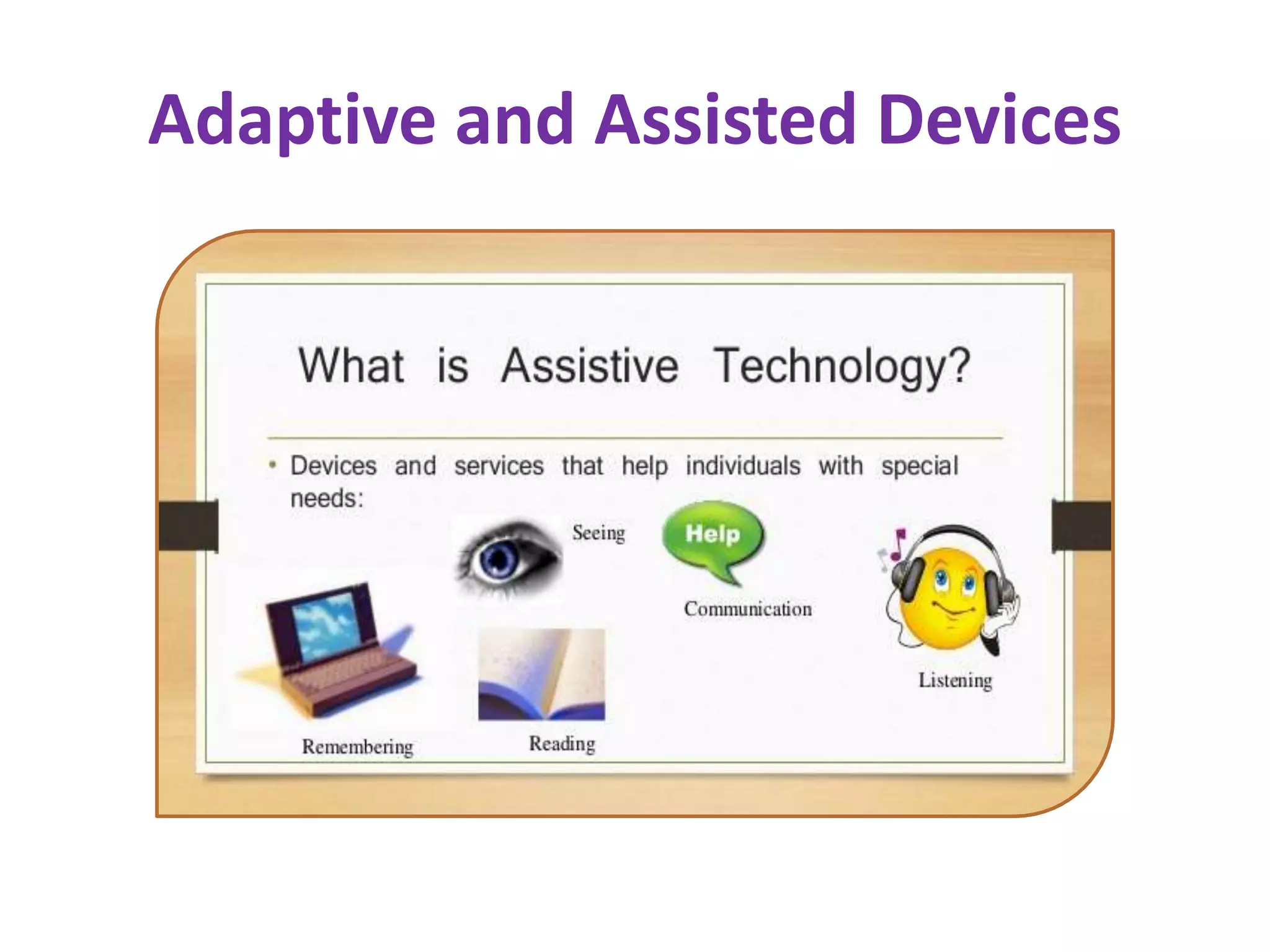
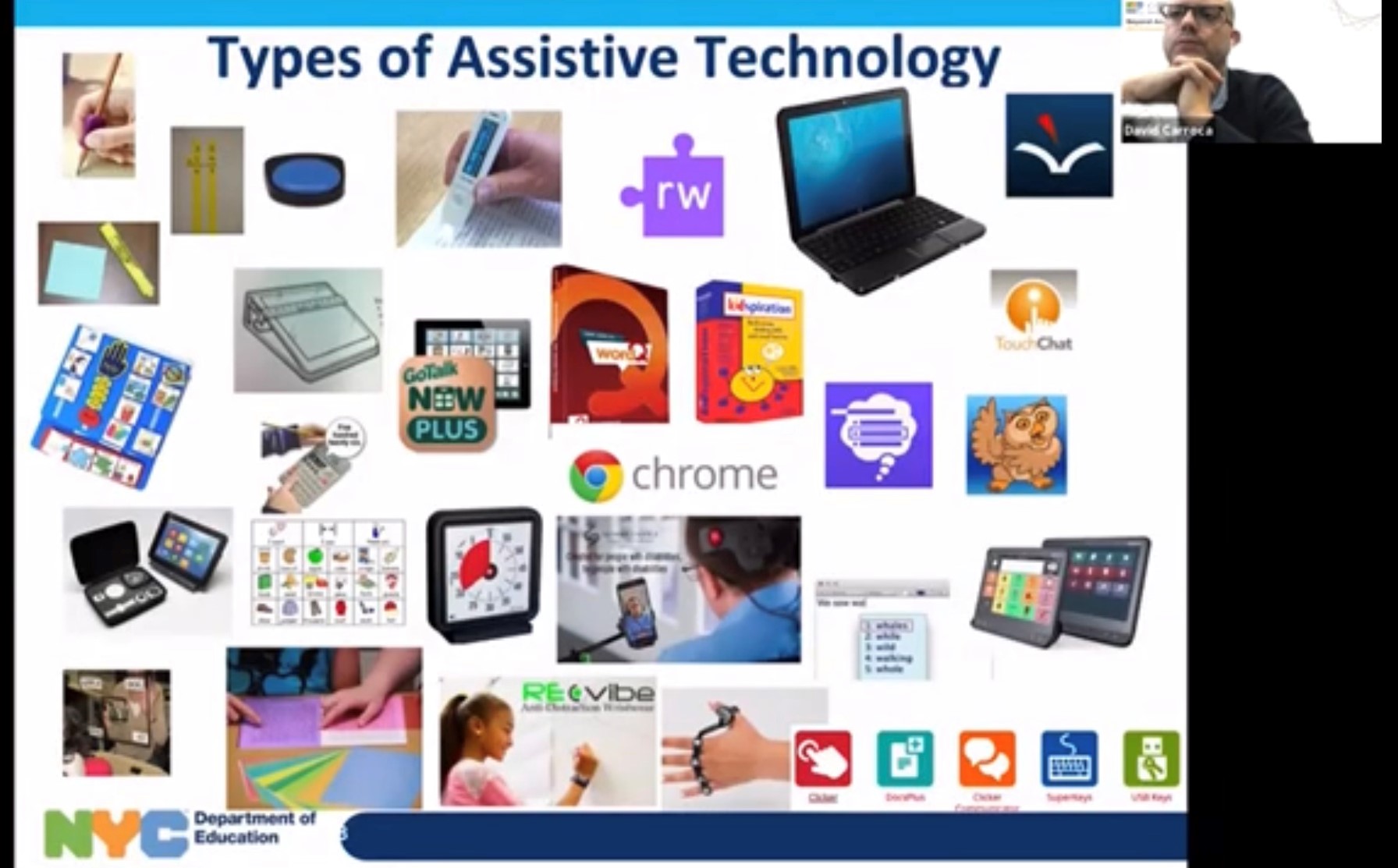
Adaptive technology refers to specialized hardware and software designed specifically for individuals with disabilities to improve, maintain, or increase functional capabilities. Unlike general assistive technology, which includes broad tools like eyeglasses, adaptive technology focuses on modifying existing systems or creating specialized interfaces—such as screen readers, switches, and AI-driven communication devices—to bridge the gap between a user’s unique needs and the requirements of digital and physical environments.
Distinguishing Adaptive Technology from the Assistive Landscape
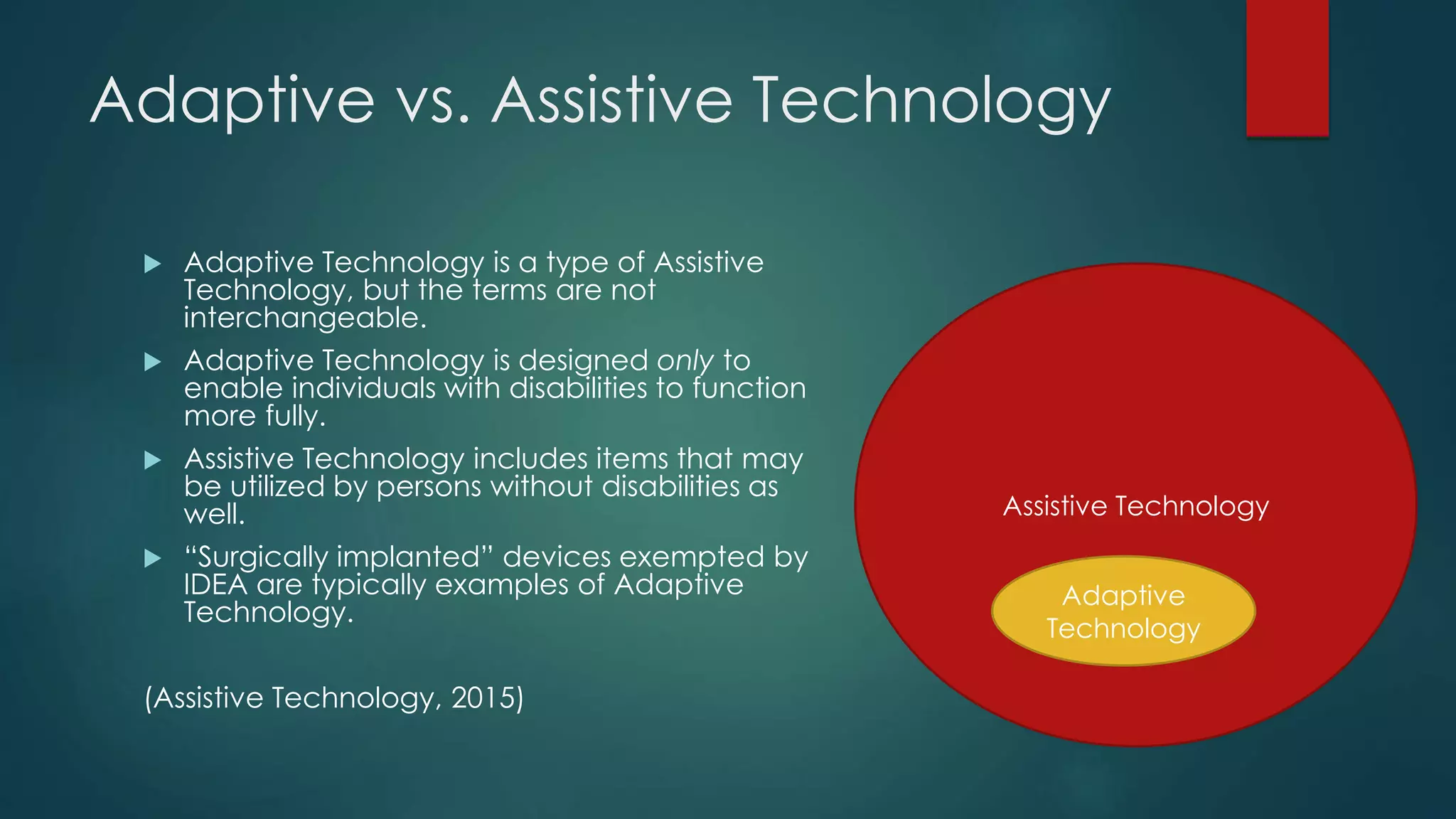
To understand adaptive technology, one must first recognize its placement within the broader umbrella of assistive technology (AT). While the terms are often used interchangeably, "assistive technology" describes any item or piece of equipment used to increase the functional capabilities of people with disabilities. In contrast, adaptive technology specifically involves the "adaptation" of existing tools or the creation of specialized versions of them to provide access that would otherwise be impossible.
For example, a standard keyboard is a piece of general technology. A keyboard with larger keys and high-contrast lettering is a piece of assistive technology. However, a sip-and-puff system that allows a user to control a computer cursor via breath pressure is a definitive piece of adaptive technology. It adapts the standard input method of a computer to accommodate a user with limited upper-limb mobility.
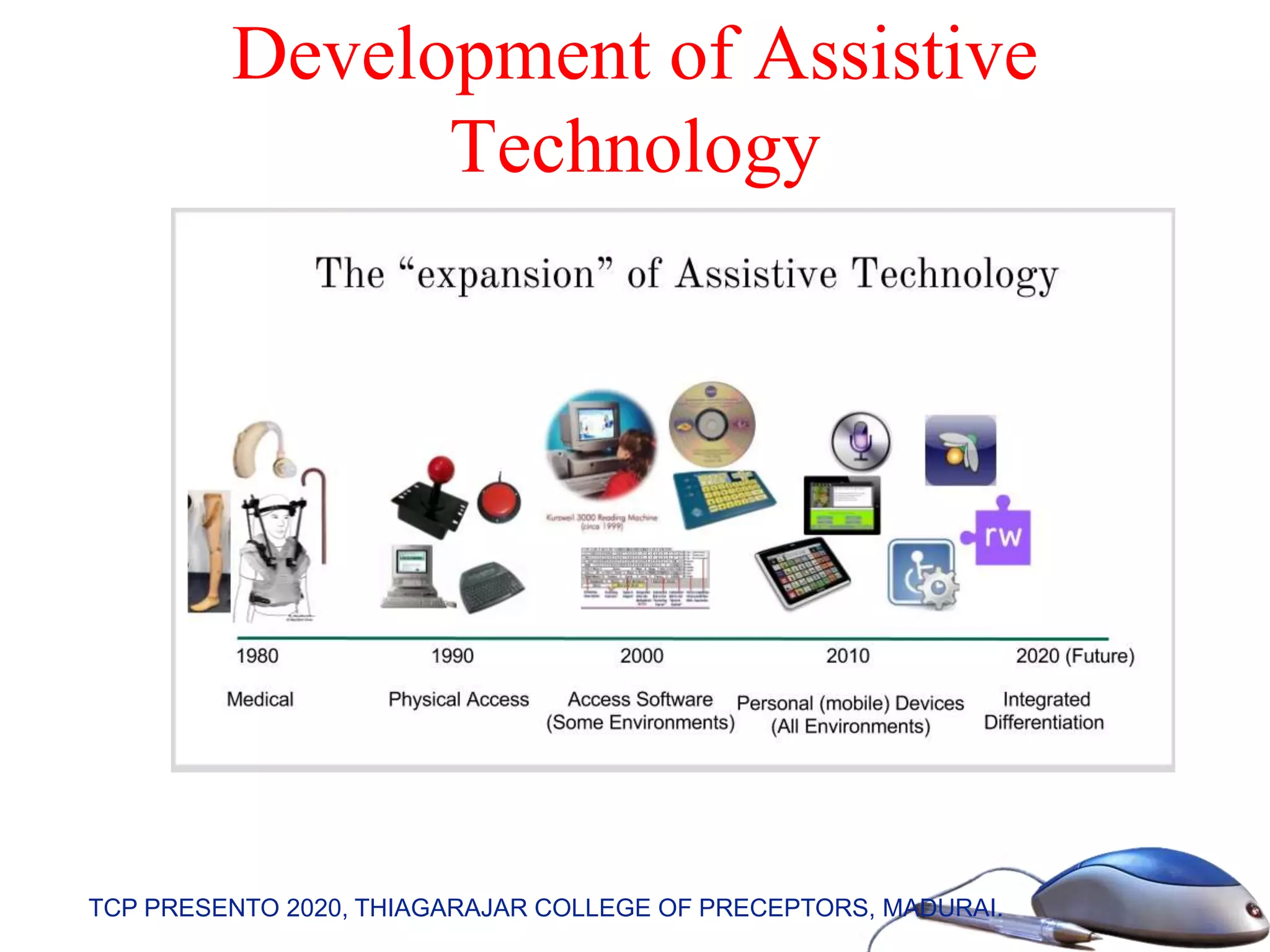
As of 2026, the distinction has become increasingly nuanced due to the rise of universal design. Many features that began as adaptive technologies—such as voice-to-text, closed captioning, and predictive text—are now integrated into mainstream consumer electronics. Despite this convergence, specialized adaptive tools remain essential for addressing complex, multi-modal disabilities where off-the-shelf accessibility features fall short.
Core Categories of Adaptive Technology Solutions
Adaptive technology is generally categorized by the specific functional limitation it addresses. In 2026, these solutions have moved beyond simple hardware "workarounds" to sophisticated, interconnected ecosystems that leverage high-speed processing and sensor fusion.
Visual Adaptive Technology
For users with low vision or total blindness, adaptive technology serves as the primary interface for the digital world.
- Screen Readers: Software programs like JAWS (Job Access With Speech) and the open-source NVDA (NonVisual Desktop Access) remain industry standards. These tools parse the underlying code of websites and documents to provide synthetic speech or Braille output.
- Refreshable Braille Displays: These hardware devices contain pins that move up and down to create Braille characters in real-time, allowing users to read text and navigate interfaces tactually.
- Electronic Magnifiers and CCTVs: Advanced digital magnifiers now utilize 4K cameras and AI-enhanced contrast filters to help users with macular degeneration or glaucoma read physical text and view distant objects.
Hearing and Auditory Technology
Adaptive tools for the deaf and hard-of-hearing focus on converting auditory signals into visual or tactile information.
- Real-Time Captioning (CART): Communication Access Real-Time Translation uses specialized software to turn spoken word into text instantly. In 2026, AI-driven CART has achieved over 98% accuracy in quiet environments.
- Vibratory Signalling Systems: These devices "adapt" environmental sounds (like a doorbell, a baby crying, or a fire alarm) into specific vibration patterns or strobe lights to alert the user.
- Induction Loop Systems: These systems transmit audio directly to a user’s hearing aid or cochlear implant, bypassing background noise and improving clarity in public spaces.
Mobility and Motor Control Technology
This category addresses limitations in physical movement, coordination, and strength.
- Alternative Input Devices: This includes trackballs, joysticks, and head-tracking cameras. One of the most significant advancements is the integration of eye-tracking technology (such as those from Tobii Dynavox), which allows users with ALS or spinal cord injuries to operate a full Windows or macOS environment using only their gaze.
- Adaptive Switches: These allow users to control computers or power wheelchairs through any consistent muscle movement, such as a head tilt, a cheek twitch, or a foot tap.
- Exoskeletons and Smart Orthotics: Current 2026 models of wearable robotics provide adaptive resistance and assistance, allowing individuals with paraplegia to stand and walk while the software adapts to their unique gait and balance requirements.
Cognitive and Communication Technology
Often referred to as Augmentative and Alternative Communication (AAC), these tools assist individuals with speech impairments or cognitive disabilities like autism or aphasia.
- Symbol-Based Communication: Apps like Proloquo2Go allow users to build sentences by selecting icons, which the device then speaks aloud.
- Task Management and Prompting Systems: Adaptive software that simplifies complex workflows into step-by-step visual prompts, helping users with traumatic brain injuries (TBI) maintain independence in the workplace.
Technical Specifications and Accessibility Standards
The effectiveness of adaptive technology is tethered to the underlying accessibility of the platforms it interacts with. If a software application is not built to standard, even the most advanced adaptive tool cannot "read" it.
- WCAG 2.2 and 3.0: The Web Content Accessibility Guidelines (WCAG) are the global standard. As of 2026, many organizations are transitioning to WCAG 3.0 (the "Silver" project), which uses a more flexible scoring system to evaluate how well adaptive technologies can interact with web content.
- Section 508 of the Rehabilitation Act: In the United States, this requires federal agencies to make their electronic and information technology accessible to people with disabilities.
- EN 301 549: This is the European equivalent, ensuring that public sector websites and apps across the EU are compatible with assistive and adaptive tools.
For developers and IT professionals, ensuring compatibility involves maintaining a clear Accessibility Tree. This is a subset of the browser's DOM (Document Object Model) that contains the information needed by screen readers and other adaptive tools to understand the name, role, and state of every element on a screen.
Comparison of Common Adaptive Technology Solutions
The following table compares various adaptive tools based on their primary function and the specific user needs they address.
| Technology Type | Primary Function | User Group | Key Example/Product |
|---|---|---|---|
| Screen Reader | Text-to-Speech / Braille Output | Blind / Low Vision | JAWS, NVDA, VoiceOver |
| Eye-Tracking | Cursor control via eye movement | Limited Mobility (ALS, Quadriplegia) | Tobii Dynavox PCEye |
| Sip-and-Puff | Switch control via breath | Severe Physical Disability | Origin Instruments Sip/Puff |
| AAC Software | Speech generation via symbols/text | Non-verbal / Speech Impaired | Proloquo2Go, TD Snap |
| Brain-Computer Interface (BCI) | Direct neural control of devices | Locked-in Syndrome | Synchron Stentrode (Clinical) |
| Haptic Navigation | GPS via vibration patterns | Blind / Deaf-Blind | Wayband, Soundscape (Adapted) |
The Integration of Artificial Intelligence in 2026
By 2026, Artificial Intelligence has fundamentally shifted adaptive technology from reactive to proactive. Modern AI-driven adaptive tools no longer just "magnify" or "read" content; they interpret it.
Computer Vision for the Blind: Current applications can now identify not just "a person" in a photo, but can describe their facial expression, the text on their t-shirt, and the specific brand of coffee they are holding. This provides a level of environmental context that was previously unavailable.
Generative AI for Cognitive Support: For individuals with cognitive disabilities that affect reading comprehension, AI tools can now summarize complex legal or technical documents into "Plain Language" or "Easy Read" formats in real-time. This adaptation allows users to participate in complex civic and professional activities that were once barriers.
Predictive Physical Assistance: In the realm of mobility, smart wheelchairs now use LiDAR (Light Detection and Ranging) to detect obstacles and automatically adjust their path, adapting to the user's fatigue levels or tremors to ensure smooth navigation.
Implementation in the Workplace and Education
Implementing adaptive technology is not merely a matter of purchasing hardware; it requires a structured approach to ensure the user can actually utilize the tool effectively.
The Assessment Phase
Before deployment, a professional assessment by an Assistive Technology Professional (ATP) or an Occupational Therapist (OT) is critical. They evaluate the user’s "functional reach"—not just physical reach, but their cognitive and sensory capacity—to match the right technology to the specific task.
Legal Requirements and Accommodations
Under the Americans with Disabilities Act (ADA), employers are required to provide "reasonable accommodations." Adaptive technology is a primary vehicle for these accommodations. Organizations like the Job Accommodation Network (JAN) provide extensive databases on how specific adaptive tools can be used to meet legal compliance and enhance employee productivity.
Training and Maintenance
A common point of failure is the lack of ongoing support. Adaptive technology often has a steep learning curve. For instance, learning to navigate a complex spreadsheet using a screen reader requires specialized keyboard command training that can take weeks to master. Organizations must budget for both the initial purchase and the subsequent training hours.
Cost Considerations and Funding Pathways
Adaptive technology remains expensive due to the specialized nature of the hardware and the relatively small market size. A high-end Braille note-taker or an eye-gaze system can cost between $5,000 and $15,000.
- Vocational Rehabilitation (VR): Most states have VR agencies that fund adaptive technology if it is necessary for an individual to gain or maintain employment.
- Special Education (IDEA): Under the Individuals with Disabilities Education Act, schools are often required to provide adaptive tools if they are written into a student's Individualized Education Program (IEP).
- Health Insurance: While many insurers still view adaptive computer access as "educational" rather than "medical," some components (like speech-generating devices or specialized wheelchairs) are covered as Durable Medical Equipment (DME).
- Grants and Non-Profits: Organizations such as the Christopher & Dana Reeve Foundation offer guidance on navigating the complex funding landscape for mobility-related adaptations.
Common Barriers to Adoption
Despite the advancements seen in 2026, several hurdles remain that prevent widespread adoption of adaptive technology.
- Interoperability: New operating system updates can frequently break specialized adaptive software. A Windows "Patch Tuesday" might inadvertently disable a specific driver for a Braille display, leaving a user without access for days.
- Stigma: Some users feel that highly visible adaptive tools draw unwanted attention. This has led to the "mainstreaming" of design, where adaptive tools are disguised as common consumer tech (e.g., using an iPad as an AAC device).
- High Latency: In communication devices, the "gap" between a user thinking of a word and the device speaking it can be several seconds, which disrupts the natural flow of conversation. Reducing this latency remains a primary technical goal for 2026 developers.
Is adaptive technology the same as assistive technology?
No, adaptive technology is a subset of assistive technology. While assistive technology covers any device that helps a person with a disability, adaptive technology refers specifically to versions of existing technologies that have been modified (adapted) or specialized to provide access for individuals who cannot use the standard version.
Do I need a prescription for adaptive technology?
For many software-based tools (like screen magnifiers) or low-tech items, no prescription is needed. However, for specialized hardware like speech-generating devices or high-end mobility aids, a formal evaluation by a medical professional or therapist is often required for insurance coverage and to ensure the device is configured correctly for the user's needs.
How does AI improve adaptive technology in 2026?
AI enhances adaptive technology by providing real-time environmental interpretation (computer vision), simplifying complex language for cognitive support, and improving the accuracy of voice-to-text and eye-tracking systems through machine learning that adapts to the specific user's speech patterns or motor movements.
Are employers required to pay for adaptive technology?
Under the ADA, employers with 15 or more employees must provide "reasonable accommodations" for qualified individuals with disabilities, which often includes the cost of adaptive technology, provided it does not cause "undue hardship" to the business operations.
Developing a Personal Accessibility Roadmap
For individuals or organizations looking to integrate adaptive technology, the first step is a Functional Gap Analysis. This involves identifying the specific tasks that are currently inaccessible and matching them with the least intrusive, most effective tool.
Start by exploring the built-in accessibility features of modern operating systems (iOS, Android, Windows 11/12). If these are insufficient, consult with an Assistive Technology Professional to trial specialized hardware. In 2026, the trend is toward "modular accessibility," where different tools (like a screen reader and a voice-controlled smart home system) are layered to create a custom environment. For those in a professional setting, contacting the Partnership on Employment & Accessible Technology (PEAT) can provide the necessary frameworks for implementing these technologies at scale.