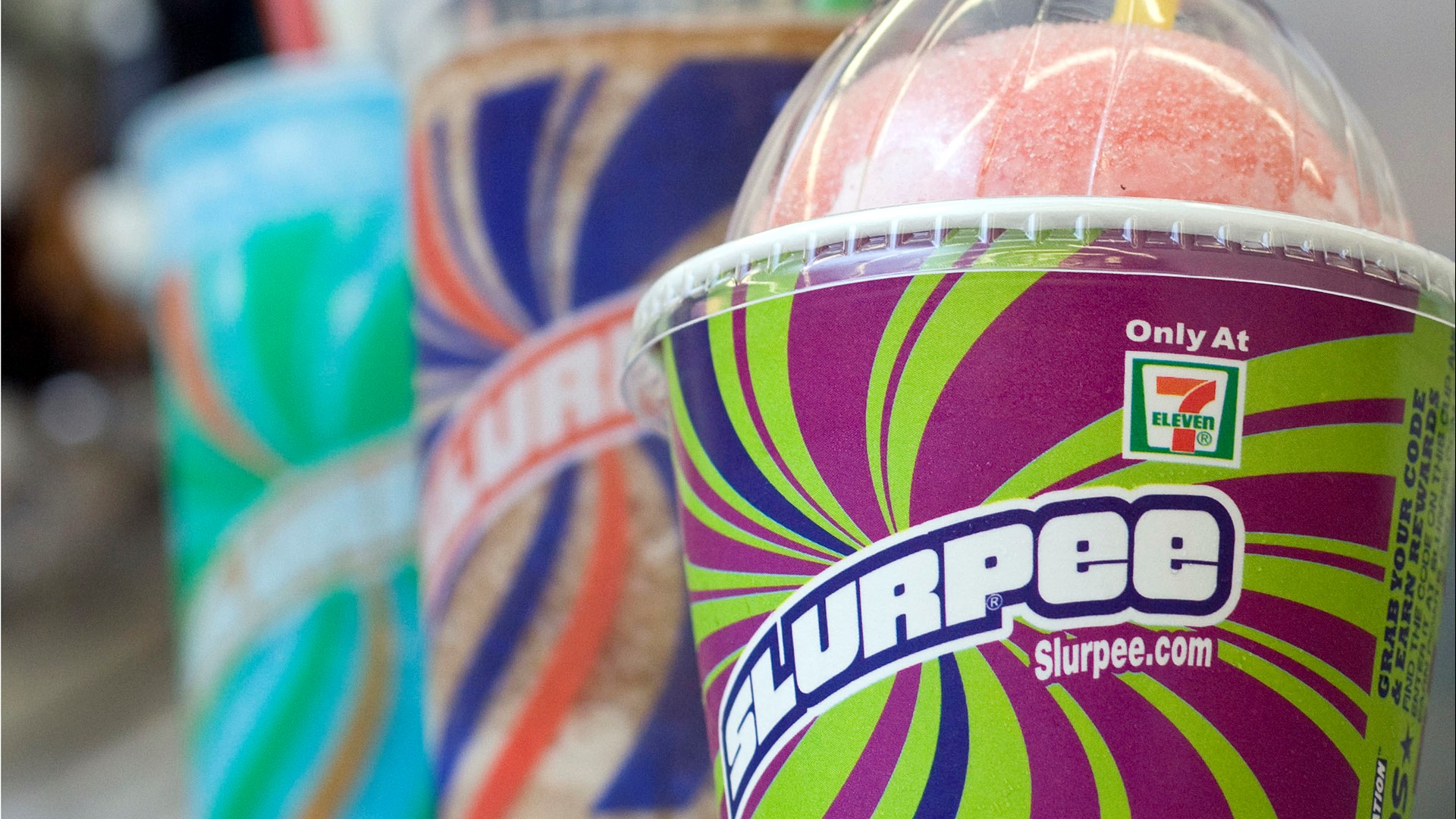
To get a free Slurpee coupon at 7-Eleven, download the 7-Eleven mobile app to join the 7Rewards program, participate in the annual July 7-Eleven Day (Slurpee Day) promotion, or redeem earned rewards points. To use the coupon, fill a designated cup size in-store and scan your app barcode or enter your phone number at checkout.
Understanding 7-Eleven Free Slurpee Promotions and Eligibility
The Slurpee is one of the most recognizable frozen beverages in convenience store history, and 7-Eleven frequently provides opportunities for customers to enjoy one without paying full price. Obtaining a free Slurpee coupon involves navigating 7-Eleven's digital infrastructure, annual calendar events, and customer loyalty incentives. While digital coupons have largely replaced printed paper vouchers, the mechanics of securing and redeeming these offers remain straightforward once you know where to look.
Free Slurpee offers generally fall into two broad categories: public promotional events open to all customers and targeted loyalty rewards reserved for registered members of the 7Rewards loyalty program. Public events, such as 7-Eleven's annual birthday celebration on July 11, typically offer a free small Slurpee to anyone visiting a participating store during specified hours. Targeted rewards, on the other hand, require an active account within the 7-Eleven application, where digital coupons, point redemptions, and birthday gifts are issued directly to your mobile wallet.
Eligibility depends primarily on your geographic location and your account status within the 7Rewards ecosystem. Most promotions are hosted across participating 7-Eleven, SpeedWay, and Stripes locations throughout the United States and Canada. However, independent franchisee participation can vary, meaning certain store locations might opt out of specific localized digital deals or limit redemption hours. Understanding how these promotions are generated, stored, and processed ensures you never miss an opportunity for a free drink or run into unexpected issues at the register.
How to Get a Free Slurpee Coupon: 4 Proven Methods
Securing a free Slurpee offer is simple when using official channels. Rather than relying on third-party coupon aggregator websites—which frequently post expired or invalid codes—you can obtain verified free Slurpee coupons directly through 7-Eleven's official distribution channels.
1. Celebrating National Slurpee Day (7-Eleven Day)
Every year on July 11 (written numerically as 7/11), 7-Eleven celebrates its founding anniversary by hosting National Slurpee Day. During this flagship annual promotion, participating 7-Eleven, Speedway, and Stripes stores distribute free small Slurpee drinks to visiting customers.
In recent years, 7-Eleven has extended this tradition by issuing an early-access digital coupon directly to 7Rewards and Speedy Rewards members' app wallets at the beginning of July. This early-access coupon allows loyalty members to claim their free Slurpee anytime during the first week of July, in addition to or alongside the main event on July 11. To participate, you simply need to have an active app account before the promotional period begins.
2. Joining the 7Rewards Loyalty Program
The easiest way to get regular free Slurpee coupons throughout the year is by creating a free account on the 7-Eleven mobile app. Upon creating a new account, 7-Eleven frequently welcomes new users with introductory sign-up rewards or bonus point allocations that can immediately be converted into a free beverage coupon.
Additionally, registered members who enter their birth date during registration receive an annual birthday coupon loaded directly into their account during their birth month. This digital birthday perk usually entitles the member to a free small Slurpee or another select reward item, valid for a specified window (typically 30 days from issuance).
3. Earning and Redeeming 7Rewards Points
Every purchase made at 7-Eleven using the 7Rewards app or registered phone number earns points—typically 10 points per dollar spent on eligible in-store merchandise and qualifying fuel purchases. As your point balance grows, you can convert those points into digital coupons within the app's rewards catalog.
A small Slurpee generally sits in the lowest point-redemption tier, requiring around 800 to 1,000 points depending on current promotional structures. Once selected in the app, your points are deducted, and a digital coupon for a free Slurpee is generated in your app wallet, ready to be scanned at checkout.
4. Using the 7NOW Delivery App and Special Digital Promos
If you prefer home delivery, the 7NOW app frequently runs promotions where adding a Slurpee to your order yields a 100% discount via an automatically applied promo code at checkout. These delivery-specific coupons often require a minimum order threshold (such as $10 or $15), but they offer a convenient way to get a free Slurpee without visiting a physical store.
Furthermore, 7-Eleven partners with various brand sponsors throughout the year to offer limited-time digital coupons. These promos may require playing an in-app game, buying a featured snack item (such as a specific brand of chips or candy), or opting into SMS marketing alerts.
Step-by-Step Guide: How to Redeem Your Free Slurpee Coupon In-Store
Redeeming your free Slurpee coupon at a physical 7-Eleven store is a quick process, but following the correct sequence prevents checkout errors and ensures the discount applies properly to your transaction.
- Verify & Activate Coupon in 7-Eleven App Wallet
- Dispense Slurpee into Proper Cup Size (Small/Promo)
- Bring Beverage to Register Before Scanning App
- Scan App Barcode or Enter Phone Number at Terminal
Step 1: Verify and Activate Your Coupon in the App
Before heading to the beverage fountain, open your 7-Eleven app and navigate to the Rewards or Deals tab. Ensure your free Slurpee coupon is visible. If you are converting points into a coupon, select the Slurpee reward and confirm the point redemption. Some coupons require you to tap "Unlock" or "Activate" before they become scannable; check if a countdown timer appears after activation.
Step 2: Pour Your Slurpee
Head to the Slurpee machine in the store. Make sure you select the cup size specified in your coupon's fine print. For most promotional giveaways (including 7-Eleven Day), the free offer applies strictly to a Small cup size (or a special promotional cup distributed near the machine). Filling a Medium, Large, or X-Large cup when the coupon specifies a Small may cause the system to decline the discount or charge you the price difference.
Step 3: Bring Your Beverage to the Register
Take your filled Slurpee cup to the checkout counter. Inform the sales associate that you are redeeming a 7Rewards digital coupon or participating in the free Slurpee promotion. Do not drink from the cup or discard it before bringing it to the register, as the cashier must scan the item's cup barcode or key in the drink size manually into the point-of-sale (POS) terminal.
Step 4: Scan Your Member Barcode
Once the cashier has scanned the Slurpee cup, present your phone with the 7-Eleven app open to your member barcode (or the specific coupon barcode). Hold your screen beneath the counter barcode scanner until it beeps. Alternatively, if your account is linked to your mobile phone number, you can enter your phone number on the customer-facing pin pad.
Step 5: Confirm the Discount Applied
Watch the POS register display to confirm that the balance drops to $0.00 for the Slurpee. Once the barcode is scanned, the register automatically deducts the full value of the qualifying drink. Complete the transaction and review your digital receipt in the app to verify successful redemption.
7-Eleven Free Slurpee Offers Compared: Methods, Requirements, and Limitations
To help you choose the best strategy for securing your free beverage, the table below compares the primary methods for obtaining a free Slurpee coupon at 7-Eleven:
| Acquisition Method | Required App / Account | Typical Cup Size | Redemption Limit | Common Exclusions / Notes |
|---|---|---|---|---|
| National Slurpee Day (July 11) | None required in-store; App required for early access | Small (or Special Promo Cup) | 1 per customer per day | Valid only at participating stores on designated dates during event hours. |
| 7Rewards Birthday Perk | 7-Eleven App account with valid DOB | Small | 1 per account per year | Valid for your birth month; must register account prior to birth month. |
| Point Redemption (7Rewards) | 7-Eleven App account | Small (varies by points redeemed) | Unlimited (based on available points) | Requires 800–1,000 accrued loyalty points per beverage. |
| New Account Sign-Up Offer | 7-Eleven App (First-time users) | Small | 1 per device / phone number | Subject to change based on active introductory marketing campaigns. |
| 7NOW Delivery Promotion | 7NOW App account | Any (per promo terms) | 1 per order | Often requires a minimum purchase threshold (e.g., $10–$15). |
Common Rules, Exclusions, and Fine Print to Keep in Mind
While getting a free Slurpee is easy, every digital coupon and promotional event comes with terms and conditions established by 7-Eleven corporate policies. Paying attention to these rules prevents frustration at checkout:
- Size Specificity: Digital coupons almost always specify the exact allowed cup size—most commonly a 12 oz. or 16 oz. small cup. Selecting a larger size (such as a 30 oz. Big Gulp or Slurpee cup) will cause the register to treat the item as a non-qualifying product, resulting in a full charge.
- One-Time Use and Timers: Many digital coupons feature a single-use barcode or a dynamic activation timer (e.g., a 15-minute countdown once pressed). Do not tap "Activate" until you are standing at the register ready to pay, as an expired timer will render the coupon invalid.
- Participating Locations Only: Independent franchisees operate a small percentage of 7-Eleven locations. While the vast majority honor corporate coupons and app rewards, certain franchised or non-traditional locations (such as those inside airports, hospital lobbies, or college campuses) may not participate in 7Rewards promotions.
- Applicable Taxes: Depending on state and local tax regulations, some jurisdictions require convenience stores to collect sales tax on the retail value of promotional items, even if the coupon reduces the item price to zero. In such areas, you may be responsible for paying a few cents in local sales tax.
- Flavor Availability: Coupons apply to the beverage container size, not specific syrup flavors. You are free to choose any available Slurpee flavor—including limited-time seasonal flavors—provided it is dispensed from the standard Slurpee machine into the eligible cup.
Troubleshooting Common Coupon and App Redemption Issues
If your free Slurpee coupon fails to scan or does not apply the expected discount, use these troubleshooting steps to resolve the issue:
1. Screen Brightness and Glare
Barcode scanners at POS terminals can struggle to read mobile screens with low brightness or reflective screen protectors. Turn your mobile device's screen brightness to maximum and position the screen steady about 4 to 6 inches from the scanner lens.
2. Mismatched Item Scanned
If the cashier scans your member barcode but the price does not update to free, verify that the cashier scanned the correct physical cup. If the cashier keyed in a medium or large drink code manually instead of a small cup code, the digital coupon will not trigger. Politely ask the associate to verify the cup size entered into the register system.
3. App Connectivity Problems
Poor cellular reception inside brick-and-mortar stores can prevent the 7-Eleven app from loading your wallet barcodes. To avoid this, open the app and load your coupon while outside the store or connect to the store's free Wi-Fi network if available. You can also take a screenshot of your static 7Rewards member barcode in advance, though dynamic single-use coupons must be loaded live in the app.
4. Unlinked Phone Numbers
If you enter your phone number at the pin pad and your rewards fail to populate, your mobile phone number may not be fully verified in your 7Rewards account settings. Log into the app, navigate to your profile settings, and ensure your phone number is verified via SMS confirmation code.
Frequently Asked Questions About 7-Eleven Free Slurpee Coupons
Can I get a free Slurpee without using the 7-Eleven app?
Yes, on National Slurpee Day (July 11), visiting customers can typically receive a free small Slurpee without scanning an app, while supplies last. However, for all other free Slurpee coupons throughout the year—including birthday offers and point redemptions—you must use the 7-Eleven app or present a registered 7Rewards account.
How many points do I need for a free Slurpee on 7Rewards?
In the standard 7Rewards catalog, a small Slurpee typically costs between 800 and 1,000 points. Point values can fluctuate during special promotional windows or multi-item bundle deals, so check the "Rewards" section of your app for current redemption rates.
Can I use multiple free Slurpee coupons in a single transaction?
No. Standard 7-Eleven POS rules restrict transactions to one digital coupon redemption per 7Rewards account per visit. If you have multiple valid coupons, you must redeem them in separate transactions or on different store visits.
Does Speedway accept 7-Eleven Slurpee coupons?
Yes. Since 7-Eleven acquired Speedway, the 7Rewards and Speedy Rewards programs are integrated. You can scan your 7-Eleven app at participating Speedway locations to redeem earned digital coupons and earn points on qualifying purchases.
What should I do if my free Slurpee coupon expires before I use it?
Once a digital coupon or promotional reward passes its listed expiration date, it cannot be reinstated by store cashiers. However, if a coupon expired prematurely due to a technical glitch within the app, you can contact 7-Eleven Customer Care through the app's help menu to request a point reimbursement.
How to Maximize Your 7Rewards Benefits Year-Round
To make the most of 7-Eleven's promotional offers, download the official 7-Eleven mobile app from the Apple App Store or Google Play Store and complete your profile setup, ensuring your birth date and phone number are fully verified. Turn on app push notifications to receive alerts about unannounced "Flash Deals," double-point weekend events, and seasonal Slurpee promotions. Always scan your app barcode or enter your phone number on every visit—even for small purchases like coffee or snacks—to continuously accumulate points that can be converted into free Slurpees and food rewards throughout the year.